
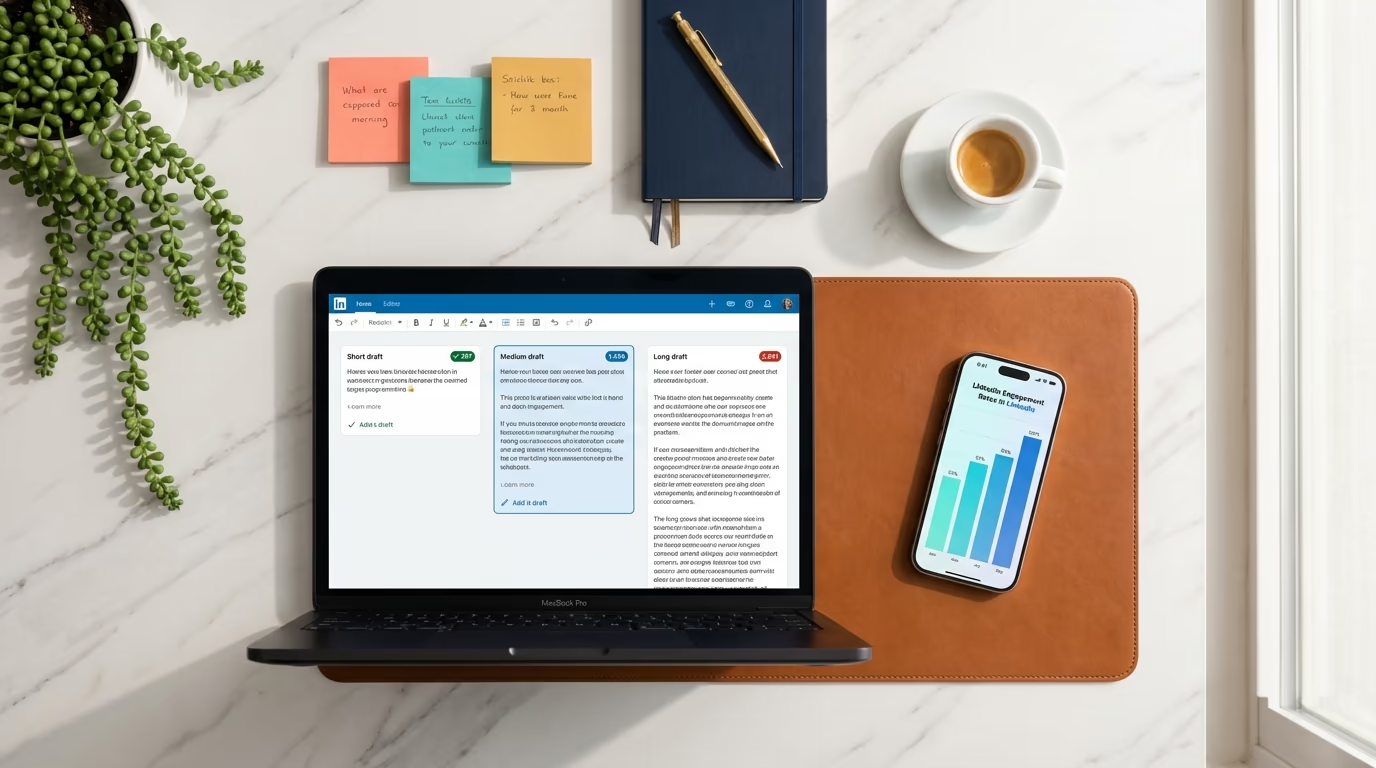
How long should a LinkedIn post be? The short answer: LinkedIn gives you 3,000 characters per post in 2026, but the sweet spot for engagement sits between 1,300 and 1,900 characters. The longer answer depends on what you are posting, what format you are using, and how your opening lines perform before LinkedIn hides the rest behind the "see more" link. The relationship between character count and engagement follows a curve that peaks in a specific range and drops on both sides, so both very short and very long posts tend to underperform the middle ground.
When I built LinkedGrow, post length was one of the first things users asked about. Everyone wanted a clean number to follow every time. This guide covers what the data actually shows: where the character limits sit, how engagement shifts across different length ranges, the ideal length for each content format from text posts to carousels to image posts, character limits for every other LinkedIn field (comments, headlines, About section, DMs), and when to go long versus short. Whether you are a creator posting daily or a founder sharing weekly insights, understanding these dynamics will immediately improve how your content performs.
At a glance: LinkedIn allows 3,000 characters per post in 2026, but only about 210 show on desktop and 140 on mobile before the see-more link, and engagement peaks between 1,300 and 1,900 characters. For reference, comments cap at 1,250 characters, headlines at 220, the About section at 2,600, connection notes at 300, direct messages at 8,000, and long-form articles at 125,000.
What are LinkedIn's character limits and the see-more cutoff?
LinkedIn gives you 3,000 characters for every standard text post in 2026 (up from 1,300 before June 2023). Those 3,000 characters include spaces, line breaks, and emojis, so your actual word count will vary depending on formatting and whitespace. A fully maxed-out post runs about 450 to 550 words, while most high-performing posts land between 200 and 300 words. If you have ever written what felt like a short post and discovered you were already past 2,000 characters, excessive line breaks were probably the culprit.
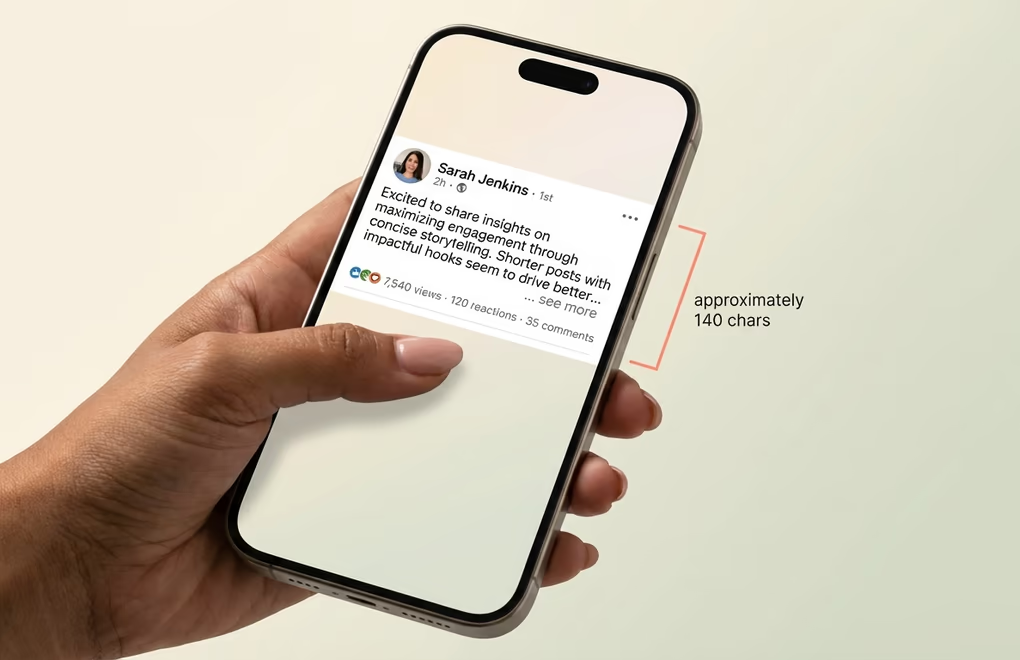
The number that matters far more than 3,000, though, is roughly 210. That is approximately how many characters LinkedIn displays on desktop before hiding the rest behind the "see more" link. On mobile, where the majority of LinkedIn browsing happens, the cutoff can be as low as 140 characters depending on the device and how many line breaks you have used. Your first 2 to 3 sentences are not just the beginning of your post - they are effectively an advertisement for the rest of it. If those opening lines do not hook the reader, nothing else you wrote matters because most people will never see it.
Think of it as writing 2 posts in 1: the first 210 characters are a mini-post whose entire job is to earn the click, and everything after that is the actual content that delivers on that promise. This is why LinkedIn hooks have become such a critical skill. The creators who consistently get high engagement are the ones who write opening lines that make it impossible not to click "see more", and then deliver enough value that readers feel glad they did. LinkedGrow's free character counter helps you see exactly how much of your post appears above the fold before you publish.
How does post length affect LinkedIn engagement?
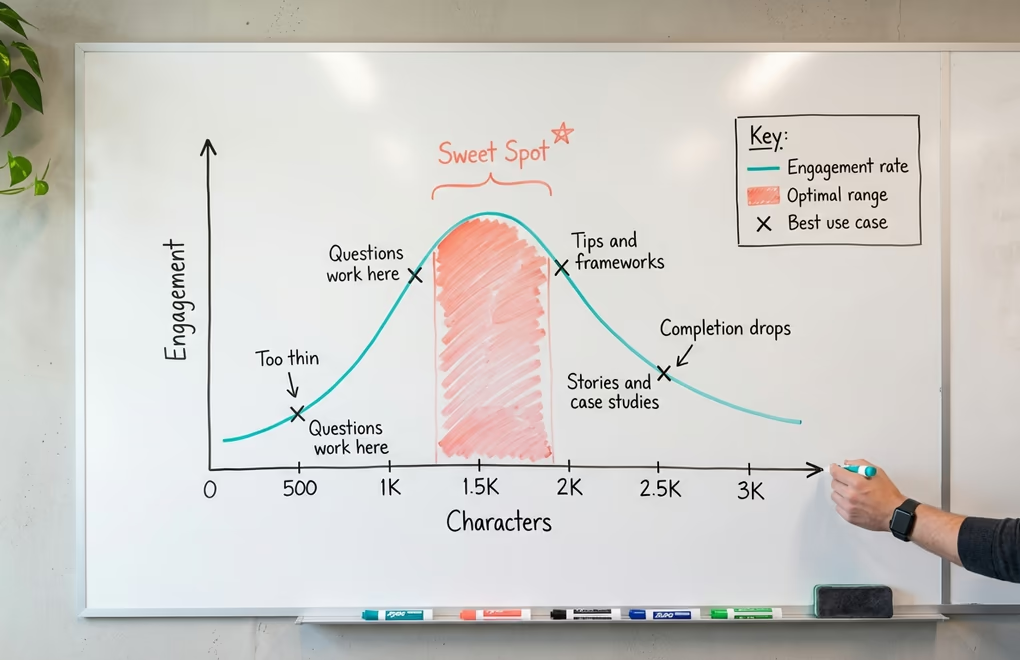
The relationship between post length and engagement is not linear. You do not get twice the engagement by writing twice as many characters. The data follows a curve that peaks in a specific range and drops on both sides. Analysis of large post datasets consistently shows that short posts (under 400 characters) produce the lowest median engagement rates, while posts in the 1,300 to 2,500 character range produce the highest, with engagement rates roughly 25 to 30% above the shortest posts.
Posts under 500 characters tend to get treated as low-effort content by both the algorithm and by readers. A 2-sentence hot take can work occasionally if the insight is genuinely sharp, but consistently posting short snippets signals that you are not investing enough in your audience. The exception is questions: a well-crafted question in 1 or 2 sentences can drive enormous engagement because it invites responses, and the resulting comment thread is what actually generates the algorithmic boost.
The sweet spot for text-based LinkedIn posts sits in the 1,300 to 1,900 character range. Posts in this zone consistently drive the highest engagement across industries and content types. That length is enough to develop a real idea with context, examples, and a takeaway, but not so long that readers lose interest. It translates to roughly a 60-to-90 second read, which aligns with how most professionals consume content on LinkedIn - they are willing to spend a minute on something that grabs their attention, but anything beyond that needs to be exceptionally compelling.
Once you push past roughly 2,000 characters, completion rates start declining. This does not mean long posts never work - thoughtful career stories, detailed case studies, and genuine personal narratives can perform at full length. But the content has to earn every additional sentence, and most posts that reach 2,500 or 3,000 characters could deliver the same value in two-thirds of the space with tighter editing.
The factor that people overlook is dwell time. LinkedIn's algorithm measures how long people spend reading your post, and a well-structured 1,500-character post that keeps readers engaged from start to finish sends stronger algorithmic signals than a 3,000-character post that most people abandon halfway through. The goal is not to maximize length but to maximize the percentage of your post that people actually read. A post where 90% of readers finish will outperform a post twice its length where only 40% do.
What is the right length for every LinkedIn content format?
Not all LinkedIn content formats play by the same rules. The ideal text length shifts depending on whether you are posting plain text, attaching an image, sharing a carousel, uploading a video, or running a poll. Treating every format the same is one of the most common mistakes people make when thinking about post length.
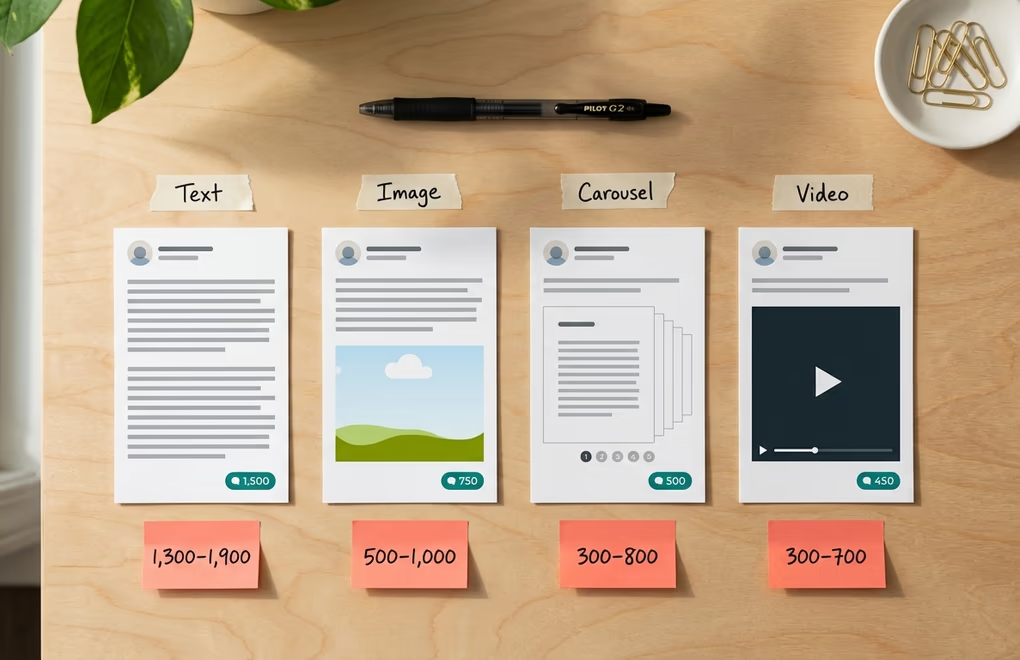
For text-only posts, you have the most flexibility and the highest stakes. Your words are the entire experience, so the 1,300 to 1,900 character sweet spot applies most directly here. Start with a hook that earns the "see more" click, develop your idea through the middle with short paragraphs and occasional white space, and close with a specific call to action that invites comments. If your post reads well at 1,400 characters, do not pad it to 2,000 just because you have the space.
Image posts change the dynamic because the visual captures initial attention and does some of the persuasion work your text would otherwise need to handle alone. Effective image posts frequently work well in the 500 to 1,000 character range for the text portion, with the image providing context or evidence that supports the message. Think of the text as a frame around the visual rather than the entire piece.
Carousel posts, where you upload a multi-slide document, flip the length equation entirely. The slides themselves are the main content, and each slide typically contains just a few sentences or a single key point. Strong carousel captions sit in the 300 to 800 character range - they explain what the carousel covers, tease a key insight from a later slide, and give people a reason to start swiping. If you are creating carousels regularly, LinkedGrow's carousel generator can help you nail both slide content and caption length.
Video posts follow a similar pattern to images. Aim for 300 to 700 characters that frame what the video covers and why it is worth watching. People decide whether to play a video within the first few seconds of seeing it in their feed, so your caption needs to sell the click quickly rather than providing a lengthy setup.
LinkedIn polls have their own limits: 140 characters for the poll question and 30 characters per option (up to 4 options). Keep your accompanying post text in the 300 to 600 character range since the poll itself is the interactive element. Front-load the context so voters understand what they are weighing in on before they see the options.
When should you use long-form vs short-form on LinkedIn?
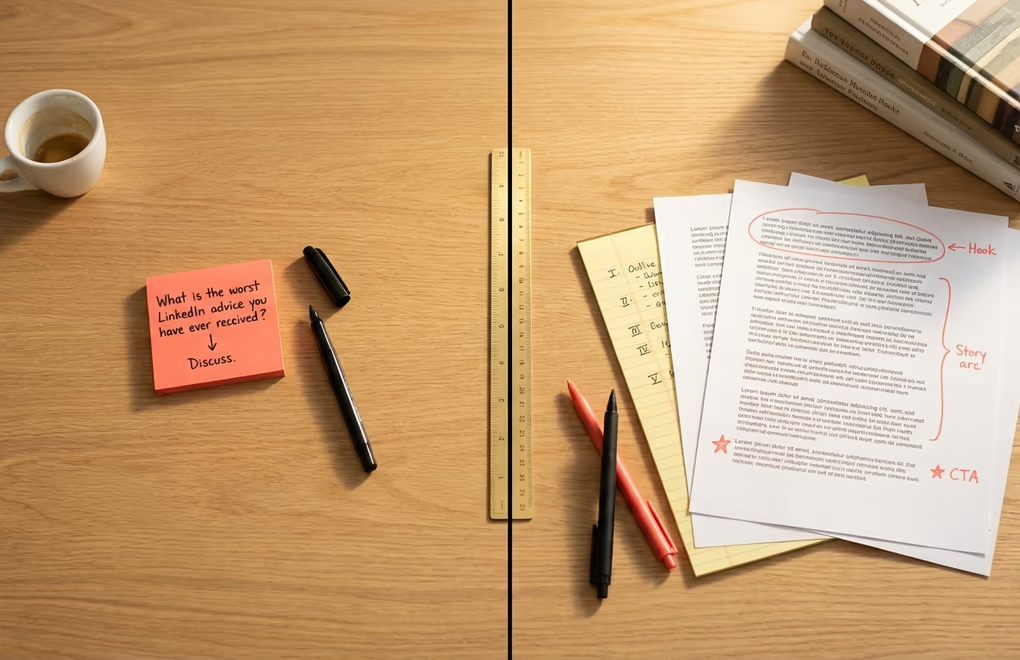
The most effective LinkedIn creators do not have a fixed post length. They have a range, and they choose where to fall based on what each specific post is trying to accomplish. A monotonous feed where every post is the same length trains your audience to scroll past.
Short posts under 800 characters work best when your goal is to spark a conversation. Questions, provocative opinions, quick observations, and relatable one-liners thrive in short format because they leave room for the audience to contribute their own thoughts. A short post asking "What is the worst LinkedIn advice you have ever received?" can generate 50 comments because everyone has an answer, and the brevity makes it feel approachable.
Medium-length posts in the 900 to 1,500 character range are your workhorses. Tips, frameworks, lessons learned, product insights, and industry commentary all fit naturally into this zone. You have enough space to develop an idea beyond surface-level observation without asking for a serious time investment. When you are not sure how long a post should be, default to this range.
Long posts above 1,500 characters are best reserved for content that genuinely needs the space: career stories that trace a journey over years, detailed case studies, contrarian takes that require building a careful argument, and personal narratives that need room to breathe. These posts can perform well, but every paragraph must make the reader want to read the next one, and if you can delete a paragraph without losing anything important, it should not be there.
The practical recommendation is to vary your length deliberately across your posting schedule. If you post 3 times a week, try 1 short conversation-starter, 1 medium-length tip, and 1 longer narrative. That variety keeps your audience engaged and gives the algorithm different content signals to work with. LinkedGrow's content calendar makes this rotation easy to plan.
How do you say more in fewer characters on LinkedIn?
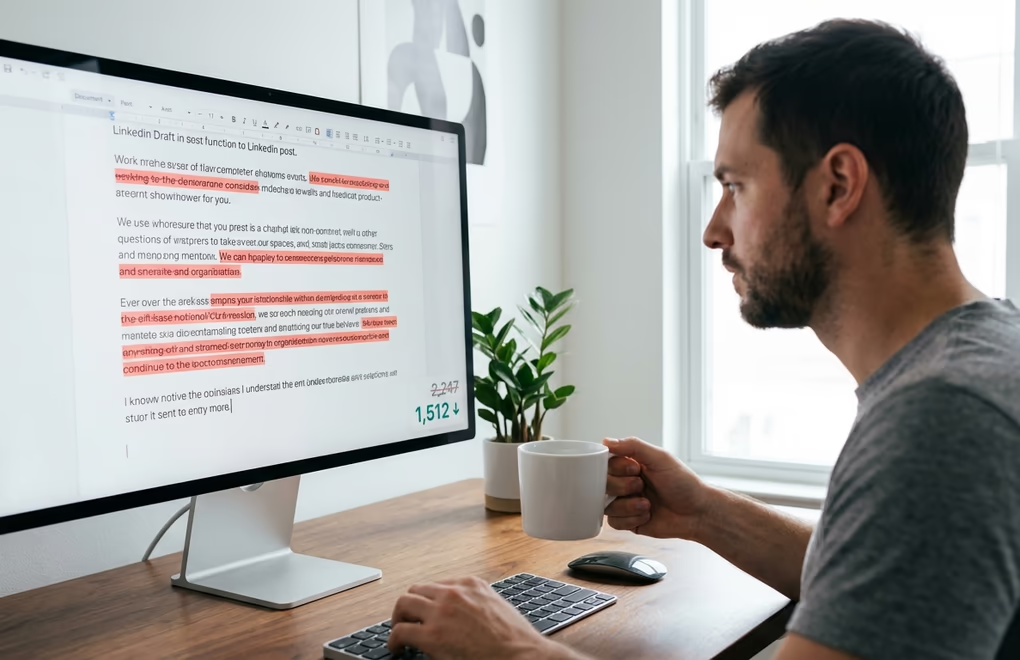
Knowing the ideal length ranges is only half the battle. Most LinkedIn posts are not too short or too long in absolute terms - they are the right length but poorly structured, so readers disengage before reaching the end.
The single most impactful change you can make is to cut your first draft by 20 to 30%. Almost every first draft contains sentences that repeat a point you already made, transitions that exist out of habit, and qualifiers that weaken your message without adding nuance. Ask yourself about each paragraph: "If I deleted this, would the reader miss anything important?" If the answer is no, delete it.
Formatting plays a massive role in perceived length. A 1,500-character post written as a single block of text feels exhaustingly long, while the same 1,500 characters broken into short paragraphs with strategic line breaks feels quick and easy to read. Use 2-to-3 sentence paragraphs maximum, add a blank line between each, and consider a single-line sentence for emphasis on key points. People make split-second decisions about whether something is worth reading based on visual density alone.
Your opening lines deserve disproportionate attention. Spend as much time crafting those first 210 characters as you spend writing everything else, because they determine whether anyone reads the rest. Test different hook styles across your posts - some audiences respond to bold claims, others to vulnerable questions, others to pattern-interrupting first lines. You will find what works through testing and tracking which posts earn the most "see more" clicks.
AI writing tools can help with both drafting and editing. If you tend to overwrite, use your AI tool to cut word count by 30% while keeping the core message. If you struggle with hooks, generate 5 opening lines and pick the strongest. The BYOK model in LinkedGrow means you can do this with whatever AI provider gives you the best results at a fraction of a cent per post. The AI post generator can also produce drafts at your target length from the start, saving you the editing step entirely.
Character limits for every other LinkedIn field
Post length gets the most attention, but LinkedIn caps every field on your profile and every interaction on the platform. The table below is the full 2026 reference in one place, with the visible cutoff beside each limit so you know how much of the field a reader actually sees before it truncates.
| LinkedIn field | Character limit | Visible before cutoff |
|---|---|---|
| Text post | 3,000 | ~210 desktop, ~140 mobile |
| Comment | 1,250 | Full (long ones truncate) |
| Profile headline | 220 | ~60 to 70 in search |
| About / summary | 2,600 | ~300 before see more |
| Connection request note | 300 | Full |
| Direct message | 8,000 | Full |
| InMail subject | 200 | Full |
| InMail body | 2,000 | Full |
| Poll question | 140 | Full |
| Poll option (up to 4) | 30 each | Full |
| Experience description | 2,000 per role | Truncates on profile |
| Company page tagline | 120 | Full |
| Company page description | 2,000 | Truncates on profile |
| Long-form article | 125,000 | Full |
A few of these limits reward extra attention. Your headline shows only 60 to 70 characters in search results and connection cards, so front load your keywords and value first (LinkedGrow's headline analyzer tests versions before you commit). Your About section hides everything after roughly 300 characters, so the same hook first rule from posts applies (see our LinkedIn summary examples). In comments, substantive replies of 150 characters or more carry more algorithmic weight than short reactions, which matters when you are building engagement on other people's posts, and connection notes give you only 300 characters to earn a reply (our outreach message templates make each one count).
LinkedIn articles are the exception to every limit above, with room for up to 125,000 characters, which is enough for a short book. If your content consistently runs past 3,000 characters as a post, it will usually perform better as a newsletter issue or article, with a shorter feed post linking to it.
The numbers that actually matter are yours
Everything in this guide gives you a starting framework, but the numbers that ultimately matter are the ones from your own posts with your own audience. Every industry and every creator voice has slightly different patterns. The general principles hold across the board: strong hooks matter more than total length, the 1,300 to 1,900 character range is a reliable starting point, variety keeps your audience engaged, and editing ruthlessly is more valuable than writing more.
Track your engagement rates against your character counts, note which lengths produce the most comments versus impressions, and adjust based on what the data shows. Start with the best time to post, match the right length to the right day and format, and let your own results refine the framework from there. The creators who grow fastest on LinkedIn treat every post as a small experiment, learn from the results, and get a little sharper every week.
Frequently Asked Questions
LinkedIn allows up to 3,000 characters per standard text post, including spaces, line breaks, and emojis. This limit applies to all post types whether you attach an image, video, or document. LinkedIn raised the limit from 1,300 to 3,000 characters in June 2023, and it has remained at 3,000 since then. LinkedIn articles, which are a separate long-form publishing format, allow up to 125,000 characters.
Approximately 210 characters are visible on desktop before LinkedIn hides the rest behind a see more link. On mobile devices, the cutoff can be as low as 140 characters depending on the device and how many line breaks you use in your opening. This makes your first 2 sentences the ones that decide whether anyone reads the rest.
Neither is inherently better. Short posts under 800 characters work well for questions and conversation starters that invite comments. Medium posts between 900 and 1,500 characters are the most reliable performers for tips, insights, and frameworks. Long posts above 1,500 characters are best reserved for career stories, case studies, and personal narratives that need room to develop. The most effective strategy is to mix all 3 lengths across your posting schedule.
Yes. LinkedIn's algorithm measures dwell time, which is how long people spend reading your post. A well-structured medium-length post that holds attention from start to finish sends stronger signals than a longer post that most readers abandon halfway through. The algorithm also tracks whether people click see more, which indicates the hook was compelling enough to earn further reading.
Most standard emojis count as 2 characters toward your 3,000-character post limit on LinkedIn. Some complex emojis with skin-tone modifiers or flag emojis can use even more. Spaces count as 1 character, and each line break also counts as 1 character. If you use emojis heavily, check your count with a character counter before publishing to avoid getting cut off mid-sentence.
Yes, a URL you paste counts toward your 3,000-character post limit at its full length while you are writing. Once LinkedIn generates the link preview card, though, you can delete the URL text from the body and keep the preview, which hands those characters back. Mentions, hashtags, and emojis all count too, so a post that looks short can sit closer to the limit than you expect once you total them up.
LinkedIn comments allow up to 1,250 characters. Profile headlines cap at 220 characters, though only about 60 to 70 show in search results. The About section allows 2,600 characters with roughly 300 visible before see more. Connection request notes are limited to 300 characters, direct messages to 8,000, InMail subjects to 200, InMail body to 2,000, poll questions to 140, and each poll option to 30 characters.
A fully maxed-out 3,000-character LinkedIn post translates to roughly 450 to 550 words in English, depending on your word length and how much whitespace you include. Most high-performing posts in the 1,300 to 1,900 character sweet spot contain around 200 to 300 words. If you think in word counts rather than characters, aim for 200 to 300 words for standard posts and reserve the full 500-word range for detailed stories or case studies.
Carousel captions work best in the 300 to 800 character range. The slides themselves carry the main content, so your caption just needs to frame the topic, explain why the carousel is worth swiping through, and optionally tease a key insight from a later slide to encourage people to keep going. Longer captions on carousels tend to compete with the visual content rather than supporting it.
The post you keep meaning to write takes four minutes here.
LinkedGrow turns a link, a video or a rough idea into a LinkedIn post written in your own voice, then puts it in the calendar for the morning your audience is awake.
Start free for 7 days