
Your LinkedIn summary is the most underused real estate on the entire platform. You get 2,600 characters to explain who you are, what you do, and why someone should care. Most people either leave it blank or fill it with buzzwords like "passionate results-driven professional." Both options waste the one spot on your profile that actually converts visitors into connections, clients, or collaborators.
LinkedGrow helps creators write LinkedIn content that sounds like them, and after reviewing thousands of profiles, one thing is clear: the About section separates profiles that attract inbound opportunities from profiles that collect dust. A strong summary does three things. It tells the reader exactly what value you bring, it proves you can deliver with real specifics, and it makes you sound like a human being rather than a corporate template.
This article gives you 10 role-specific LinkedIn summary templates you can copy and customize in minutes. You will also learn a character allocation framework that structures any summary for maximum impact, plus the mistakes that quietly kill your profile's conversion rate. Whether you are a founder, coach, freelancer, or job seeker, there is a template here that fits.
What is a LinkedIn summary and why does it matter?

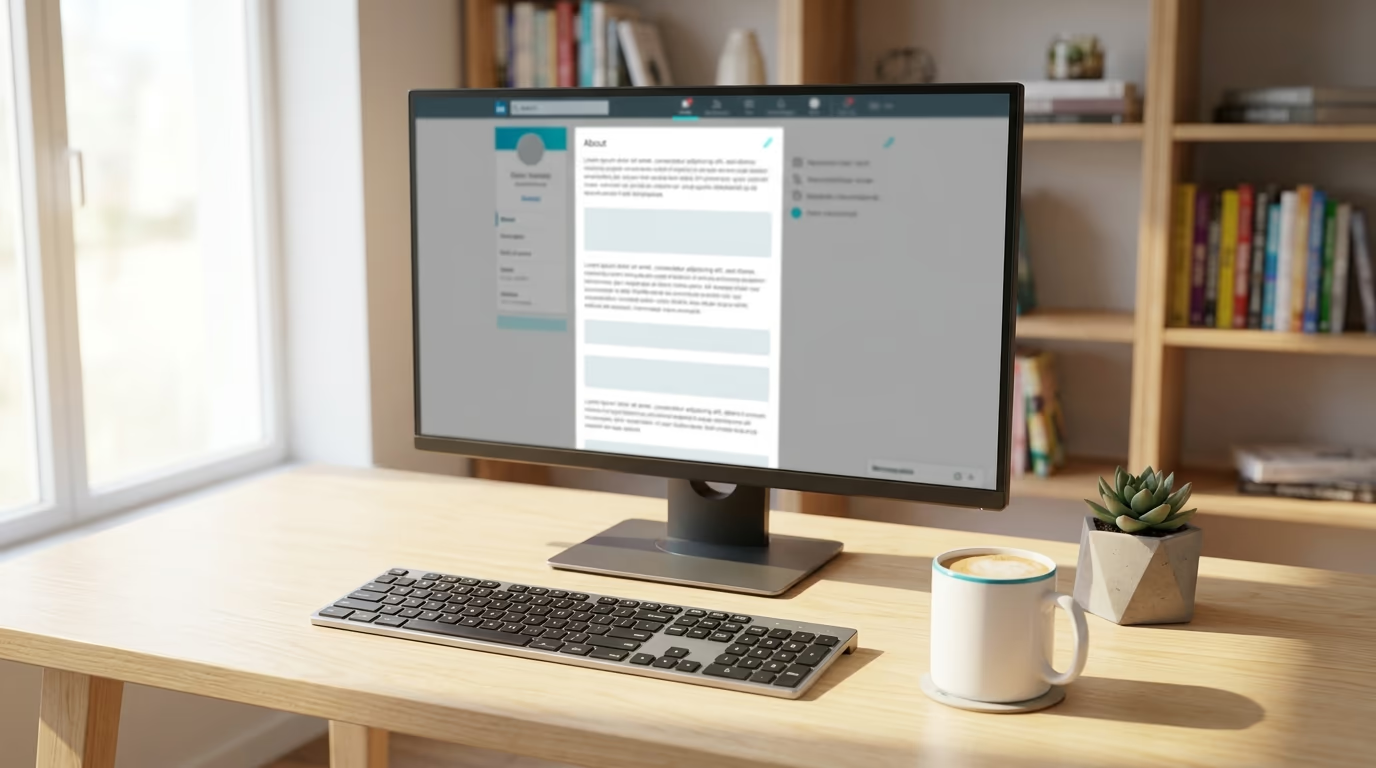
The LinkedIn summary is the "About" section on your profile, sitting right below your headline and profile photo. It's the first block of real text a visitor reads, and LinkedIn gives you up to 2,600 characters to fill it. Only the first 3 lines (roughly 300 characters) are visible before the "see more" button, which means your opening lines have to work hard to earn a click.
Why does this matter so much? Because your personal brand on LinkedIn lives or dies in this section. Your headline might get someone to your profile, but your summary is what makes them stay, scroll down to your experience, and eventually connect or message you. A profile with a blank summary tells visitors you don't care enough to introduce yourself. A profile stuffed with jargon tells them you're hiding behind corporate speak. Either way, they leave.
LinkedIn's search algorithm also indexes your About section. When a recruiter searches for "SaaS content strategist" or a prospect searches for "real estate coach in Dallas," your summary is one of the signals that determines whether your profile appears. So your summary isn't just a bio. It's a search result, a sales page, and a first impression all compressed into 2,600 characters.
To edit your summary, go to your profile, click the pencil icon next to "About," and paste your text. LinkedIn doesn't support bold or italic formatting in the About section, but it does preserve line breaks, so you can create visual breathing room with whitespace.
How should you structure your LinkedIn about section?
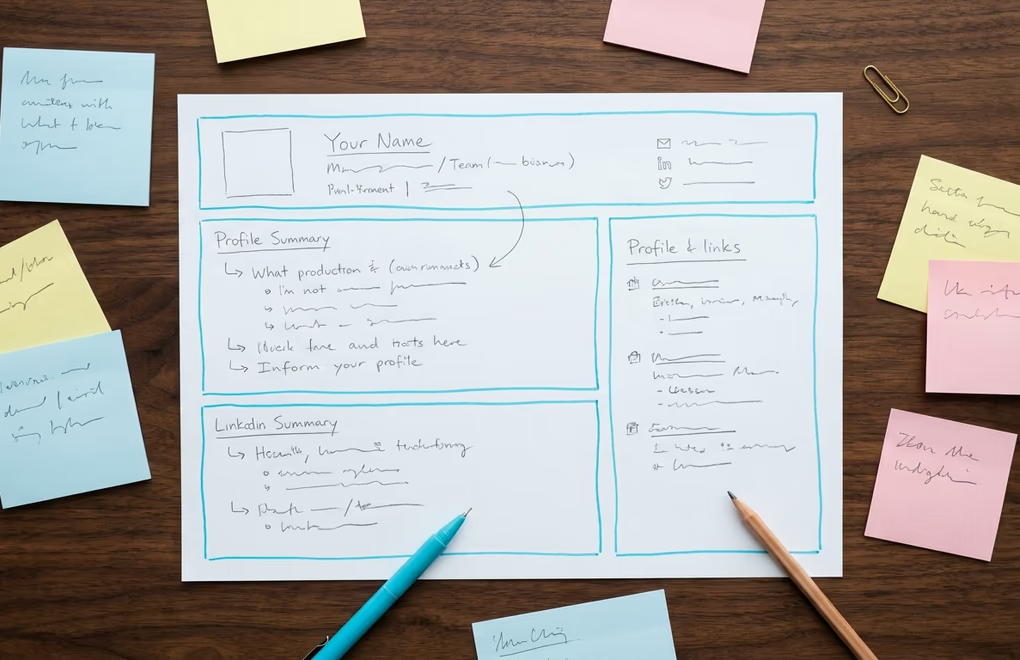
Most LinkedIn summary advice says "be authentic" and "tell your story." That's nice, but it doesn't give you a structure to work with. Here's a 5-part framework that works across every role and industry. Think of it as a character budget - you're allocating your 2,600 characters across five blocks, each with a specific job to do.
Block 1: The Hook (300 characters). This is the text visible before "see more." It needs to answer one question: why should this person keep reading? Open with a specific result you deliver, a bold claim about your work, or a question that names the reader's problem. Never open with "I am a [job title] with [X] years of experience." That's the fastest way to lose attention.
Block 2: The Value Proposition (500 characters). Explain what you do and who you do it for. Be specific. "I help B2B SaaS founders turn LinkedIn content into pipeline" is 10 times stronger than "I help businesses grow." Name your audience, name the outcome, and name the method if it's unique.
Block 3: The Proof (600 characters). Back up the value proposition with real numbers, notable clients, or career milestones. "Built a WordPress theme used on 500K+ websites" is proof. "Experienced in building websites" is not. This is where you earn trust. If you don't have big numbers, use specific project outcomes, certifications, publications, or LinkedIn recommendation examples from past clients and colleagues.
Block 4: The Personality (500 characters). Share something personal. Where you live, what you do outside work, what drives you. This is what separates you from every other [job title] on the platform. People connect with humans, not resumes. A single line about your obsession with trail running or your habit of reading one business book a week makes you memorable in a sea of identical profiles.
Block 5: The CTA (200 characters). Tell the reader exactly what to do next. "Send me a connection request and mention [topic]" or "DM me the word AUDIT for a free profile review." Without a CTA, visitors read your summary, think "that's nice," and leave. A direct ask turns passive interest into action.
That totals about 2,100 characters, leaving room for line breaks and breathing space. You don't need to hit every character. The framework is the skeleton; you fill it with your specifics.
What are the best LinkedIn summary examples by role?

Below are 10 LinkedIn summary templates organized by role. Each one follows the 5-block framework above. Copy the structure, replace the brackets with your own details, and you'll have a summary that works in under 15 minutes. If you want to speed things up, LinkedGrow's Voice Training feature lets AI draft a summary that already sounds like your natural writing style.
1. Founder / CEO
Founders need to balance two audiences: potential customers and potential investors or partners. Lead with the problem your company solves, prove traction with numbers, and close with a CTA that drives conversations.
"[Industry] teams spend [X hours/week] on [painful task]. I built [Company] so they don't have to.
We're a [one-line description of product] that helps [target audience] [achieve specific outcome]. In [timeframe], we've grown to [metric: users, revenue, or clients].
Before [Company], I [relevant backstory: previous exit, domain expertise, or career pivot]. That experience showed me [insight that led to founding the company].
Outside work, I [personal detail].
Building in public here on LinkedIn. DM me if you're working on [related problem]."
2. Coach / Consultant
Coaches sell transformation. Your summary should name the before-state your clients are in, the after-state you take them to, and the proof that you've done it before. Keep it client-focused, not credential-focused.
"Most [target audience] are stuck at [specific pain point]. They've tried [common failed approach] and it didn't work.
I help them [specific transformation] through [your method/framework]. In the past [timeframe], I've worked with [number] clients who've gone from [before state] to [after state].
[Credential or backstory that explains why you're qualified].
Every week I share [content type] here on LinkedIn about [topic].
Ready to [outcome]? Send me a DM with the word [KEYWORD] and I'll [specific next step]."
3. Freelancer
Freelancers compete on specificity. A summary that says "I'm a freelance designer" blends into the crowd. A summary that says "I design landing pages for fintech startups that need to explain complex products simply" gets bookmarked by the right people.
"I [specific deliverable] for [specific audience] who need [specific outcome].
Over the past [timeframe], I've completed [number] projects for clients including [2-3 notable names or industries]. My work has [measurable result: increased conversions by X%, generated $Y in revenue, saved Z hours per month].
What makes me different: [your unique approach, process, or perspective].
When I'm not [working], you'll find me [personal detail].
Currently booking for [month]. DM me or email [address] to talk about your project."
4. Sales Professional
Sales reps who write summaries about themselves miss the point. Your summary should be about your buyer's problem. When a prospect lands on your profile, they should think "this person understands my situation" before they even see what you sell. That's social selling done right.
"If you're a [buyer persona] dealing with [specific pain point], you're not alone. I talk to [number] [personas] every month who face the same challenge.
At [Company], we help teams [outcome] by [method]. Our customers typically see [specific result] within [timeframe].
I share [content type] here about [topic] because I genuinely believe [belief about the industry].
Not trying to sell you anything through a LinkedIn message. But if [problem] is costing you [money/time/frustration], let's have a 15-minute conversation. Worst case, you'll walk away with [valuable takeaway]."
5. Marketing Manager
Marketers talk about campaigns all day, but their own profiles are often the worst-marketed pages on the internet. Use your summary to demonstrate the skills you claim to have. Show strategy, show results, show taste.
"I turn [marketing channel] into [business outcome] for [company type].
Currently leading [specific initiative] at [Company], where I've [measurable achievement]. Before that, I [previous role highlight with numbers].
My approach: [2-3 sentences explaining your marketing philosophy or what makes your work distinctive].
I write about [topics] here on LinkedIn because [reason].
Open to conversations about [specific area]. Connect and say hi."
6. Career Changer
Career changers often apologize for their transition. Don't. Frame your previous experience as an advantage, not baggage. The skills you bring from a different industry are exactly what makes you stand out.
"After [X years] in [previous field], I made a deliberate move into [new field]. Not because [previous field] wasn't working, but because [honest reason for the switch].
What I brought with me: [2-3 transferable skills with concrete examples from old role]. What I've built since: [new credentials, projects, or results in new field].
[Personal line about what drives you in this new direction].
Looking for [specific opportunity type]. If you know someone who values [your unique combination], I'd love an introduction."
7. Software Developer
Developers often default to listing technologies. That works for a resume, but on LinkedIn, people want to know what you've built and what problems you solved. Lead with outcomes, mention the stack second.
"I build [type of software] that [what it does for users]. Currently [role] at [Company], where I [specific technical achievement with business impact].
Stack I work with daily: [technologies]. But honestly, the tool matters less than the problem. I care most about [principle: clean architecture, developer experience, shipping fast, etc.].
Previously: [1-2 bullet highlights from past roles with measurable outcomes].
I write about [topic] here and [maintain/contribute to] [open source project or side project].
Always up for conversations about [specific technical interest]. Connect or DM."
8. Recruiter / HR Professional
Recruiters have an unusual challenge: their summary needs to appeal to both candidates and hiring managers. The trick is leading with empathy for the candidate experience while proving your track record to the people who pay you.
"Job searching is exhausting. I know because I've sat on both sides of the table.
I recruit [role type] for [industry/company type]. In [timeframe], I've placed [number] candidates and reduced average time-to-hire by [metric] for my clients.
My approach is different: [what you do that other recruiters don't - transparency about salary, honest feedback, etc.].
If you're actively looking, I share job openings and career advice here regularly.
Hiring managers: let's talk about your open role. DM me or book time at [link]."
9. Agency Owner
Agency owners face a positioning problem: you do many things for many clients. Your summary should narrow the focus. Pick the service that generates the most revenue or attracts the best clients, and lead with that. You can always expand the conversation once someone messages you. LinkedGrow works particularly well for agencies managing multiple LinkedIn accounts because of its team collaboration features.
"My agency [name] does one thing really well: we [primary service] for [specific client type].
Since [year], we've worked with [number] clients including [notable names]. Results from the past year: [2-3 specific outcomes with numbers].
I started the agency after [origin story - 1-2 sentences]. That experience taught me [insight about your industry].
I post about [topics] here on LinkedIn because [reason].
If your [specific pain point] is holding back your [business goal], DM me. No pitch deck - just a conversation about what's not working."
10. Job Seeker
Job seekers make two common mistakes: they either write a cover letter (too formal) or list skills without context (too vague). Your summary should sound like a confident professional who happens to be looking, not someone begging for a chance.
"I'm a [role] who [what you do best, described as a skill with impact].
At [most recent company], I [biggest achievement with numbers]. Before that, I [second highlight from earlier role]. The thread connecting my career: [theme or skill that ties your experience together].
[Personal line - what you care about beyond work].
Currently exploring [specific role type] opportunities at [company type/size/industry]. I'm especially interested in [specific challenge or mission you want to work on].
Open to connecting. If you know of a role that fits, I'd appreciate an introduction."
What mistakes ruin a LinkedIn summary?

Even with a good template, certain habits will undermine your summary. The most common is leading with your job title and years of experience. "I am a Senior Marketing Manager with 12 years of experience in digital marketing" is factually accurate and completely forgettable. Your headline already shows your title. Your summary should say something your headline can't.
Writing in third person is another trust killer. "Sarah is an award-winning content strategist" sounds like someone else wrote it (it probably was an AI prompt with zero editing). First person builds an immediate connection. You're not writing a Wikipedia entry. You're talking to someone who just landed on your profile and is deciding in 3 seconds whether to keep reading.
Buzzword overload is the third killer. Words like "passionate," "driven," "team player," and "thought leader" appear in millions of summaries and mean nothing. If you remove a word from your summary and the meaning doesn't change, that word shouldn't have been there. Replace vague adjectives with specific evidence. "Passionate about marketing" becomes "grew our blog from 0 to 45,000 monthly readers in 14 months."
No CTA is the most expensive mistake because it costs you nothing to fix. Add one line telling visitors what to do, and your conversion rate from profile view to meaningful interaction goes up immediately. It doesn't need to be salesy. Even "connect and say hi - I reply to every message" gives the reader permission to act.
Finally, copying examples word-for-word defeats the purpose. The templates above are structures, not scripts. If you paste one in without changing the details, you'll sound generic - which is the exact problem you're trying to solve. Use the framework, then fill it with your actual numbers, your real backstory, and your honest personality. If you want a faster starting point, the free LinkedIn summary generator fills in 5 proven structures from your role and goals automatically.
How can you write a LinkedIn summary that sounds like you?

The hardest part of writing your own LinkedIn summary isn't structure or strategy. It's sounding like yourself. Most people stare at a blank text box for 20 minutes, then write something that sounds nothing like the way they actually talk. The corporate filter kicks in and suddenly you're "leveraging synergies" instead of explaining what you actually do.
One approach is to record yourself talking about your work for 2 minutes, transcribe it, and then edit that transcription into a summary. You'll be surprised how much more natural it reads compared to writing from scratch. Your spoken voice is usually more direct, more specific, and more interesting than your "professional writing" voice.
AI can speed this up significantly if you use it the right way. The problem with generic AI tools is that they produce generic output - every summary sounds the same because the AI has no context about your specific voice. LinkedGrow solves this with voice training. You paste up to 5 of your best LinkedIn posts, and the AI learns your sentence patterns, vocabulary, and tone. When it generates content after that, the output already sounds like you wrote it, saving you the hardest 80% of the editing work.
The LinkedGrow voice training feature works for any content you create on the platform, not just summaries. Once you've trained it, your hooks, post drafts, and even outreach messages all carry your authentic voice. The point isn't to have AI write for you. It's to have AI give you a first draft that's already 90% there, so you can focus on adding the personal details that make it yours.
Whatever method you use, read your finished summary out loud before saving it. If any sentence makes you cringe or feels like something you'd never say in a real conversation, rewrite it. Your LinkedIn summary should sound like you at your most articulate, not like a version of you that doesn't exist.
Frequently asked questions about LinkedIn summaries
LinkedIn gives you 2,600 characters for the About section. You don't need to use all of them, but aim for at least 1,500 characters. Shorter summaries look unfinished, and longer ones give the algorithm more text to index for search. The sweet spot is 1,800 to 2,400 characters.
First person. Always. Writing 'I help founders scale their revenue' feels direct and personal. Writing 'John helps founders scale their revenue' sounds like someone else wrote it for you, which immediately feels less authentic. LinkedIn is a personal platform and your summary should read like a conversation, not a press release.
Your headline is the 220-character tagline that appears under your name everywhere on LinkedIn - in search results, comments, and connection requests. Your summary (the About section) is the longer 2,600-character space on your profile where you tell your full story, share your background, and include a call to action. The headline gets you clicks; the summary converts those clicks into connections.
At minimum, update it when you change roles, shift your target audience, or launch something new. Beyond that, review it every 3 to 6 months. Your positioning evolves, your results grow, and your summary should reflect where you are now, not where you were a year ago.
AI can draft a strong starting point, but you need to edit it so it sounds like you. Tools like LinkedGrow let you train the AI on your past posts so it matches your natural voice and tone. The best approach is to let AI handle the structure and then rewrite the specifics with your real stories, numbers, and personality.
Yes. LinkedIn's search indexes the About section, so including relevant keywords naturally (your job title, industry terms, skills) helps you appear when recruiters, prospects, or collaborators search for someone with your expertise. Don't stuff keywords awkwardly - weave them into sentences that read well.
The post you keep meaning to write takes four minutes here.
LinkedGrow turns a link, a video or a rough idea into a LinkedIn post written in your own voice, then puts it in the calendar for the morning your audience is awake.
Start free for 7 days