

LinkedIn prospecting is the work of finding people who fit your offer, reaching them from your own account, and starting enough real conversations to fill a pipeline. In 2026 it runs on a simple loop: define who you sell to, find them with search and buying signals, send a short message built from something they actually posted, follow up 2 or 3 times, and stay inside LinkedIn's sending limits. The sellers who win aren't sending more, they're sending sharper messages to a smaller, better list.
LinkedGrow is a lead generation platform for founders, freelancers, consultants, coaches, and small teams who want a steady flow of client conversations from LinkedIn without doing the prospecting by hand. Since LinkedGrow v2, its AI agents run this loop for you: they read who you sell to, find matching people, watch for the moment someone signals a need, and message them at a human pace from your own account. This guide walks the whole workflow manually, so you can prospect yourself or see exactly what an agent does on your behalf.
Each section answers the next question in order: what LinkedIn prospecting actually is, who to target and how to find them, how to write a message that earns a reply, how many times to follow up, how to stay under LinkedIn's limits, how to measure whether it's working, and when LinkedIn is the wrong place to prospect at all. Every answer is written for someone selling to other businesses, not for a recruiter or a mass marketer.
One idea sits under all of it, and it's that relevance wins where volume doesn't. A single message that points at something the reader posted last week will pull more replies than a hundred identical notes, because the person can tell in one line whether you looked at them or blasted them. Good prospecting is mostly the discipline of staying specific while everyone else stays generic.
What is LinkedIn prospecting, exactly?
LinkedIn prospecting is the process of identifying potential buyers on LinkedIn and opening conversations with them, using your profile, search, and direct messages rather than ads. It sits at the top of your pipeline, where the goal is a first reply and a real conversation, not a signed deal on message one. With more than 1 billion members and a large share of the decision makers most sellers want to reach, LinkedIn is where a business can find its buyers and speak to them directly.
It helps to separate 3 words people use interchangeably. Prospecting is the finding and the first touch, the work of turning a market into a named list of people worth contacting. Outreach is the messaging itself, the notes and follow ups you send once you have that list. Lead generation is the wider system that turns those conversations into qualified opportunities, and our B2B lead generation strategies guide maps that system across every channel. Prospecting is the front of it, and once the list and the first message are right, everything downstream gets easier. Our guide to generating leads on LinkedIn picks up where prospecting leaves off, and our roundup of sales prospecting techniques covers the methods that work across every channel, not just LinkedIn.
LinkedIn earns its place because the profile hands you real detail to work from. You can see the role someone just started, the company that just raised money, the post they wrote yesterday, and each of those gives you a genuine reason to reach out. That same visibility is why a lazy message stands out as lazy here more than anywhere else. A note that ignores everything on the profile tells the reader you sent the same thing to a thousand people, and they treat it accordingly.
Who should you prospect, and how do you find them?
Prospect a narrow group you can describe by role, company size, and the single problem you solve, then find them with LinkedIn search, Sales Navigator filters, and buying signals rather than a broad scrape. The tighter your definition, the better every later step works, because a message can only be specific when the list is specific. Start with the people showing your problem right now, not with everyone who could theoretically need you.

Write your ideal buyer down before you gather a single name: the titles, the size of company, the industry, and the trigger that makes them need you this month. With that in hand, LinkedIn's own search plus Boolean operators (AND, OR, NOT, and quotation marks around exact titles) narrows a huge member base to a workable list. Sales Navigator adds the filters most sellers actually need, from seniority and headcount to recent job changes, and its saved searches alert you when new people match. Our guide to using LinkedIn Sales Navigator covers those filters in full.
The strongest lists are built from timing, not just titles. Someone who just posted about a problem you fix, moved into a new role, or whose company just announced funding sits in a short window where the need is fresh and the budget is open. Those buying signals turn a cold list into a set of timely reasons to reach out, and they're the difference between a message that lands and one that arrives a year too early. LinkedGrow reads your website, names the audience you sell to, scores matching people by fit with its ICP scoring, and keeps watching for those signals, so the list builds itself while you spend your time writing.
How do you write a message that gets a reply?
Write a prospecting message by opening with a real detail about the person, linking it to what you do in one plain sentence, and ending with a light question instead of a pitch. Keep a connection note under LinkedIn's 300 character limit, and in practice aim for 120 to 180 characters, since a shorter note that makes one clear point tends to get accepted more often than one that fills the whole box. Well targeted LinkedIn messages reply at roughly 10 percent, against about 3 percent for average cold email, and the difference is almost entirely relevance.

A structure that holds up across industries has 4 beats. Open with the real detail, a line from their post or the role they just started. Link it to what you do in one sentence that frames a result rather than a feature. Add a shred of proof if it fits, a similar client or a concrete number. Then close with an easy question that costs nothing to answer. On the connection request itself you can send with a note or without one, and some sellers get strong acceptance from a clean, note free request followed by a real message once the person connects. Test both on your own audience rather than trusting a rule.
When you can't connect directly, InMail reaches people outside your network, and the numbers are worth knowing before you spend one. A Sales Navigator subscription includes 50 InMail credits a month across its tiers, the message body can run to 1,900 characters, and LinkedIn credits the message back if the person replies within 90 days, so a good InMail effectively costs you nothing but the writing. Save them for prospects you can't reach any other way, keep them as short as a connection note, and our LinkedIn outreach message templates give you wording to adapt for either channel.
How many times should you follow up?
Follow up 2 or 3 times after your first message, spaced a few days apart, then stop. Most replies come from a follow up rather than the opener, because your first note often arrives at a bad moment and a gentle second touch catches the person when they have a minute. The skill is to add something each time instead of asking again, so the follow up reads as helpful rather than impatient.
A cadence that works looks like this. Send the first message, then wait 3 or 4 days and follow up with a useful angle, a short case, a relevant idea, or a link that helps them whether or not they buy. Wait about a week more and send a brief final note that makes it easy to close the loop, something like offering to step back if the timing is wrong. Those 3 touches over roughly 2 weeks respect the person and still catch the ones who meant to reply and forgot.
The trap is losing track of who is at which touch, which is how someone gets 2 notes in a day or none at all. Keep a simple record, even a spreadsheet, of who you contacted, when, and what you said, so every follow up builds on the last instead of repeating it. Our walkthrough on how to reach out to someone on LinkedIn shows the same message beats worked through in full, and a broader LinkedIn outreach strategy ties the cadence into a weekly routine.
How do you stay inside LinkedIn's limits?
Treat LinkedIn's sending limits as hard walls. Most accounts can send around 100 connection invitations a week, mature Sales Navigator accounts with a high social selling index can reach 150 to 250, and free accounts are held to roughly 5 personalized invites a month. The weekly cap resets on a rolling 7 day cycle rather than a fixed day, and pushing past what the platform expects is the fastest way to get an account restricted. You can check the current LinkedIn connection request limit for your own account type before you start.
These limits exist because LinkedIn watches for behavior that looks automated, and bulk sending is the clearest signal of it. The way to send steadily without tripping anything is to act like a person: spread invitations across the day instead of firing them in one burst, vary your messages, and don't chain dozens of identical notes back to back. A slower, human rhythm keeps the account healthy, and a healthy account is worth far more over a year than a week of aggressive sending that ends in a restriction.
This is exactly where careless automation gets people banned and careful automation earns its keep. Firing a single script at thousands of profiles is what LinkedIn hunts for. Writing a different message for each person and sending it at a human pace, from your own account, within these limits, is not. LinkedGrow runs LinkedIn prospecting this way on purpose: it drafts each message from what the person actually posted and sends from your account inside the weekly caps, so the outreach scales without the account risk that comes with bulk tools. For a closer look at how the two compare, our Dripify alternative comparison weighs autopilot sending against human paced outreach.
How do you measure LinkedIn prospecting?
Measure prospecting with a short chain of numbers: how many invitations you send, what share get accepted, what share of accepted people reply, and how many replies turn into a booked call. Tracking those 4 each week tells you where the process leaks, so you fix the real problem instead of guessing. Each symptom points at a different cause, which is the whole reason the chain is worth watching.
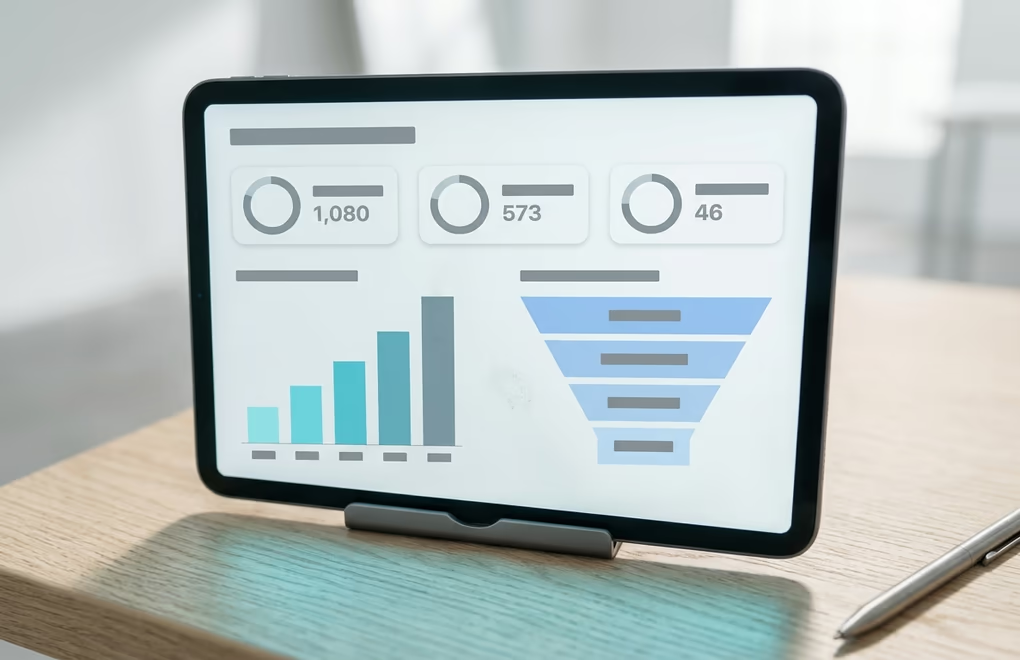
Read the numbers as a chain, top to bottom. If far fewer than a third of your invitations get accepted, the problem is upstream, in who you're targeting or a note that asks for too much too soon. If people accept but don't reply, the first message isn't specific enough and needs a sharper opening line. And if you get plenty of replies but few calls, the leak is your offer or your ask, not your prospecting. Each of those has a different fix, which is why it helps to watch the whole chain and not a single number.
Run these numbers weekly, not daily, because a single day is too small a sample to mean anything. Set aside a few minutes each Friday to log the week's totals and read the chain from top to bottom, and over a month you'll see which step is actually holding you back. This is also where an AI SDR setup helps, since it records every send, acceptance, and reply automatically and shows you the leak without a spreadsheet.
When is LinkedIn the wrong place to prospect?
LinkedIn is the wrong place to prospect when your buyers aren't active there, when your offer is still vague, or when you have a warm audience you've never messaged. Cold prospecting only pays off once you can name exactly who you help and what changes for them, and once the easier channels are already worked. Reaching for a cold LinkedIn list before those are in place wastes the one thing prospecting depends on, a specific reason to contact each person. When the timing is right, our guide to cold outreach covers the message itself, from the first line to the follow up that earns most of the replies.

Some markets simply don't live on LinkedIn. If you sell to local trades, to consumers, or to roles that rarely log in, the platform's reach works against you, and email, community, or in person channels will beat it. Check where your best existing clients actually spend their attention before you commit weeks to LinkedIn. The right channel is the one your buyers already use, not the one with the nicest filters.
Even when your buyers are on LinkedIn, prospect in the right order. A clear offer and your own warm network will outproduce any cold list, so message the people who already know you first, sharpen the one sentence that says who you help, and only then scale into cold prospecting. Our guide to getting clients on LinkedIn shows how content and outreach feed each other, and the LinkedIn social selling guide covers the warmer, slower path that often comes first.
Turn LinkedIn prospecting into a system that fills your pipeline
LinkedIn prospecting that works in 2026 comes down to a short list of the right people, messages built from a real detail about each one, 2 or 3 patient follow ups, and enough respect for the platform's limits to keep your account healthy. None of it needs a big following or a gift for sales, only the discipline to stay specific when it would be faster to stay generic. Do that consistently and prospecting stops being a chore you dread and becomes a reliable source of the conversations you want.
Consistency is where it breaks down. Doing this by hand across dozens of profiles a week, between client work, is exactly the routine that slips first. This is where LinkedGrow earns its place: its AI agents build the list from your website, score people by fit, watch for buying signals, write each message from what the person posted, follow up at a human pace from your own account, and gather every reply into one inbox. When someone is worth a real conversation, the agent hands them to you so your time goes to closing, not searching.
If prospecting is the step that keeps getting squeezed out of your week, LinkedGrow can run it for you and hand you only the warm replies. Every plan starts with a 7-day trial you can cancel any time before day 7, and you can book a demo to watch the agents prospect on your own account before you decide.
Frequently asked questions about LinkedIn prospecting
LinkedIn prospecting is finding potential buyers on LinkedIn and starting conversations with them from your own profile, using search, buying signals, and direct messages instead of ads. It sits at the front of your pipeline, where the goal is a first reply rather than a closed deal. Done well, it turns a broad market into a named list of people you have a genuine reason to contact.
You can prospect on LinkedIn without paying by using the basic search, Boolean operators to narrow by title and company, and the posts and comment sections where your buyers already gather. The trade off is volume, since free accounts are limited to roughly 5 personalized connection invites a month, so a free approach works best for a small, high value list rather than large scale prospecting.
Most LinkedIn accounts can send around 100 connection invitations a week, and the cap resets on a rolling 7 day cycle. Mature Sales Navigator accounts with a strong social selling index can reach 150 to 250, while free accounts sit near 5 personalized invites a month. Staying under your limit and sending at a human pace is how you avoid getting the account restricted.
For most founders and consultants selling to other businesses, LinkedIn earns more replies per message because the profile gives you real detail to reference and the request feels personal. Well targeted LinkedIn messages reply at around 10 percent against roughly 3 percent for average cold email. Email still wins on reach, so pairing a LinkedIn message with a light email follow up often works better than either alone.
Keep a connection note under LinkedIn's 300 character limit and aim for 120 to 180 characters, roughly 2 short sentences. A first message after connecting can be a little longer, but it should still read in a few seconds on a phone. Length isn't what earns the reply, since one specific detail about the reader does far more than an extra paragraph about you.
Yes, when the automation behaves like a person rather than a bot. What gets accounts restricted is bulk auto connecting, scraping at volume, and firing identical messages by the hundred. LinkedGrow stays safe by writing each message from what the person actually posted and sending at a human pace from your own account, within LinkedIn's limits, so your prospecting scales without risking the account.
The people you just read about are already on LinkedIn.
LinkedGrow runs an agent that finds the ones who match the customers you already have, sends the invitation in your words, and opens the conversation. You pick it up when somebody answers.
Build my agent free