
To reach out to someone on LinkedIn, open their profile, react to or comment on a recent post so your name is familiar, then send a connection request with a short note that names why you are writing. Once they accept, send a first message that leads with them rather than your pitch, and keep it under about 4 sentences. If they go quiet, follow up 2 or 3 times over a couple of weeks, spacing the notes out and keeping each one useful instead of needy.
LinkedGrow is a lead generation platform for founders, freelancers, consultants, coaches, and small sales teams who want clients from LinkedIn without living inside the app all day. Reaching out is the part most people get wrong, either by firing a generic template at hundreds of strangers or by overthinking a single message for 20 minutes. This walks through the version that actually works, whether you are chasing a new client, a warm introduction, or a conversation with someone you admire.
You will get the exact character limits for every message type, an honest answer on whether a connection note helps or hurts, real acceptance and reply numbers from 2026 outreach studies, a follow-up cadence that stays persistent without being a pest, and openers you can adapt by goal. The blogs that rank for this question tend to hand you templates and skip the specifics, so the specifics are where we will spend most of the time.
One idea holds the whole thing together: relevance beats volume every single time. A message tied to something the person actually posted or did will out-pull a hundred copy-paste requests, and it is the only approach that stays safe as LinkedIn keeps tightening its limits year after year. Get the reason right, keep it short, and reaching out stops feeling like cold calling.
What is the fastest way to reach out to someone on LinkedIn?
The fastest reliable way to reach out to someone on LinkedIn is a 4-step loop: find the right person, warm them up by engaging with a recent post, send a connection request with a one-line reason, then message once they accept. Each step takes seconds, and skipping the warm-up is the single most common reason a request gets ignored.
Finding the person is easier than it looks. LinkedIn search with a job title and location gets you most of the way, Sales Navigator filters get you the rest if you prospect at volume, and the people who view your profile or engage with your posts are already half-warm. Our guide to using LinkedIn Sales Navigator shows how to build a clean list when you need one. Whoever you target, open their profile and read their last few posts first, because that 30 seconds is what turns a cold message into a relevant one.
The warm-up is the step people skip, and it earns its keep. React to or leave a genuine comment on one or two of their recent posts a day or two before you send the request, so your name is not a total stranger when it lands. It costs a couple of minutes and it lifts your acceptance rate more than any clever opening line. This same habit of engaging first is the backbone of generating leads on LinkedIn without ever feeling pushy.
Should you send a connection request with or without a note?
Send a connection request with a short, specific note when you have a reason the person will care about, and send it without one when you would only be padding it with filler. Personalized requests are accepted around 45% of the time in 2026 outreach data, against roughly 15% for generic ones, so a real note nearly triples your odds, while an empty "I would like to add you to my network" note helps nothing.
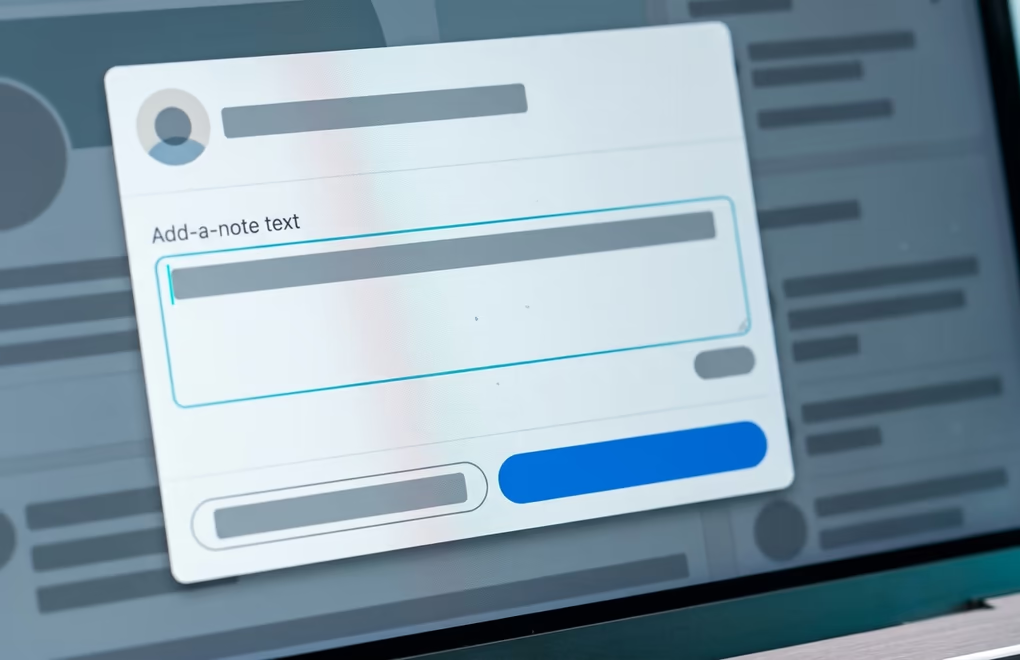
The note itself tops out at 300 characters, which is about 2 short sentences, so there is no room for a pitch. Name the reason you are connecting and stop: a post you liked, a mutual contact, a shared event. One catch worth knowing is that LinkedIn now limits free accounts to a small number of personalized invites a month, with users reporting around 5, after which your requests go out without a note. If you reach out often, that alone pushes people toward a paid tier or toward spacing their requests out.
There is a real case for sending no note at all. Some outreach tests find that a bare request from a credible profile gets accepted at a high rate, because it reads as low-effort and low-risk, and it saves your monthly note quota for the people who need one. The honest version is that a strong, specific note wins, a weak generic note loses to no note, and your profile does a lot of the talking either way. Fix your headline and photo first, then let our connection request message generator write the note when the person is worth one.
What should your first message actually say?
Your first LinkedIn message should open with the person, name one problem you solve or one thing you have in common, and end with a low-pressure question, all in under about 4 sentences. The pitch, the calendar link, and your backstory come later, if at all. The message that references something real about the person is the one that earns a reply.
What you say shifts a little with why you are reaching out. To win a client, tie your opening to a signal: a post about the exact problem you fix, a new role that usually comes with a fresh budget, or a piece of work you can react to honestly. For a warm introduction, lead with the mutual contact and make the ask small. To reach someone you admire for advice, be specific about what you read or watched and ask one clear question, because "can I pick your brain" asks for everything and gets nothing.
Templates are fine as a starting frame, as long as you rewrite the specifics for each person and never paste a wall of text. Keep the whole message conversational, the way you would write to a colleague. Our library of LinkedIn outreach message templates gives you openers and follow-ups to adapt, and the warm-first thinking behind them is the heart of social selling on LinkedIn.
How long can a LinkedIn message be?
LinkedIn message limits in 2026 are 300 characters for a connection request note, 200 for an InMail subject and 1,900 for its body, and 8,000 characters for a direct message to an existing connection. Those are ceilings, not targets: messages under about 400 characters see roughly double the reply rate of long ones, so the useful limit is far shorter than the technical one.
Which channel you use decides how much room you get. A connection note is the tightest at 300 characters, which forces you to be clear, and that constraint is a feature. An InMail lets you message people outside your network if you pay for Premium or Sales Navigator, with 200 characters for the subject and 1,900 for the body, though a free connection note tied to a real signal often beats a cold InMail anyway. Once you are connected, a direct message gives you a generous 8,000 characters, but using more than a few hundred is how you get ignored.
The practical takeaway is to write short on purpose. Read your draft, cut it in half, then cut the pitch, then send. A message a busy person can read on their phone in one glance, without tapping "see more", is the one that earns a reply, and it respects their time in a way a 5-paragraph essay never will. Length is the simplest thing to get right, and most people get it wrong by aiming for the ceiling.
How many people can you reach out to in a week?
LinkedIn caps connection requests at roughly 100 a week for most accounts, a figure it does not publish but that outreach tools have measured consistently, and it resets on a rolling 7-day cycle rather than every Monday. Sending far past that, or blasting identical messages, is what gets an account warned or restricted, so the safe move is steady volume at a human pace. The exact LinkedIn connection request limit depends on your account, and it is worth checking yours before you ramp up.
The exact ceiling flexes with your account. A profile with a strong history and a high Social Selling Index can push toward 150 to 200 requests a week, while a newer or quieter account sits lower, sometimes under 80. LinkedIn watches for patterns that look automated: bursts of identical requests, hundreds of profile views in an hour, messages fired one after another with no gaps. None of that looks like a person, and the platform treats it accordingly.
The real answer is that volume is the wrong thing to optimize. 20 relevant requests tied to a genuine reason will out-earn a hundred generic ones, and they keep your account healthy while they do it. This is why LinkedGrow paces its agents like a person rather than a script. Reaching out well is a daily habit measured in replies and booked calls, not in how many strangers you added, and the accounts that treat it that way are the ones still standing a year later.
How do you follow up when someone doesn't reply?
When someone does not reply on LinkedIn, follow up 2 or 3 times over about 2 weeks, spacing each note a few days apart and adding something useful each time rather than just bumping the thread. Post-connection messages get a reply around 10% of the time on the first try in 2026 data, so a short, patient follow-up sequence is often what turns a non-answer into a conversation.
A good follow-up is not a guilt trip. Skip "just following up" and "did you see my message", and send something the person can actually use: a short answer to a question they raised, a relevant article, a specific idea for their situation. Each touch should stand on its own, so that even if they ignored the first message, the second gives them a fresh reason to reply. 2 or 3 of those over 2 weeks is persistent; 5 in 5 days is a reason to mute you.
It helps to know when to stop as well, because if 3 genuine, spaced-out messages get nothing back, the answer is no for now, and the graceful move is a friendly last note that leaves the door open. Nobody owes you a reply, and staying pleasant keeps you welcome if their situation changes in 6 months. The people worth reaching are worth reaching politely.
How do you personalize outreach without spending your whole day on it?
The way to personalize LinkedIn outreach without burning your day is to base every message on something the person actually posted or did, and to let software handle the finding and the timing while you stay in control of the send. Reading one person's recent activity and writing one honest line takes a minute; doing it 50 times by hand is what eats an afternoon, and that is the part worth automating carefully. Done well, automated LinkedIn messages carry that repetition at a human pace and pause the second someone replies, so the volume scales without taking the day.
This is the exact problem LinkedGrow was built to solve. Give its agents your website and they read what you sell, name the audience worth reaching, and pick the buying signals to watch for, then they draft each message from what that specific person posted rather than a template. Every lead is linked back to the post it came from, so you always know why someone landed in your list and what to say to them.
What makes it safe is that the agents act at a human pace, from your own LinkedIn account, one message at a time, and they hand a conversation over to you the moment someone is worth a real reply. For $59 a month on the LinkedGrow Pro plan you get 2 of those agents running the reaching out every working day, while you spend your time on the calls they book. You can see how it works on the AI SDR software page, or compare approaches across other LinkedIn lead generation tools.
Make reaching out a habit, not a one-off
Reaching out on LinkedIn is not a trick, it is a small routine you repeat. Find a few of the right people, warm them up by engaging first, send a specific request, keep the first message short and about them, then follow up 2 or 3 times with something useful. Do that consistently and the numbers take care of themselves, because relevance and patience beat volume in every study worth reading, the same rule that carries every kind of cold outreach.
If the daily reaching out is the part that keeps slipping, that is where LinkedGrow picks up: its agents turn your target list into messages sent from your own account, every working day, and it comes with a 7-day trial you can cancel any time before day 7. Book a quick demo if you want to watch it run on your own audience first. Let the finding and the follow-up run on their own, and keep your energy for the conversations that turn into clients.
Frequently asked questions about reaching out on LinkedIn
Reach out to someone you don't know by engaging with one of their recent posts first, then sending a connection request with a short note that names a specific reason, like the post you saw or a mutual contact. Once they accept, send a friendly first message under 4 sentences that leads with them and ends with an easy question.
For most people a free connection request with a specific note beats a paid InMail, because it feels lower-pressure and it costs nothing. InMail is worth saving for high-value people you cannot reach any other way, since Premium and Sales Navigator give you a limited number of credits each month.
Follow up 2 or 3 times over about 2 weeks, spacing each message a few days apart and adding something useful every time. If 3 genuine, spaced-out notes get no reply, treat it as a no for now and leave a friendly final message rather than pushing further.
A good acceptance rate in 2026 sits between 30% and 45%, with personalized requests averaging around 45% and generic ones closer to 15%. Below 20% usually points to weak targeting or a profile that needs work, so fix your headline and photo before you blame the message.
Yes, and free LinkedIn covers almost everything you need. It lets you view profiles, engage with posts, send connection requests, and message anyone once they accept, which is enough to reach out well for most people. You only need Premium or Sales Navigator for InMail to people outside your network and for heavier prospecting filters.
The people you just read about are already on LinkedIn.
LinkedGrow runs an agent that finds the ones who match the customers you already have, sends the invitation in your words, and opens the conversation. You pick it up when somebody answers.
Build my agent free