

To get clients on LinkedIn, you turn your profile into a page that speaks to a buyer, post content that proves you solve their problem, find the right people, and message them about something real before you ever pitch. Then you move the ones who reply toward a call and a paid engagement. Done this way, LinkedIn brings you clients without cold calling, and the same loop works whether you are a freelancer, a consultant, a coach, or a small agency.
LinkedGrow is a lead generation platform for founders, freelancers, consultants, coaches, and small teams who want clients from LinkedIn without living inside the app. Since LinkedGrow v2, its AI agents run this entire client finding loop for you, reading who you sell to, finding matching people, and messaging them at a human pace from your own account. This walkthrough covers the same steps by hand, so you can run them yourself or understand exactly what an agent does on your behalf.
You will get the steps most advice skips. How to position your profile so a prospect sees a fit in a few seconds, who your right fit clients actually are and where they spend their time, what to post so work comes to you, how to read the signals that tell you someone is ready to hire, how to open a conversation without sounding like a pitch, and how to move a warm reply all the way to a signed client.
One rule runs under all of it: on LinkedIn, being relevant and specific beats being loud. A single message that points at what someone posted last week will pull more replies than 100 identical templates, because the reader can tell in one line whether you looked at them or blasted them. Getting clients here is mostly the discipline of staying specific while everyone else stays generic.
How do you get clients on LinkedIn, step by step?
You get clients on LinkedIn by running one loop every week: position your profile, publish content, build a short list of right fit people, reach the warmest ones with a relevant message, follow up, and move replies toward a paid engagement. The steps matter less as isolated tricks and more as a cycle you repeat, because the results compound when the same audience keeps seeing your name across a platform with more than 1 billion members.

Think in two motions that feed each other. The first is inbound: your profile and your posts do quiet work while you sleep, so the right people arrive already knowing what you do. The second is outbound: you reach out on purpose to people who fit, instead of waiting to be found. Most people run one and ignore the other, then wonder why LinkedIn feels slow. Do both and each makes the other easier, since someone who saw your post last week answers your message far more often than a stranger does.
The weekly rhythm can be light. An hour to write and schedule a couple of posts, 20 or 30 minutes a day to comment and send a handful of messages, and a short review on Friday of who replied. That is enough to keep a pipeline moving for a solo consultant or freelancer, and it pairs naturally with the way our guide to generating leads on LinkedIn shows content and outreach feeding one another. When the loop works you stop chasing and start choosing, because more good fit conversations are running than you strictly need.
How do you turn your LinkedIn profile into one that attracts clients?
Your profile gets you clients when it reads as a page about the buyer's problem, not a resume of your career. Rewrite your headline to name who you help and the result you get them, use the About section to describe the problem you solve in their words, and set your banner and featured links to point at proof. A prospect should understand in a few seconds whether you are the person for their problem, or they will simply move on.

Start with the headline, because it follows you into every search result, comment, and message. Swap the job title for a plain line that says who you help and what changes for them, like helping SaaS founders book more demos, or getting new coaches fully booked. Then the About section carries the weight: open with the problem your client feels, show that you understand it, and only then explain how you fix it. Write it the way you would say it out loud to one person, not the way a company writes a corporate page.
Proof is what turns interest into a message. Pin a few client results, a short case story, or a lead magnet to your featured section, keep a real photo and a banner that states your offer, and make sure your recent activity shows you talking about the client's world. For a full walk through every field, our guide to LinkedIn profile optimization covers the details. The test is simple: a stranger lands on your profile, and within a few seconds they know what you do and for whom, or they leave.
Who are your ideal clients, and how do you find them on LinkedIn?
Your ideal clients are a narrow, specific group you can describe by job title, company size, and the one problem you solve, and you find them through search, engagement, and job changes. A tight definition is what makes everything after it work, because you can only write a relevant message to someone you can actually picture. Fifty people who fit will always beat 500 who vaguely might.
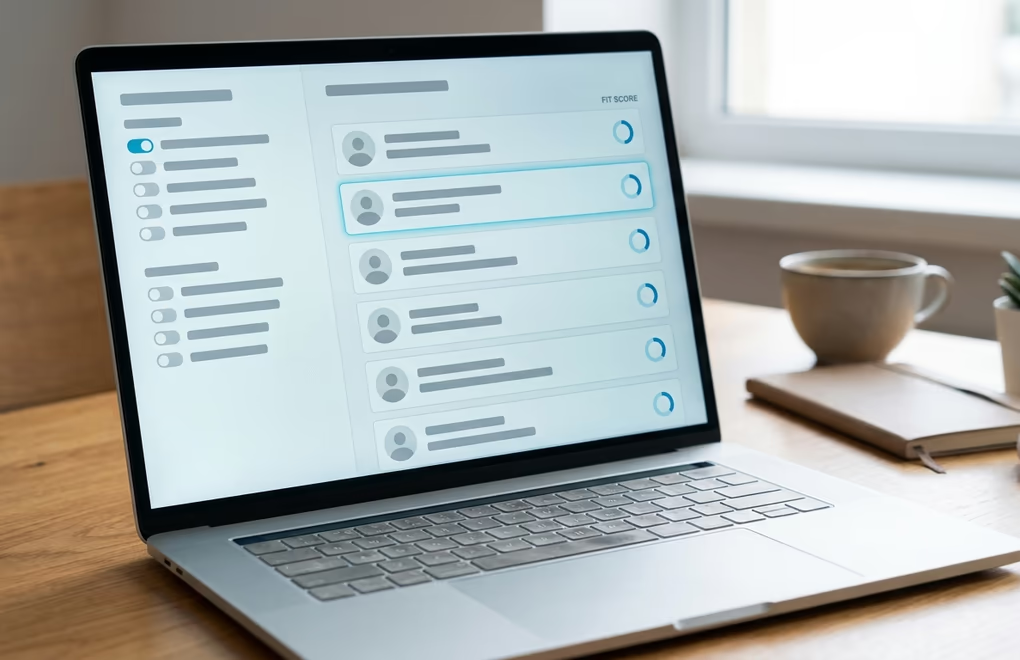
Write your ideal client down before you search for anyone. Name the titles, the size of company, the industry, and the single problem that makes them need you this month. With that in hand, the warmest people are already near you: whoever reacts to or comments on your posts has raised a hand, whoever viewed your profile was curious, and anyone who just changed roles is in a fresh window where they rethink who they work with. Those three groups deserve your attention before any cold list does.
Past that, LinkedIn search and Sales Navigator let you filter by title, industry, and location, and shared groups or event lists give you a natural reason to reach out. This finding step is exactly what LinkedGrow automates: it reads your website, names the audience you sell to, and surfaces matching people with a fit score, which is what its LinkedIn prospecting and ICP scoring features are built to do. Whether you or an agent builds the list, the rule is the same, keep it to people you can say something real to.
What should you post to make clients come to you?
Post content that shows you solving the exact problem your clients have, so the right people arrive already trusting you. The formats that pull clients are short client stories, a clear breakdown of how you fixed a problem, and an honest opinion about your field, all written for the buyer rather than for other people in your industry. Two or three posts a week is plenty when each one speaks to a real client situation.

When you post for clients, the aim is steady visibility with the few hundred people who could hire you, rather than going viral with strangers. A post that walks through a client problem and how you solved it does more than a clever hook that pulls strangers, because it filters for the people who have that same problem. Share the before and after, name the mistake you keep seeing clients make, or take a clear stance on how the work should be done. Each one is a quiet demonstration that you know their world.
Content and outreach feed each other, which is the reason to run both. When you message someone who just saw a useful post from you, your name is already warm, and the reply rate climbs. For ideas on what to publish, our guide to what to post on LinkedIn gives you angles to start from, and LinkedGrow can turn what you already write elsewhere into LinkedIn posts so the content half of getting clients never stalls. Keep the posts consistent and pointed at the client, and the outreach that follows lands softer.
How do you spot the people ready to hire you?
You spot ready to hire prospects by watching for buying signals, the recent public actions that show someone is thinking about your problem right now. A signal is a post about a challenge you fix, a comment on a competitor, a new role, a hiring push, or a funding round. Reaching out the same week a signal appears is what separates a warm client conversation from a cold message that gets ignored.

This is where most client finding advice goes quiet, and it is the difference between a good week and a dead one. A list you built 2 months ago is frozen, but signals refresh every day, so working from them means you always reach people while the problem is fresh. Someone who just posted about struggling to keep their pipeline full is telling you, in public, that they need what you sell. A founder who just raised money has budget and a mandate to grow. Those moments have a short shelf life, and the person who shows up first usually wins the conversation.
Watching for signals by hand across dozens of accounts is tedious, so this is the step LinkedGrow automates most directly. Its agents track buying signals across the people and companies you care about, and every lead they surface arrives linked to the exact post or activity that triggered it, so you can see the reason to reach out at a glance. Human or agent, the rule holds: message people when their behavior says the door is open, not on a schedule that ignores what they just did.
How do you message a prospect without sounding salesy?
You message a prospect without sounding salesy by opening with something real about them, connecting it to what you do in one sentence, and ending with a light question instead of a pitch. Keep it short enough to read on a phone, and never ask for a call in the first message. The moment it reads like a template sent to hundreds of people, the reply rate falls off a cliff, so the specific opening line does the entire job.

A structure that holds up across industries is short. Open with the real detail, a line from their post or the role they just started, then link it to what you do in one sentence that frames a result, not a feature. Close with an easy question, like whether they are the right person to talk to about it, so answering costs them nothing. In practice that opener sounds like "saw your post on losing half your trial signups, mind if I share the two fixes that worked for a similar team?". It is specific and clearly about them, and it asks permission instead of demanding time.
Most replies come from the follow up, not the first message, so plan 2 to 3 more touches spaced a few days apart, each adding something useful rather than nagging. Keep your volume human too, since LinkedIn caps invitations near 100 a week for most accounts and only well established profiles reach about 200. Our LinkedIn outreach strategy guide covers the messaging loop in depth, and the ready to adapt scripts in our outreach message templates give you wording to start from. LinkedGrow drafts each message from what the person posted and sends only after you approve, so the outreach sounds like you and stays under the limits.
How do you turn a reply into a paying client?
You turn a reply into a paying client by moving the conversation off the pitch and onto their problem: ask a question that gets them describing what they need, offer a short call only once there is a real reason, then follow the call with a simple written proposal. The mistake that loses deals is jumping to a sales call too early, before the person has told you enough to make the call worth taking.

When someone replies with interest, resist pitching. Ask one good question that gets them describing their situation in their own words, because their answer tells you whether they are a fit and hands you the language to use later. Only when there is a clear problem you can solve do you suggest a short call, framed around helping them think it through rather than around your service. On the call, spend most of it listening and diagnosing, then say plainly how you would help and what it costs, and handle any concern that comes up without getting defensive. People buy when they feel understood, not when they are talked at.
After the call, send a short written summary the same day: the problem in their words, what you would do, the price, and one clear next step. That single document closes more work than any amount of follow up chasing, because it is easy to say yes to and easy to forward to whoever else decides. Keep your warm conversations in one place so none go cold while you wait. LinkedGrow gathers every reply into a single inbox and flags the hot ones, then hands a conversation to you the moment someone is worth a human, so your closing effort lands on the people who are actually ready to buy. For how this fits a full pipeline, see our guide to LinkedIn lead generation.
Get clients on LinkedIn without living in the app
Getting clients on LinkedIn comes down to a loop anyone can run: a profile that speaks to the buyer, posts that prove you solve their problem, a short list of right fit people, a relevant message to the warmest ones, a couple of patient follow ups, and a clean close that turns a reply into paid work. None of it needs a big audience or a natural talent for sales. It needs the discipline to stay specific and to run the loop in the weeks you would rather not. A stack of AI sales tools can carry the repetitive half of that loop, the finding and the first messages, so your own time goes to the calls that close.
If the outreach is the step that keeps slipping between client projects, LinkedGrow runs it for you. Its AI agents read who you sell to, find good fit people, watch for buying signals, and draft and send messages at a human pace from your own account, then hand you the warm replies through the AI SDR inbox so you only step in to close. Every plan starts with a 7-day trial you can cancel any time before day 7, and you can book a demo to watch it find clients on your own account before you decide.
Frequently asked questions about getting clients on LinkedIn
Most people who post and reach out consistently see their first real client conversations within 3 to 6 weeks, and a steadier flow after 2 to 3 months. The timeline depends on how narrow your niche is and how relevant your messages are, because a tight, specific approach produces replies far faster than a broad one.
Yes, you can get clients on LinkedIn for free using regular search, connection requests, and content. Premium and Sales Navigator help you find and filter prospects faster and send InMail to people outside your network, but plenty of freelancers and consultants win clients on a free account by staying specific and consistent instead.
As a freelancer or consultant, name one narrow problem you solve, rewrite your profile around it, post proof of that work each week, and message people who show they have that problem. Freelancers win on specificity, because a clear offer for a defined buyer beats a general 'available for hire' every time.
Quality decides this, not quantity. A well targeted 10 to 20 messages a week that each reference something real about the person will pull more replies than 100 copy paste pitches. LinkedIn also caps invitations near 100 a week for most accounts, so spread a modest number across the day and put your effort into relevance rather than volume.
Human paced sending from your own account is the safe side of automation. What gets accounts restricted is bulk auto connecting, scraping profiles at volume, and bots firing hundreds of messages a day. Tools like LinkedGrow stay safe by working at a human pace within LinkedIn's limits, which keeps the network you rely on intact while it finds clients.
The people you just read about are already on LinkedIn.
LinkedGrow runs an agent that finds the ones who match the customers you already have, sends the invitation in your words, and opens the conversation. You pick it up when somebody answers.
Build my agent free