

Almost every article about how to get more followers on LinkedIn gives you the same 10 tips in a different order: optimise your headline, post consistently, use hashtags, engage with others. None of it is wrong, exactly, but it treats follower growth as a pile of undifferentiated tactics rather than a mechanic you can understand. Followers and connections are 2 separate systems on LinkedIn, they behave differently, and once you see the difference the tactics sort themselves into an obvious order.
There is also a problem with the advice currently sitting on the first page of Google. Several of those articles tell you to switch on Creator Mode, and LinkedIn retired that toggle in March 2024, folding its features into every standard profile. Profile hashtags went the same month. If you have been following a checklist that opens with a setting that no longer exists, the rest of that checklist deserves a second look too, because the way the LinkedIn algorithm distributes posts has changed a great deal since that advice was written.
LinkedGrow is an AI-powered LinkedIn content platform for creators, coaches, founders and agencies who need to publish consistently without spending their mornings staring at an empty composer. Consistency is the part of getting more followers on LinkedIn that most people fail on, so the tool matters, but everything here works whatever you write with. The mechanics belong to LinkedIn, not any product.
What follows is the setting that turns profile visitors into followers, the kind of post that earns a follow rather than a polite reaction, a realistic cadence, the company Page version of all this, and a staged 90-day sequence so you know what to do first. There is also a section on the tactics worth skipping, because a fair amount of popular follower advice does nothing or quietly makes things worse.
How do you actually get more followers on LinkedIn?
People become your followers in 3 ways, and only one of them scales. They can connect with you, which makes you follow each other automatically. They can land on your profile and click Follow. Or they can read one of your posts in the feed and follow you straight from it. The third route is where almost all real growth comes from, which is why the answer to getting more followers is mostly an answer about publishing rather than about profile tweaks.
The structural reason to care about followers over connections is the cap. LinkedIn limits every account to 30,000 first-degree connections and applies no limit at all to followers, and its own help documentation recommends encouraging people to follow you rather than connect when you don't personally know them. Your connection list is a finite resource you spend, while your follower count is the part of your audience that can keep compounding for as long as you keep publishing. Anyone building an audience deliberately should be treating those two numbers very differently.
One detail confuses nearly everyone who checks their stats for the first time. The follower number LinkedIn shows on your profile already includes your connections, because connecting creates a mutual follow underneath. So an account with 2,000 connections and 400 people who followed without connecting displays 2,400 followers. If you want to know how much of your audience arrived through your content rather than through handshakes, subtract your connection count from your follower count, and that difference is the number worth watching month to month.
That distinction also explains why follower growth feels slow at the start and then accelerates. Early on, the only people seeing your posts are connections you already had, so your reach is capped by a network you built for other reasons. Once posts start travelling past that first ring through comments and reshares, strangers begin arriving, and each one who follows widens the audience for the next post. The curve is genuinely exponential rather than linear, which is also why quitting in week three feels rational and is almost always the wrong call.
Which LinkedIn profile settings turn visitors into followers?
One setting does most of the work, and it's called "Make follow primary". You'll find it under Settings and Privacy, then Visibility, then Followers, where a single toggle swaps the big blue Connect button on your profile for a Follow button. Visitors who want to connect can still do it through the More menu, so you lose nothing, but the default action for a stranger becomes the one with no approval step and no cap behind it.
This is the piece of the old Creator Mode that mattered, and it survived the retirement. When LinkedIn removed the Creator Mode switch in March 2024, it kept the underlying features and made them available to everyone by default, so newsletters, follower analytics and the Follow button no longer sit behind a toggle you have to discover. The practical effect is that you now get those capabilities without opting in, but you also have to set the follow preference yourself, because nothing switches it on for you.
There is a second, quieter option in the same family. LinkedIn gives every profile a dedicated follow link, which you reach through your own profile, then Contact info, then the sharing section at the bottom, where you can copy either a plain URL or an embed code. That link drops someone straight into following you, which makes it the right thing to put in an email signature, a conference bio, a podcast description or a website footer. Sending people to your general profile and hoping they find the right button wastes most of that traffic.
After the buttons, the profile's job is to answer one question fast: what will I get if I follow this person? Your headline should name the topic you post about rather than only your job title, and the Featured section should hold 2 or 3 of your strongest recent posts so a visitor can sample the content instead of taking your word for it. Our guide to LinkedIn profile optimization covers the full sequence, and the headline formulas by role are worth stealing directly if writing about yourself makes you uncomfortable.
What kind of posts make someone click Follow?
A LinkedIn post earns a follow when it promises more of the same. A reaction is a verdict on the post someone just read, while a follow is a bet on the posts they haven't read yet, and those are two different decisions. Somebody follows you when they finish reading and think they want the next one, which only happens when your post is specific enough that they can imagine what the next one will be about. Broadly agreeable content collects reactions and almost no followers.
The practical version of that is topic discipline. Pick 3 or 4 subjects you're willing to be known for and stay inside them for a few months, because a feed that jumps between recruitment advice, holiday photos and opinions on interest rates gives nobody a reason to subscribe to the future. Narrow feels risky and works anyway. A recruiter who posts only about technical hiring will build a smaller and considerably more useful following than one who posts about work in general, and the model that ranks the LinkedIn feed rewards that consistency because it makes your audience easier to identify.
The opening line decides whether any of this gets a chance, because LinkedIn truncates posts after roughly 2 lines and everything past the More link depends on someone choosing to expand it. Specificity beats cleverness here: a concrete number, a named mistake or a claim someone might disagree with all pull better than a rhetorical question. LinkedGrow's collection of LinkedIn hook examples and formulas exists mostly so you can stop inventing openers from scratch every time you sit down to write.
Format matters less than people think, though it isn't irrelevant. Text posts and carousels both work, video is growing, and the honest answer is that the format which suits your material beats the format someone declared optimal this quarter. What does reliably help is teaching something complete enough that the reader could act on it without leaving LinkedIn, since content that sends people away converts far worse than content that resolves in the feed. If you're short on ideas, what to post on LinkedIn works through the post types that consistently earn attention.
How often should you post to grow your follower count?
Somewhere between 3 and 5 times a week, and the lower end is fine if it's the number you can actually sustain. Posting often helps because each post teaches LinkedIn something about who responds to you, and a system with more data places your next post better. Posting once a fortnight keeps you permanently in the cold-start phase where nothing is known about your audience.
Split the first 3 months into stages so that you're not trying to do everything at once. Days 1 to 30 are foundation work: set Follow as your primary button, rewrite the headline around your topic, fill the Featured section, and publish twice a week while you find out what you actually enjoy writing about. Expect very little to happen, and measure effort rather than followers, because the numbers in this stage tell you nothing except that you've started.
Days 31 to 90 are where the engine gets built. Move to 3 or 4 posts a week, spend 20 minutes a day commenting on posts from people whose audience overlaps with the one you want, and start reading your analytics for the difference between posts that collected reactions and posts that brought followers. Those are rarely the same posts, and the difference between them is the most useful thing in your dashboard. Our breakdown of the LinkedIn metrics that matter covers which numbers deserve your attention and which are noise.
Timing is worth a little thought and not much anxiety. Posting when your audience is awake and near a keyboard helps the first hour of engagement, which is the window that decides how far a post travels, and LinkedGrow's best time to post tool gives you a starting slot by industry. Beyond that, the schedule you keep beats the schedule you optimise, which is why LinkedGrow lets you schedule LinkedIn posts in advance so a busy Tuesday doesn't break a streak you spent 2 months building. Batching a week of drafts in one sitting is how most consistent accounts stay consistent.
How do you grow followers on a LinkedIn company Page?
Company Pages grow through people, because a Page can't send connection requests, can't comment on other posts as itself in most contexts, and has none of the network effects a personal profile gets for free. Every follower a Page gains arrives because a human pointed them at it. LinkedIn says a Page's growth opportunity becomes exponential once it passes 150 followers, which sets a useful first target and tells you the early stretch will feel like pushing.
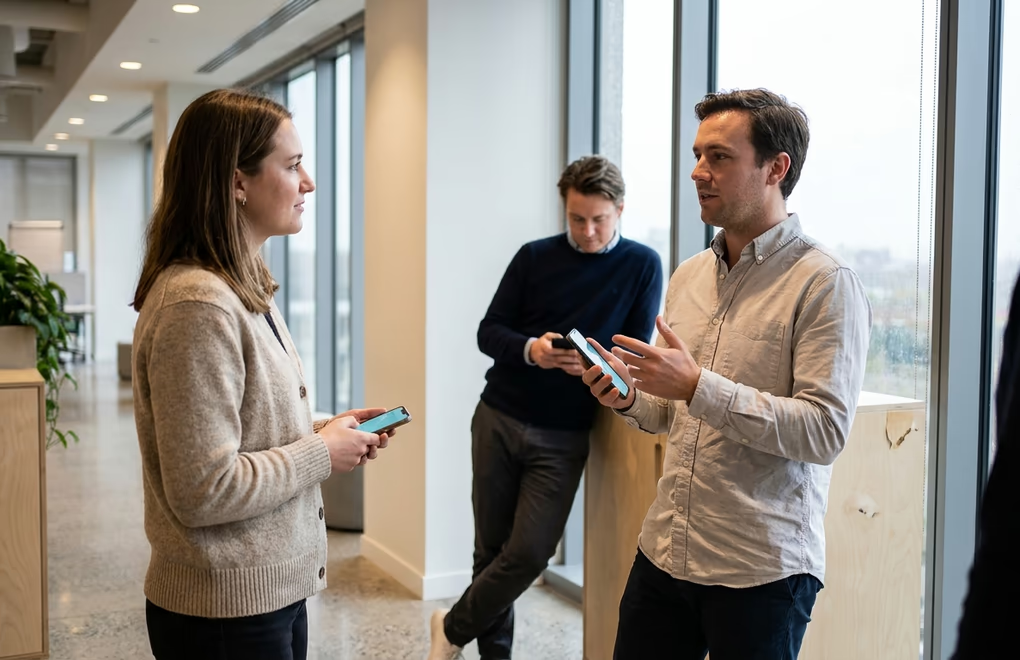
Your employees are the mechanism here, because a company with 40 staff has tens of thousands of second-degree connections between them, and a Page post reshared by 12 colleagues reaches an audience the Page could never touch on its own. Making sure everyone lists the company correctly on their profile matters more than it sounds, since that association is what surfaces the Page to their networks. LinkedGrow's employee advocacy playbook sets out how to run that without it feeling like homework nobody asked for.
The other half of the work happens off LinkedIn entirely. Follow buttons on your website, the Page link in email footers, and a mention in your newsletter all convert people who already like your company into people who see your company weekly. This traffic is warmer than anything LinkedIn will send you organically in the first year, and most companies ignore it entirely while complaining that their Page doesn't grow. If you publish anything at all elsewhere, our guide to turning blog posts into LinkedIn content shows how to feed a Page without writing everything twice.
One strategic note for founders and small teams. A personal profile will almost always outgrow a company Page at the same level of effort, because LinkedIn is built around people and its distribution reflects that. If you have limited time, put it into the founder's profile and let the Page carry credibility for visitors who go looking for it, rather than splitting your publishing evenly between the two and watching both stall.
Which follower growth tactics should you skip?
Buying followers is the clearest waste, and it does active harm rather than nothing. Purchased accounts never react or comment, so every post you publish is measured against an audience that gives LinkedIn no reason to distribute it further, and your reach drops as the number under your name climbs. You end up paying to make your account look bigger and perform worse, which is a poor trade in any currency.
Engagement pods deserve a more careful verdict than the usual blanket condemnation. They do generate early comments, and early comments do matter, but the engagement comes from people outside your topic, which teaches LinkedIn to show your posts to the wrong audience and drags your follower quality down over time. We looked at the evidence in detail in our piece on whether LinkedIn engagement pods are worth it, and the short version is that a small pod of genuine peers in your field is defensible while a 200-person reciprocal comment group is not.
Follow-for-follow arrangements fail for the same reason, and hashtag stuffing has quietly stopped working since LinkedIn removed profile hashtags in February 2024 and reduced how much weight they carry in the feed. 2 or 3 relevant tags are plenty, and 10 is a signal you're guessing. Chasing viral general-interest posts belongs on the same list: they bring followers who came for the airport anecdote and will scroll past everything you post afterwards, which is why your reach often gets worse in the weeks following an unusually big post. If reach is the goal, our guide on how to go viral on LinkedIn shows how to earn it with posts that still pull the right audience.
What's left when you strip those out is unglamorous and reliable. Set Follow as your primary button, write a headline that names your topic, publish 3 times a week about a subject narrow enough to be memorable, comment where your future audience already spends time, and keep doing it past the point where it feels like it isn't working. That last part is the real filter, because most accounts stop somewhere in week 5, which is roughly where the compounding starts. If holding a cadence is the bit you know you'll struggle with, LinkedGrow can learn your writing voice from your existing posts and draft in it, which turns a 90-minute writing session into 15 minutes of editing. Every new account gets a 7-day Pro trial with everything included, so you can find out whether it fits your workflow before deciding anything.
Frequently asked questions about getting more followers on LinkedIn
Expect the first noticeable movement around week 6 of consistent posting, and a reliable pattern by month 3. The delay isn't the algorithm punishing you, it's that LinkedIn needs a body of posts on a consistent topic before it can predict who your content belongs in front of. Accounts that post twice and stop never get past that learning phase, which is why consistency beats intensity for the first 90 days.
Creator Mode no longer exists as a toggle. LinkedIn retired the on/off switch in March 2024 and rolled its features, including newsletters, follower analytics and the Follow button, into every standard profile. Any advice telling you to switch it on is describing a setting that was removed. What you want instead is the "Make follow primary" option in your visibility settings, which is the part of Creator Mode that actually drove follower growth.
There is no threshold that flips you from ignored to credible, and follower count matters far less than the match between your topic and your audience. A consultant with 1,200 followers who all work in their target industry will generate more business than someone with 30,000 followers collected from unrelated viral posts. Judge your account by comments from the right people rather than by the number under your name.
Yes, and daily posting is usually the wrong target anyway. 3 considered posts a week outperform 7 rushed ones because the algorithm reads early engagement, and thin content drags down the signal your next post inherits. Pick a cadence you can hold for 6 months without resenting it, since the accounts that grow are the ones still posting in month 5 rather than the ones that sprinted through week 2.
Buying followers actively damages the thing you're trying to build. Purchased accounts never comment or react, so every post you publish lands in front of an audience that gives the algorithm no positive signal, and your reach falls rather than rises. The follower number on your profile goes up while the reach behind it goes down, which is the opposite of what you were paying for.
The post you keep meaning to write takes four minutes here.
LinkedGrow turns a link, a video or a rough idea into a LinkedIn post written in your own voice, then puts it in the calendar for the morning your audience is awake.
Start free for 7 days