
This guide vs. the planning walkthrough
This article is the strategic framework: the 3 content pillars, format rotation, and the compounding growth effect that makes calendars work over months. If you want the step-by-step 30-minute planning workflow with the 4-bucket allocation model, read how to plan LinkedIn content in 30 minutes instead.
Every LinkedIn creator who has ever burned out, gone quiet for three weeks, and then posted a sheepish "I'm back!" update knows the same painful truth: winging it does not work. The people who grow consistently on LinkedIn are not more talented or more inspired than you, and they are not spending their entire day thinking about what to post next. They have a system, and the center of that system is a content calendar that tells them exactly what to create, when to publish it, and how each post connects to the bigger picture of their professional brand. If you want to learn how to create a LinkedIn content calendar that drives consistent growth, you need more than a spreadsheet with dates on it. You need a framework that accounts for how the LinkedIn algorithm evaluates your content over time, how different post formats earn different types of engagement, and how to batch your work so that filling the calendar takes one focused session per week instead of a daily scramble. LinkedGrow's content calendar feature was built specifically for this workflow, but the framework in this guide works regardless of which tool you use to execute it.
The real value of a content calendar is not organization for its own sake. It is the compound effect that happens when you post with enough consistency and topical focus that the algorithm starts recognizing you as an authority in your space and distributes your content to a wider audience over time. Sporadic posting - three posts this week, nothing for ten days, then two posts crammed into Tuesday - tells the algorithm that you are not a reliable content source, and it adjusts your distribution accordingly. A well-structured calendar eliminates that pattern entirely because you never have to decide what to post on the day you need to post it, which is the moment when most people either give up or publish something mediocre just to fill the gap.
This guide walks through the complete process: why most calendars get abandoned within weeks, the three-pillar content framework that gives you an endless supply of topics, the weekly batch session that fills your calendar in about 90 minutes, and the format rotation strategy that keeps both your audience and the algorithm engaged. By the end, you will have a calendar structure you can start using this week, not a theoretical model that sounds great in a blog post but falls apart when you actually sit down to use it.
Why do most LinkedIn content calendars fail before week three?
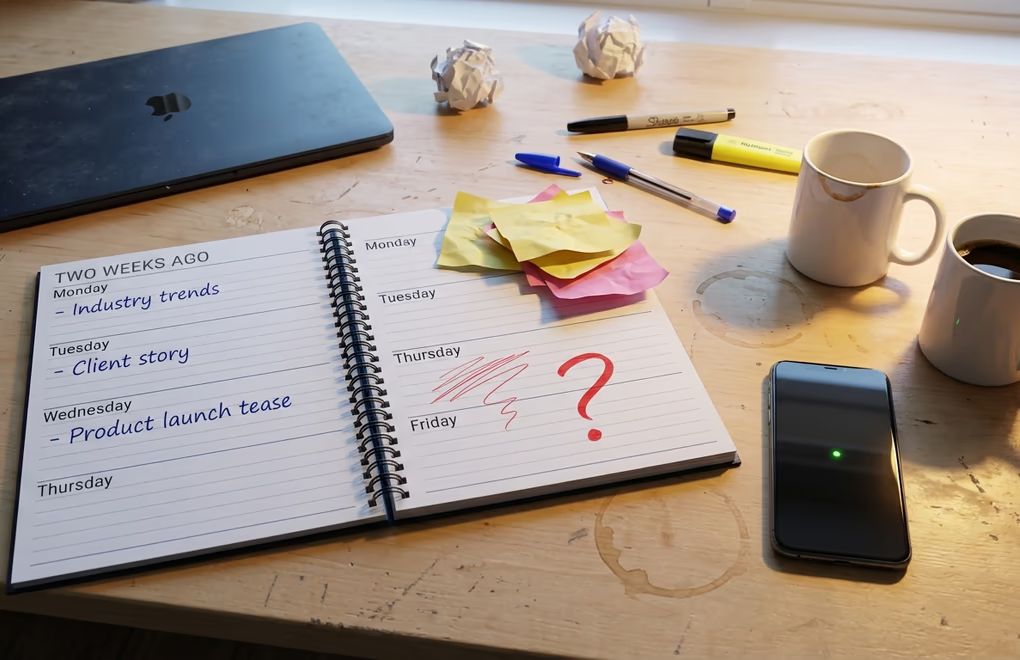
The most common advice you will find about content calendars is to pick a tool, create a template, assign content themes to specific days, and start filling in the blanks. It sounds logical, and it works beautifully for about two weeks before reality sets in and the whole system collapses. The reason is that most calendar advice focuses on the container - the spreadsheet, the Notion board, the scheduling tool - without addressing the underlying problem that makes calendars fail in the first place: people run out of ideas, and then they abandon the system because staring at an empty Tuesday slot is more stressful than not having a calendar at all.
Decision fatigue is the silent killer of content consistency. Every time you sit down and ask yourself "what should I post today?" you are burning mental energy on a decision that should have been made days ago, during a dedicated planning session when you were in strategic mode rather than execution mode. The creators who post four times a week without breaking a sweat are not making four separate decisions on four separate days. They made all four decisions in one sitting, wrote the posts in one batch, and scheduled them so that publishing happens automatically while they focus on the work that actually pays the bills.
The second reason calendars fail is rigidity. If your Monday is locked in as "industry insights day" and your Wednesday is "personal story day" and your Friday is "hot take day," you will eventually hit a week where none of those formats feel right for what you actually want to say. Maybe something happened in your industry on Tuesday that begs for an immediate response, but your calendar says Tuesday is "how-to content day" and now you are either ignoring a timely opportunity or breaking your own system to chase it. Neither option feels good, and after a few weeks of this tension, the calendar gets pushed aside because it feels like a constraint rather than a support structure.
The calendars that survive are the ones built around content pillars rather than rigid day-of-week assignments. Instead of prescribing what goes where on which day, a pillar-based system gives you a menu of topics you can pull from in any order, on any day, as long as you hit a minimum number of posts per week and maintain a healthy mix across all your pillars. That flexibility is what makes the difference between a calendar you use for twelve months and one you delete after twelve days.
What 3-pillar framework gives you infinite LinkedIn topics?
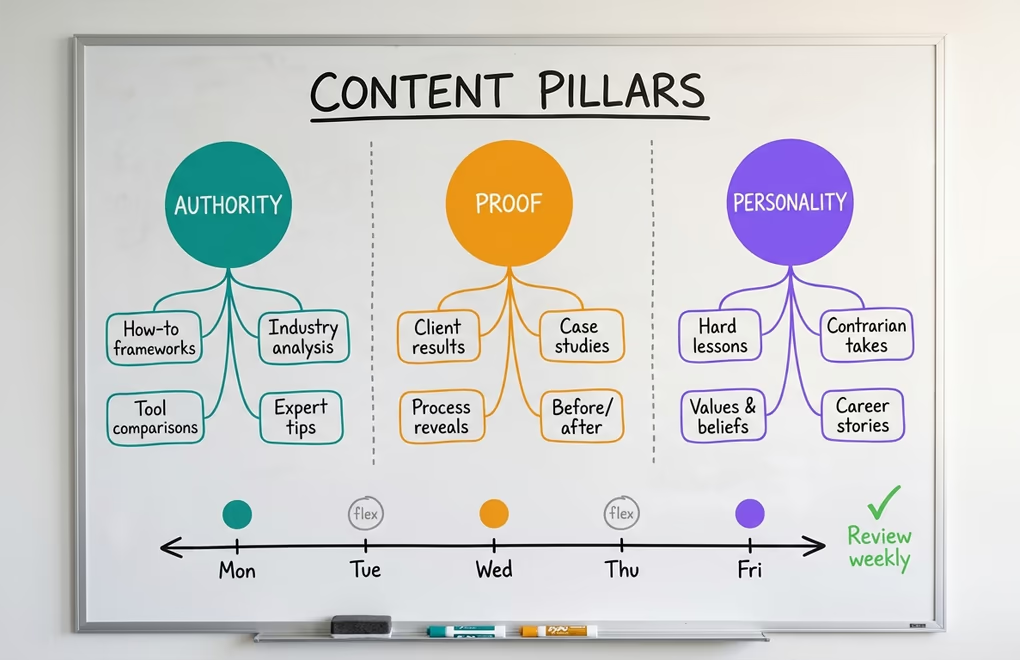
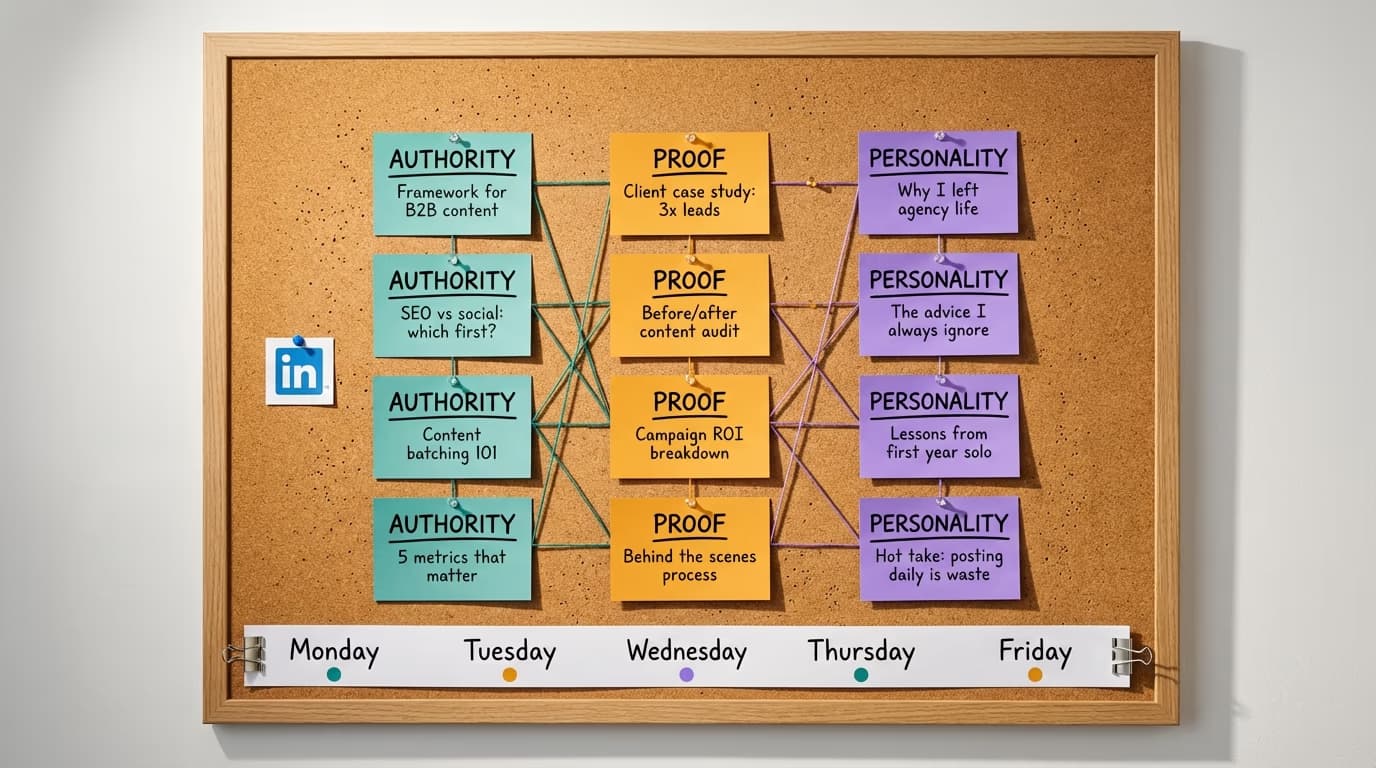
Before you fill a single calendar slot, you need to define your content pillars - the three to four broad categories that every post you create will fall into. Pillars are not the same as topics. A topic is "how to write better LinkedIn hooks." A pillar is "teaching people the thing I get hired for." Topics are infinite within each pillar, which is exactly why this framework prevents the idea drought that kills most calendars. The three-pillar model that works best for the majority of professionals on LinkedIn breaks down into Authority, Proof, and Personality, and understanding what each one does for your growth is the key to building a calendar that compounds over time.
Authority content is where you teach the thing people hire you for, consult you on, or recognize you as an expert in. If you are a SaaS marketer, your authority content might cover product-led growth tactics, B2B content distribution, or conversion rate optimization for landing pages. If you are a coach, it might cover frameworks your clients use to get results. Authority content builds trust because it demonstrates genuine expertise rather than simply claiming it, and the algorithm in particular pays close attention to whether your content matches the expertise signals in your profile. A content strategist who posts authority content about content strategy gets broader distribution than the same person posting random motivational quotes, because the algorithm is now sophisticated enough to cross-reference your profile credentials against the topics you actually write about.
Proof content is evidence that your authority is real. Case studies, client results, behind-the-scenes processes, before-and-after snapshots, and specific outcomes from your work all fall into this pillar. Proof content tends to generate the most meaningful engagement because it invites people to ask questions about your process, share their own experiences, and tag colleagues who might benefit from what you do. One of the reasons agencies and consultants find LinkedIn particularly valuable is that a single proof post showing a real client result often generates more inbound leads than a month of generic thought leadership, because it shifts the reader from "this person knows their stuff" to "this person gets results for people like me."
Personality content is what makes people follow you specifically rather than following anyone who covers the same topics. Your beliefs about your industry, the things you reject that others accept, the lessons you learned the hard way, and the experiences that shaped your professional perspective all belong here. Personality content does not mean sharing your breakfast or your morning routine. It means sharing the opinions, values, and hard-won insights that make your perspective genuinely different from the next person writing about the same field. This is the pillar most professionals skip entirely, and it is the reason their content feels interchangeable with a dozen other people in their niche.
When your calendar is built on these three pillars, idea generation becomes trivially easy. Instead of staring at a blank screen asking "what should I write?" you ask "which pillar needs a post this week?" and then pull a topic from the nearly infinite pool of experiences, insights, and proof points you already have. A simple rule of thumb is one authority post, one proof post, and one personality post per week for a three-post calendar, or two authority posts plus one each of proof and personality for a four-post cadence.
How do you build your weekly LinkedIn calendar from scratch?
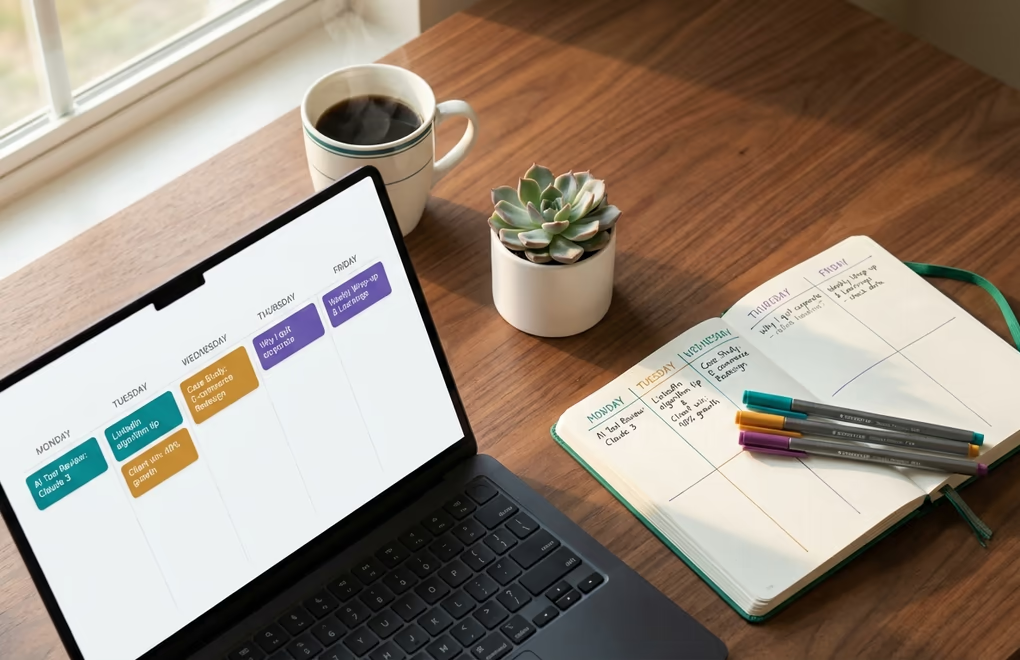
The best time to build your weekly calendar is during a single planning session at the start of each week. Some people prefer Sunday evening, others prefer Monday morning, but the specific day matters far less than the consistency of doing it every single week without exception. During this session, you are not writing posts yet - you are deciding which topics from each pillar will fill this week's slots and jotting down a rough hook or angle for each one. The actual writing happens in a separate batch session, which we will cover in the next section, because separating planning from writing is one of the most effective ways to prevent the creative paralysis that derails most content workflows.
Start by looking at what performed well in the previous week. If your proof post about a client result generated twice the engagement of your authority post about industry trends, that tells you something about what your audience is hungry for right now. You do not need to chase metrics obsessively, but using last week's data as a lightweight input into this week's planning is the difference between a calendar that improves over time and one that repeats the same patterns regardless of results. Posting frequency research consistently shows that three to five posts per week is the sweet spot for most professionals, so plan your calendar around that range rather than trying to fill every weekday.
The most important structural decision is leaving 20 to 30 percent of your calendar slots open for reactive content. If you plan four posts per week, three of them should come from your pillar topics and one slot should remain flexible. That open slot is where you drop in a response to breaking industry news, a timely observation from a conversation in your feed, or a post inspired by something a prospect said on a sales call that morning. Reactive content often outperforms planned content because it carries the energy and urgency of something that just happened, and your audience can feel the difference between a post that was written in the moment versus one that was drafted two weeks ago and feels slightly disconnected from the current conversation.
When choosing which days to publish, posting time data suggests that Tuesday through Thursday tends to see the highest engagement for most professional audiences, with Tuesday mornings between 8 and 10 AM in your audience's timezone being the most consistently strong window. Monday mornings are chaotic for most LinkedIn users because they are catching up on email and meeting prep, and Friday afternoons see attention drop as people mentally check out for the weekend. That said, the best day to post is the day you will actually post consistently, so if your workflow only supports a Tuesday-Thursday-Saturday cadence, that is infinitely better than planning five posts and only publishing two because you could not keep up.
Your calendar should also include a brief note about format for each post. Do not prescribe the format too far in advance - just flag whether this post would work best as a text post, a carousel, or an image post when you assign the topic during your planning session. The reason you want to track format alongside topic is that format rotation has a meaningful impact on how the algorithm distributes your content, which brings us to a strategy most calendar guides completely ignore.
What 90-minute batch session fills your entire week?

Batching is the single habit that separates people who maintain a content calendar for months from those who abandon it within weeks. The idea is straightforward: instead of writing one post per day across the week, you write all of them in one concentrated session, schedule them, and then spend zero time during the rest of the week thinking about what to publish. Most creators find that 90 minutes is enough to write three to four LinkedIn posts if they come into the session with their topics and angles already chosen from the planning step, because the hardest part of writing is not the writing itself but the deciding what to write about, and that decision was already made during planning.
The structure of a batch session matters more than most people realize. Start with your authority post because it requires the most focused thinking and you want to tackle it when your energy is highest. Move to the proof post next, which tends to write faster because you are describing something that actually happened rather than constructing a teaching framework. Finish with the personality post, which often flows the most naturally because it is closest to how you actually think and talk. If you have a fourth slot, use it for whatever format excites you most that week or leave it as the open reactive slot we discussed earlier.
One technique that dramatically speeds up batching is to write hooks separately from the body of each post. Open a blank document, write five to eight hook options for each topic, then pick the strongest one and write the body underneath it. This decoupling works because the hook and the body require completely different creative muscles - the hook needs to stop the scroll with curiosity or tension, while the body needs to deliver substance and insight. When you try to do both simultaneously, you end up with either a great hook followed by a mediocre body or a solid argument with a boring opening line. LinkedGrow's hook generator can produce a dozen options in seconds if you want to accelerate this part of the session, but the principle works whether you write hooks manually or use AI to generate starting points.
After writing, schedule all posts using your calendar tool so they go out at the times you decided during planning. The entire point of batching is that once the session is over, your content is done for the week. You are not revisiting drafts on Thursday morning, not tweaking sentences at 7 AM before your first call, and not experiencing the low-grade anxiety of knowing you need to post today but haven't written anything yet. If you ever need to double-check timing or review pending content, you can view your scheduled posts on LinkedIn at any time. That mental freedom is one of the biggest hidden benefits of a content calendar - it is not just about what you publish but about reclaiming the headspace that would otherwise be consumed by the daily "what should I post?" question.
If 90 minutes feels tight, consider using AI as a drafting accelerator. LinkedGrow's AI post generator can produce a first draft based on your topic and trained voice, which you then edit and refine rather than writing from a blank page. Many creators find that this cuts their batch session time in half while maintaining their authentic voice, because editing a draft that already sounds like you is significantly faster than producing original text from nothing. The key is that AI generates the starting material and you shape the final product, not the other way around.
How does format rotation keep the LinkedIn algorithm interested?
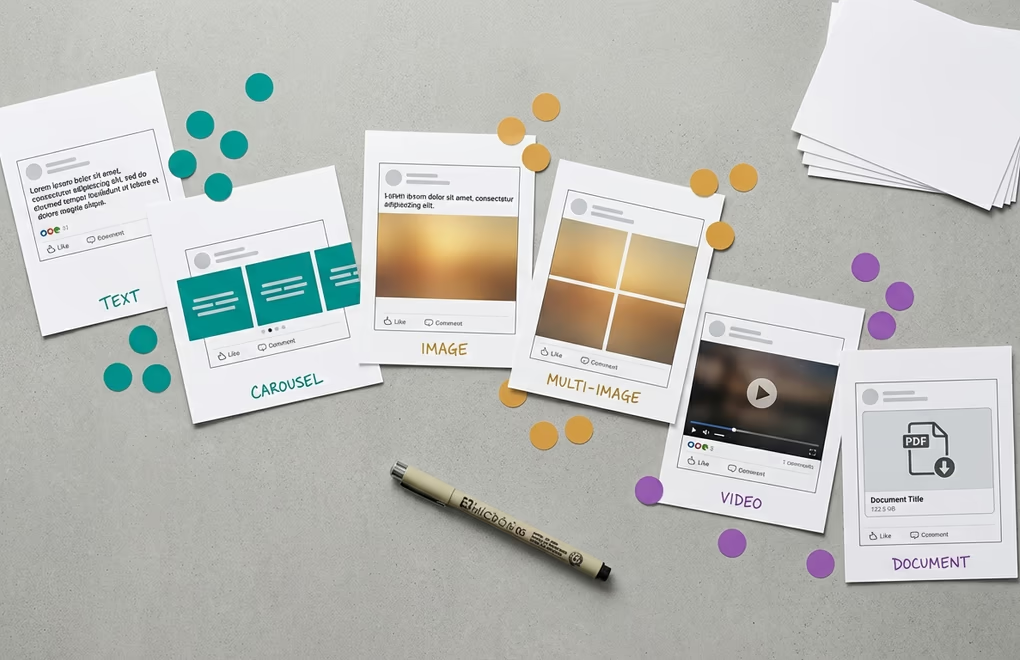
Most content calendar guides treat format as an afterthought - just pick text or image or carousel and move on. But the format you choose for each post has a direct impact on how the algorithm distributes it and how your audience interacts with it, and building format rotation into your calendar is one of the easiest ways to improve your overall reach without changing anything about the quality of your writing. Accounts that rotate between at least three formats each week consistently see stronger follower growth than accounts that publish the same format every time, because format variety gives the algorithm multiple signals about your content and keeps your feed visually interesting to anyone scrolling through it.
Document posts - what most people call carousels - are the highest-performing format on the platform right now, and they have been for the past two years. The reason is dwell time: when someone swipes through a seven-slide carousel, they spend significantly more time on your post than they would reading a text update, and the algorithm interprets that extended attention as a strong quality signal. If your calendar includes three posts per week, making at least one of them a carousel is a reliable way to give your weekly output an engagement boost. Authority content and step-by-step frameworks translate particularly well into the carousel format because each slide can cover one key point with a visual and a short explanation.
Text posts remain the backbone of most LinkedIn content strategies because they are the fastest to produce and they work exceptionally well for personality content, hot takes, and storytelling. A well-crafted text post with a strong hook can compete with any format in terms of engagement, especially when the topic is timely or emotionally resonant. The limitation of text posts is that they do not generate as much dwell time as visual formats, so relying exclusively on text means you are leaving distribution potential on the table. Your calendar should include text posts, but they should not be the only format you use every week.
Image posts and multi-image posts occupy a middle ground between text and carousels. A single compelling image paired with a strong text narrative can stop the scroll in ways that a wall of text cannot, and multi-image posts encourage people to swipe through, generating additional dwell time. For proof content in particular - client results, behind-the-scenes shots, before-and-after comparisons - images add a layer of credibility that text alone struggles to match. Your weekly calendar should aim for a minimum of two different formats across your planned posts, with three being ideal if you are posting four or more times per week.
One format choice to be cautious about is external link posts, where the primary content is a URL to an article, podcast, or website outside of LinkedIn. The algorithm has never been enthusiastic about sending its users away from the platform, and posts with external links in the body consistently earn less distribution than native content. If you need to share a link, the common workaround is to write a native post that delivers standalone value, then drop the link in the first comment. This approach lets the post itself earn full algorithmic distribution while still making the link accessible to anyone who wants it.
The Compounding Effect: Why Your Calendar Gets More Powerful Over Time

The most underappreciated benefit of maintaining a content calendar is not what happens in week one or week four. It is what happens after three months of consistent, pillar-based posting when the algorithm has built a detailed understanding of who you are, what topics you cover, and which audiences find your content valuable. LinkedIn's ranking system now evaluates your entire posting history when deciding how broadly to distribute a new post, and creators who maintain topical consistency over time earn what amounts to an expertise bonus in their feed distribution. The algorithm is looking for patterns, and a content calendar is literally the tool that creates the pattern the algorithm is looking for.
This compounding effect explains why new LinkedIn creators often feel frustrated during their first month. They are doing everything right - strong hooks, good content, consistent posting - but the reach feels modest because the algorithm has not yet accumulated enough data to confidently distribute their content beyond their immediate network. The calendar is the commitment device that gets you through this initial period, because without it, the temptation to stop posting after two weeks of "low" engagement is almost irresistible. Every week you post consistently is another data point the algorithm uses to expand your reach, and the growth curve is exponential rather than linear.
The compounding also works at the audience level, not just the algorithmic level. When someone visits your profile after seeing one great post and finds a feed full of consistent, valuable content organized around clear expertise areas, they follow. When they visit and see your last post was three weeks ago, they do not. Your calendar is building your body of work, and that body of work is what converts profile visitors into followers and followers into clients, customers, or collaborators. LinkedIn's best time to post can help you optimize individual post timing, but it is the consistency of posting week after week that creates the compounding growth most people are looking for.
One practical way to leverage this compounding is to review your calendar monthly and identify which pillar generates the strongest engagement. If your proof content consistently outperforms your authority content by a significant margin, shift the ratio in favor of more proof posts without abandoning the other pillars entirely. Over a quarter, these small adjustments based on real data add up to a content strategy that is increasingly fine-tuned to what your specific audience wants, which is something no generic content template can provide. The calendar becomes a living system that learns and improves with you rather than a static plan you set and forget.
Start This Week, Not Next Monday
The biggest trap with content calendars is waiting for the "right" time to start, which is always next Monday or next month or January 1st. Your calendar does not need to be perfect before you begin using it, and the version you build today will look different from the version you are running three months from now because you will have refined it based on what actually works for you. Define your three pillars, plan three posts for this week, batch-write them in 90 minutes, schedule them with a dedicated LinkedIn scheduling tool, and iterate from there. The creators who grow on LinkedIn are not the ones with the best calendar template - they are the ones who showed up consistently while everyone else was still perfecting their system.
If you want a tool that makes the entire calendar workflow frictionless - from AI-assisted writing to visual scheduling to performance tracking that tells you which pillars and formats are working - LinkedGrow was built for exactly this process. The content calendar, scheduling, voice training, and analytics all connect into the same workflow described in this guide, so you can go from planning to publishing to reviewing results in one place. But the framework works with any tool. The tool is not the variable that determines whether you grow. The calendar, the consistency, and the compounding effect of showing up week after week - that is the variable, and it is entirely within your control.
Frequently Asked Questions
Plan your content pillars and themes one month ahead, but write actual posts only one to two weeks in advance. This gives you enough structure to stay consistent while leaving room to respond to trending topics, industry news, or conversations happening in your feed that week.
Three to five posts per week works best for most professionals and creators. Publishing fewer than three makes it hard to build momentum with the algorithm, while posting more than once per day typically reduces the reach of each individual post because they compete with each other for distribution.
Yes. Keeping about 20 to 30 percent of your calendar slots open for reactive content is one of the best practices you can adopt. Some of your highest-performing posts will come from responding to something that happened that week, and a rigid calendar that leaves no room for spontaneity will feel stale.
Rotate between at least three formats each week. Document carousels and multi-image posts consistently earn the highest engagement, followed by video and single image posts. Text-only posts still perform well for personal stories and hot takes. The key is variety so your audience does not scroll past the same format every day.
The most common reason calendars get abandoned is overcomplication. Start with a simple system of three content pillars and three posts per week, batch your writing in a single 90-minute session, and review performance monthly. A simple calendar you actually use beats an elaborate one that collects dust after two weeks.
The post you keep meaning to write takes four minutes here.
LinkedGrow turns a link, a video or a rough idea into a LinkedIn post written in your own voice, then puts it in the calendar for the morning your audience is awake.
Start free for 7 days