
This walkthrough vs. the strategic framework
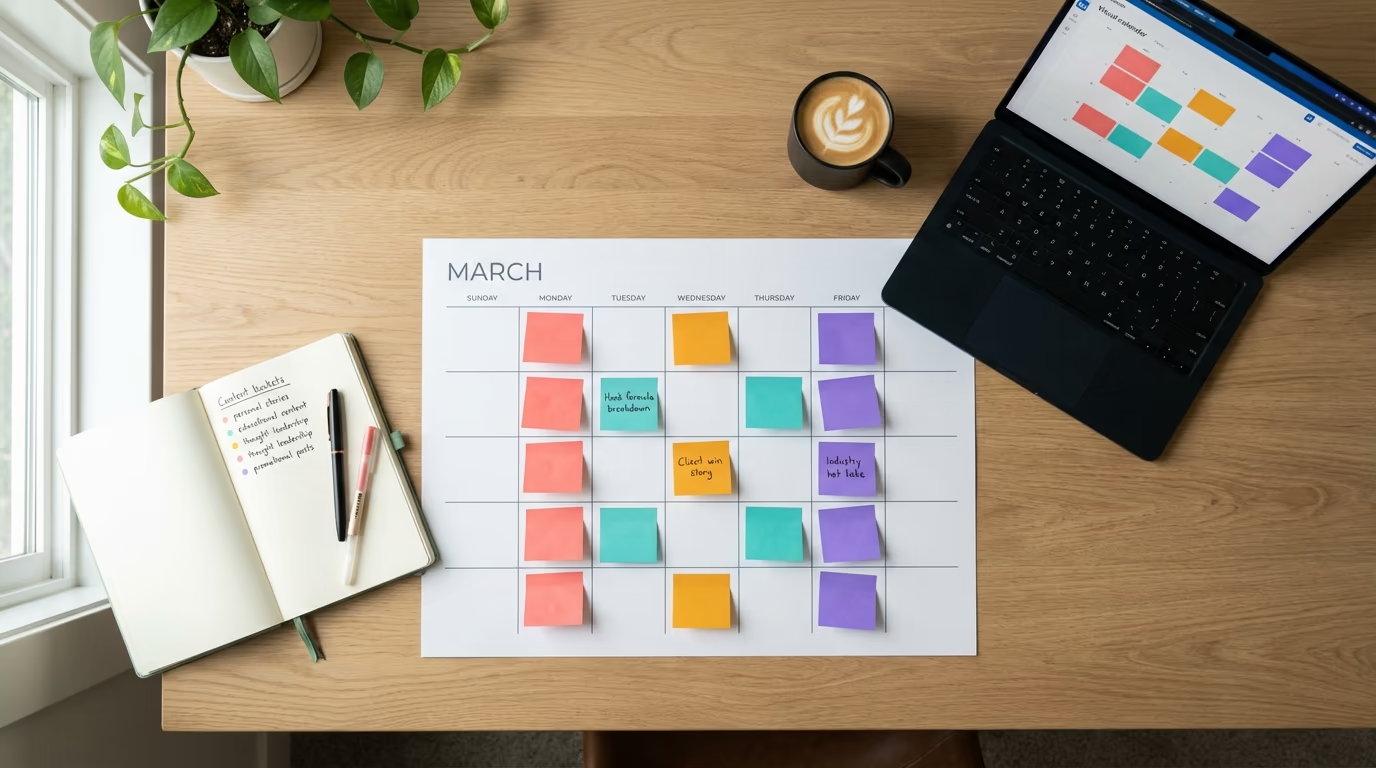
This article is the tactical planning workflow: how to fill 30 days of LinkedIn slots in 30 focused minutes using the 4-bucket method. If you want the strategic framework behind why calendars compound (3 content pillars, format rotation strategy, long-term algo signals), read our LinkedIn content calendar template guide instead.
Want to know how to plan a LinkedIn content calendar in 30 minutes? Every creator hits the same wall eventually. You know you should post consistently, you have read the advice about showing up three to five times a week. But then Monday morning arrives, your cursor blinks in an empty text box, and the only thought running through your head is "what on earth do I post today?" So you skip the day. Then the week. Before you know it, your last post is three weeks old and your audience has moved on. The problem was never a lack of ideas or talent. The problem was the absence of a plan.
A LinkedIn content calendar solves this by turning the chaotic, decision-heavy act of daily posting into a simple system you can run on autopilot. Instead of waking up each morning wondering what to write, you sit down once, map out the next 30 days, and then spend the rest of the month executing. The best part is that building one does not require a full afternoon or a degree in project management. With the right framework, you can plan an entire month of high-quality LinkedIn content in about 30 minutes, and that is exactly what this guide will show you how to do.
Whether you are a solopreneur trying to grow a personal brand, a coach attracting clients, or an agency managing multiple LinkedIn accounts, the content calendar approach works because it removes the biggest friction point in content creation: deciding what to post. When that decision is already made, the only thing left is writing, and writing is the easy part once you know the topic. LinkedGrow's content calendar was built around this exact philosophy, and the strategies in this guide are the same ones our team uses every single week.
Why does planning beat improvising on LinkedIn?

There is a romantic idea floating around LinkedIn that the best content comes from spontaneous inspiration. Someone sees a trending topic, fires off a hot take, and watches it go viral. That does happen, and when it does, it feels magical. But building a real LinkedIn presence on inspiration alone is like trying to build a house by waiting for the perfect weather. You might get lucky a few times, but you will never finish the foundation.
The LinkedIn algorithm in 2026 rewards consistency above almost everything else. When you post regularly, the algorithm learns that your content generates engagement and starts distributing it to more people. When you go silent for a week and then drop a single post, the algorithm treats you like a new account and shows your content to a fraction of your network. This is not speculation; any creator who has taken a two-week break and then posted again can tell you exactly how painful that reach drop feels.
Planning also eliminates what psychologists call decision fatigue. Every time you sit down and ask yourself what to post, you are burning mental energy that could go toward actually writing something good. Multiply that by five days a week and you are spending more time deciding than creating. A content calendar front-loads all those decisions into a single 30-minute session, which means the rest of the month is pure execution. You open your calendar, see that today is a personal story about a client win, and you start writing immediately.
There is another benefit that most guides overlook: strategic variety. Without a calendar, creators tend to fall into patterns. You write about whatever is on your mind, which usually means you post about the same three topics in the same format week after week. Your audience gets bored, engagement drops, and you blame the algorithm when the real problem is that your content has become predictable. A calendar forces you to rotate topics, mix formats, and cover your full range of expertise instead of defaulting to your comfort zone.
What is the LinkedIn content bucket method?
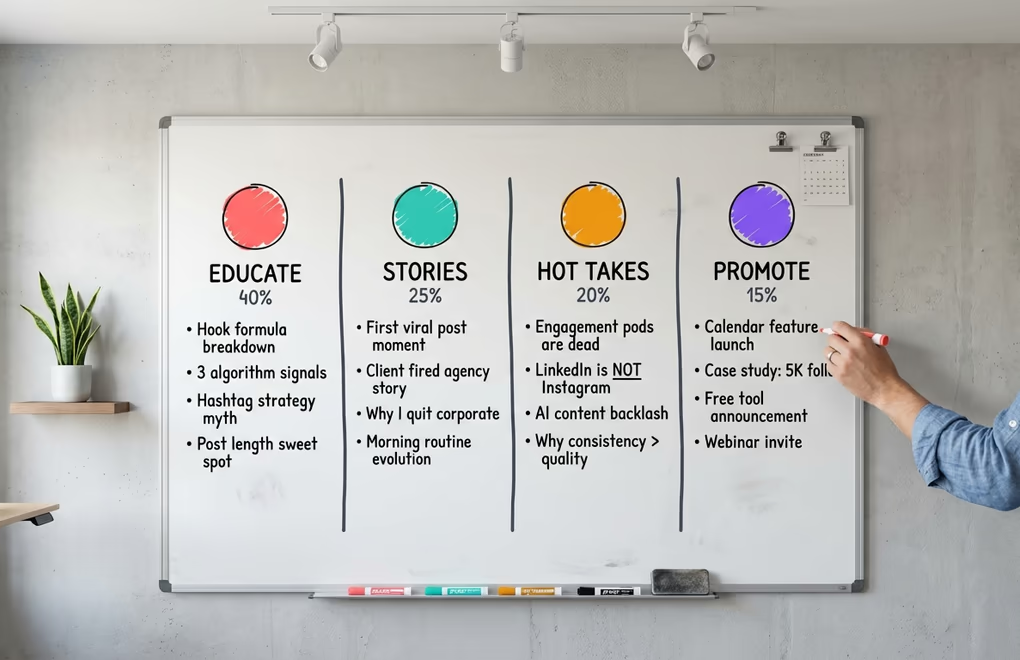
The single most effective framework for LinkedIn content planning is the content bucket method, and once you understand it, you will wonder why you ever tried to come up with post ideas from scratch. The concept is simple: instead of brainstorming individual post topics, you define four or five broad themes that represent the core of your professional expertise. These become your buckets, and every post you create for the rest of the month fits into one of them. No more staring at a blank screen. No more wondering if your content is "on brand." The buckets keep you focused while still giving you plenty of creative room.
A solid content bucket system typically includes four categories, and the ratio between them matters. About 40% of your posts should be educational, meaning you teach your audience something useful. These are the posts that get saved, shared, and establish your authority. Think frameworks, how-to breakdowns, myth-busting posts, and industry explanations. The next 25% should be personal stories and behind-the-scenes content. These are the posts that humanize you and create emotional connection, covering career lessons, failures, client stories, and the messy reality behind your polished results.
Your third bucket, at about 20%, is thought leadership and contrarian viewpoints. This is where you challenge industry norms, share bold predictions, or push back against popular advice. These posts spark conversation in the comments and position you as someone who thinks independently rather than just repeating what everyone else says. The final 15% is promotional content, meaning soft pitches, product updates, case studies, and calls to action that drive business results. Keeping promotional content to just 15% is critical because audiences on LinkedIn will tune you out the moment they feel like every post is a sales pitch.
What makes buckets so powerful is that they are endlessly refillable. Take a coach whose buckets are "Client Transformation Stories," "Coaching Frameworks," "Industry Hot Takes," and "Program Announcements." Every client call, every workshop, every conversation at a conference generates raw material that drops neatly into one of those four buckets. The coach never has to think about what kind of post to write. They just pick the bucket, pick the raw material, and start drafting.
The same logic applies whether you run a small business sharing product insights, work at an agency managing client accounts, or are a solopreneur building a personal brand. Your buckets will be different, but the system is identical. Define four themes, assign a rough percentage to each, and use them as the skeleton for every month of content you ever create.
How do you build a 30-day LinkedIn calendar in 30 minutes?

Now that you have your buckets defined, the actual planning process is faster than most people expect. Set a timer for 30 minutes and work through these four stages without overthinking anything. The goal is not to write your posts during this session. The goal is to assign a topic and bucket to every posting slot in the month so that when you sit down to write, the hardest decision is already made.
Minutes 1-8: Map Your Posting Slots
Open your calendar and mark the days you plan to post. The free best time to post on LinkedIn tool gives you a personalized timezone heatmap based on 2M+ posts. If you are also targeting the best times to post on LinkedIn, you already know that Tuesday through Thursday mornings tend to drive the most engagement. A realistic cadence for most professionals is three to four posts per week, which means roughly 14 to 18 posting slots over 30 days. Mark them on whatever tool you use, whether that is a spreadsheet, a Notion board, or a dedicated LinkedIn scheduling tool. Do not spend time picking exact times yet. Just block the days.
Minutes 8-15: Assign Buckets to Slots
Now go through each posting slot and assign a content bucket. The key rule here is never stack the same bucket twice in a row. If Monday is an educational post, Tuesday should be a personal story or a hot take. Rotate through your four buckets in a pattern that feels natural, and lean slightly heavier on the educational bucket since that should make up about 40% of your output. For a four-post week, a clean rotation might look like: educational on Tuesday, story on Wednesday, thought leadership on Thursday, and educational on the following Tuesday.
Minutes 15-25: Fill Each Slot with a Topic
This is the most creative part of the process, but your buckets make it surprisingly fast. For each slot, write a one-sentence topic description. You are not writing the post, you are just capturing the core idea. An educational slot might become "break down the three signals LinkedIn uses to decide who sees your post." A story slot might become "the time a client fired their agency and grew 3x faster doing it themselves." If you get stuck on any slot, skip it and come back after you fill the easier ones. Most people find that the ideas flow faster once they have a few slots filled because each topic sparks related ideas for the others.
This is also where an AI assistant can save you serious time. LinkedGrow's AI post generator can take a one-sentence idea like "explain why LinkedIn impressions are misleading" and turn it into a full draft that matches your voice, which means you are really just creating a list of seeds during planning and letting AI help you grow them during writing time.
Minutes 25-30: Add Format Notes and Links
For each slot, jot down the format you plan to use. Will it be a text-only post, a carousel, an image post, or a poll? Mixing formats keeps your feed visually interesting and gives the algorithm different types of content to test with your audience. Also add any relevant links, such as a blog post you want to reference or a landing page you are driving traffic to. Once this step is done, your 30-day calendar is complete. Every posting day has a bucket, a topic, and a format. The creative heavy lifting is finished, and it took half an hour.
What weekly batching workflow prevents content burnout?
Having a monthly plan is great, but the plan only works if you actually create the content. This is where most calendars fail. People build a beautiful 30-day plan, feel productive for about an hour, and then never look at it again because they try to write posts one at a time, every single day. That approach is exhausting and it is exactly the pattern that leads to burnout. The solution is batching, which means writing multiple posts in a single focused session rather than switching into "LinkedIn mode" every morning.
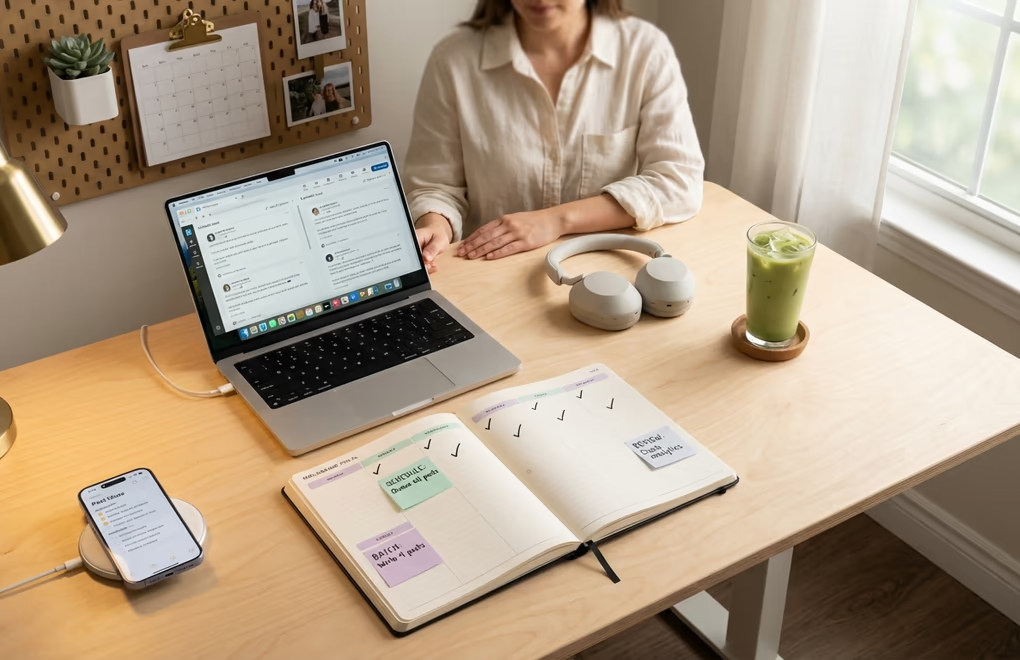
The most sustainable workflow is a single weekly session of 60 to 90 minutes. Pick a day that works for your schedule - many creators use Sunday evening or Monday morning - and write all three to four posts for the upcoming week in one sitting. The reason batching works so much better than daily creation is that your brain stays in writing mode. There is a cognitive warm-up period every time you switch tasks, and by batching, you only pay that cost once per week instead of once per day.
Here is what a weekly batching session looks like in practice. Start by opening your monthly calendar and looking at this week's assigned topics and buckets. Spend the first 15 minutes doing quick research if any topics need it, such as pulling a LinkedIn post example for a framework you want to teach, or refreshing your memory on a client story. Then spend 30 to 45 minutes writing all your drafts back to back. Do not edit as you go. Get the ideas out first and let them be rough. Use the final 15 minutes to polish your hooks, tighten up the copy, and schedule everything. Voice training tools can make the writing phase even faster by generating drafts that already sound like you, so your polishing pass is quick rather than a full rewrite.
Once your posts are scheduled, your LinkedIn content for the week is done. You can view your scheduled posts to verify everything looks right, then step away knowing that your posts will go out at the optimal times without you lifting a finger. The only daily task left is showing up in the comments for 10 to 15 minutes after each post goes live, which is where the real relationship-building happens anyway. For creators ready to deepen their audience relationships beyond feed posts, a LinkedIn newsletter is a natural next step that you can batch-create alongside your calendar posts. This is the system that separates creators who post for six months and burn out from creators who post for years and keep growing.
Which 5 calendar mistakes kill content momentum?
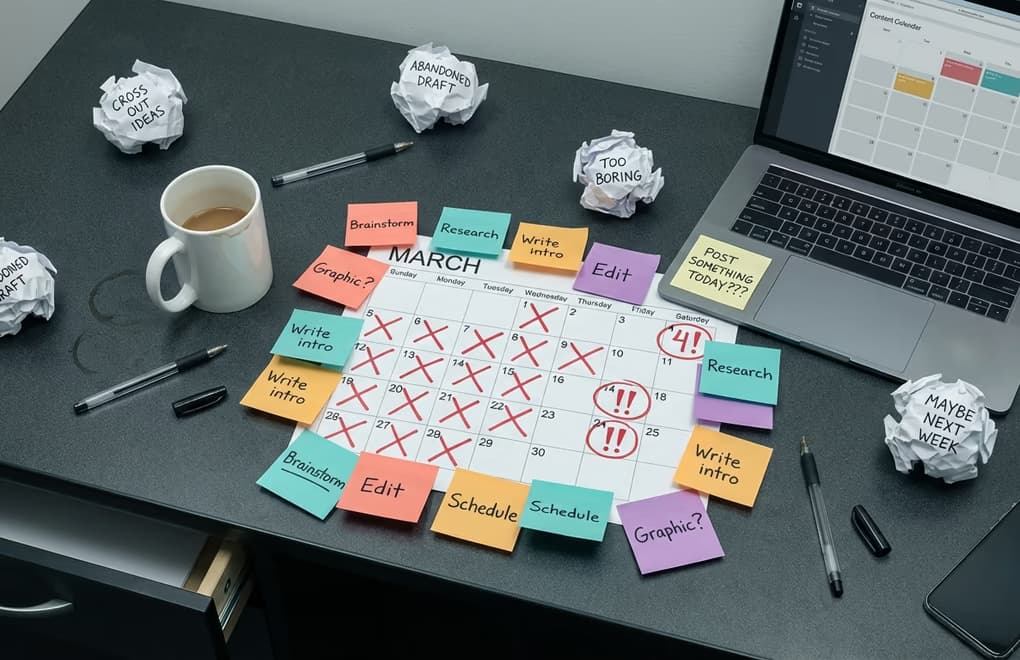
Building a content calendar is straightforward, but plenty of creators set one up and still struggle to stay consistent. The issue is almost always one of five common mistakes that undermine the entire system. Knowing what they are before you start will save you from the frustrating cycle of planning enthusiastically, falling off, and planning again.
The first and most damaging mistake is over-planning. Some creators build elaborate spreadsheets with columns for hashtags, image descriptions, link tracking, engagement metrics, and color-coded priority levels. The calendar becomes a project in itself, and maintaining it takes almost as long as creating the content. Your calendar should be simple enough that you can glance at it and know exactly what to write today. A topic, a bucket, and a format is all you need. Everything else is noise.
The second mistake is rigidity. A calendar is a guide, not a contract. If something big happens in your industry on a Wednesday and your calendar says you are supposed to post a personal story, swap the slots around and write about the breaking news instead. The best LinkedIn creators treat their calendar as a flexible framework that keeps them on track while leaving room for timely, spontaneous content. If you feel chained to the calendar, you have made it too rigid.
The third mistake is ignoring analytics. A calendar is not a "set it and forget it" tool. At the end of each month, you should look at which posts performed best and worst, which buckets drove the most engagement, and which formats your audience responded to. Then use those insights to adjust next month's plan. If your thought leadership posts consistently outperform your educational content, increase the thought leadership ratio. If polls are flopping, stop scheduling them. The calendar should evolve based on real data, not stay static.
The fourth mistake is planning without hooks. Every LinkedIn post lives or dies by its first line. If you are filling your calendar with topics but not thinking about hooks, you are doing 80% of the work and missing the 20% that matters most. During your planning session, at least jot down a rough hook idea for each slot. It does not need to be perfect, but having even a placeholder hook makes the writing phase dramatically faster because you already know how to start.
The fifth mistake is going it alone when you have a team. If you are part of a marketing agency or manage a team of content creators, a personal calendar in your private spreadsheet defeats the purpose. You need a shared system where everyone can see what is scheduled, who is writing what, and what stage each post is in. This prevents duplicate content, ensures consistent messaging, and lets managers approve posts before they go live. Solo calendars break down the moment a second person gets involved.
Which tools bring your LinkedIn calendar all together?
You can absolutely run a content calendar on a Google Sheet or a Notion board, and if that is where you are most comfortable, go for it. But there is a gap between planning content and actually getting it published, and that gap is where most manual systems fall apart. You plan in one tool, write in another, format in a third, and schedule in a fourth. Every handoff is a chance for something to slip through the cracks, and the overhead of managing multiple tools eats into the time you saved by planning in the first place.
This is exactly why LinkedGrow's content calendar puts planning, writing, and scheduling in one place. You open the visual calendar, see your month at a glance with color-coded post statuses, and click any day to start creating. The built-in editor lets you write and format your post right there, the AI generator can draft content from your one-line idea, and the scheduler publishes it to LinkedIn at exactly the time you choose. There is no copying between tools, no export-import dance, and no wondering whether your Tuesday post actually got scheduled.
For solopreneurs and individual creators, the calendar view alone is a game changer because it turns your month from an abstract plan into a concrete visual where every gap is immediately obvious. If Thursday has no post, you see it. If you have four educational posts in a row, you see that too. It is the kind of instant feedback that prevents the common mistakes we just talked about.
For teams and agencies, the collaborative features are where things really click. Team members can draft posts, managers can review and approve them, and everyone operates from the same calendar so there is never any confusion about what is going out and when. Combined with the LinkedIn scheduling best practices of posting during peak engagement windows, the system ensures your content is not just planned but actually published at the times that matter most.
How do you start your next 30 days with 30 minutes?
The difference between creators who grow on LinkedIn and creators who stall is almost never about writing talent. It is about systems. The ones who grow have a content calendar. They know what they are posting before the week starts. They batch their writing so it takes less total time. They rotate between content buckets so their audience stays engaged. And they review their analytics monthly to keep improving. A calendar is one piece of the puzzle; for the full framework that ties themes, formats, and growth together, see our complete LinkedIn content strategy guide.
You now have every piece of that system. Define your four content buckets, set a timer for 30 minutes, assign topics to your posting slots, and batch-write them once a week. That is the entire playbook. It is not complicated, it is not expensive, and it does not require some special creative gene that you were not born with. It just requires the decision to stop improvising and start planning. If you want a tool that handles the calendar, the writing, and the scheduling all in one place, give LinkedGrow a try and see how much easier consistent posting becomes when you have the right system behind it.
Frequently Asked Questions
Planning two to four weeks ahead is the sweet spot for most creators. One week feels too reactive and leaves you scrambling for ideas, while planning more than a month out leads to stale content that ignores trending conversations. A rolling 30-day calendar gives you enough runway to batch efficiently without losing relevance.
Three to five times per week works best for most professionals. Posting fewer than three times makes it hard to stay visible in the feed, while posting more than once per day can actually reduce your reach because your own posts compete against each other. Consistency matters more than volume.
The content bucket method means organizing all your posts into four or five recurring themes that you rotate through each week. Common buckets include educational content, personal stories, industry insights, and promotional posts. Rotating between buckets keeps your feed varied and ensures you never run out of ideas.
Start with whatever feels simplest. A Google Sheet works fine when you are posting alone, but it breaks down quickly once you add scheduling, images, and team collaboration. A dedicated tool like LinkedGrow combines your calendar, editor, and scheduler in one place so nothing falls through the cracks.
Yes, and teams actually benefit from calendars more than solo creators do. A shared calendar prevents duplicate posts, ensures consistent messaging, and lets managers review content before it goes live. LinkedGrow supports team collaboration with role-based access so everyone knows who is posting what and when.
The post you keep meaning to write takes four minutes here.
LinkedGrow turns a link, a video or a rough idea into a LinkedIn post written in your own voice, then puts it in the calendar for the morning your audience is awake.
Start free for 7 days