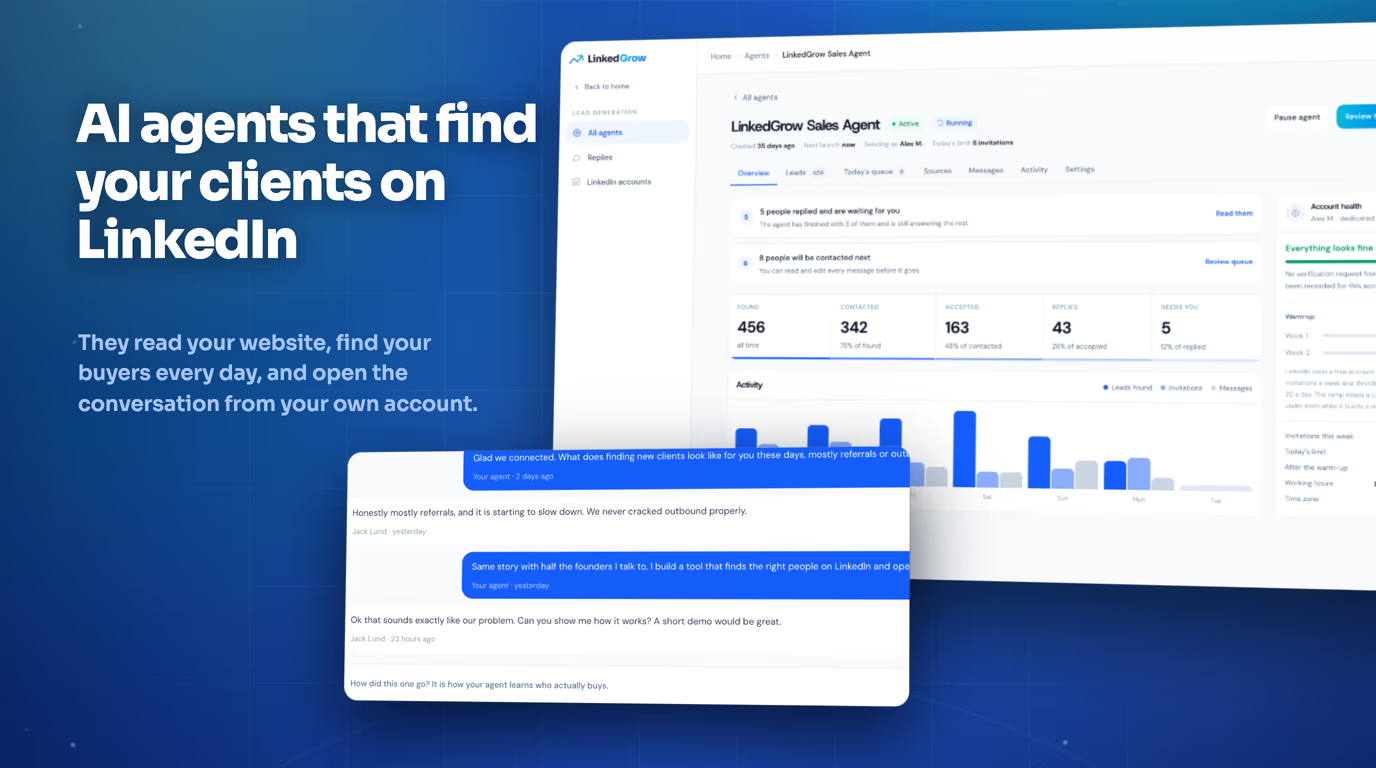

There is a version of AI-assisted LinkedIn writing that makes you more productive and a version that quietly damages your professional reputation. The difference between them is not which AI tool you use or how expensive your subscription is - it is whether the AI has been trained to understand and reproduce your specific voice, or whether it is generating content using the same generic patterns it applies to every other user who types a similar prompt. Learning how to train AI to write in your voice and style for LinkedIn is the step that separates creators who use AI as a genuine extension of their thinking from those whose content starts to feel subtly corporate and interchangeable, even when they cannot pinpoint exactly why. LinkedGrow's voice training system is built around this distinction and gives you a structured way to configure the AI with the context it needs to generate content that actually sounds like you.
This guide explains why untrained AI sounds generic, how voice training works mechanically, the specific steps to configure a voice profile in LinkedGrow, and what a well-trained voice system actually produces compared to a cold AI with no context. The goal is not to make AI invisible in your workflow but to make its output genuinely useful as a starting point - drafts that need a light edit rather than a complete rewrite, posts that carry your perspective rather than a blandly optimistic professional tone that could belong to anyone with a LinkedIn account.
Why does AI sound generic without voice training?
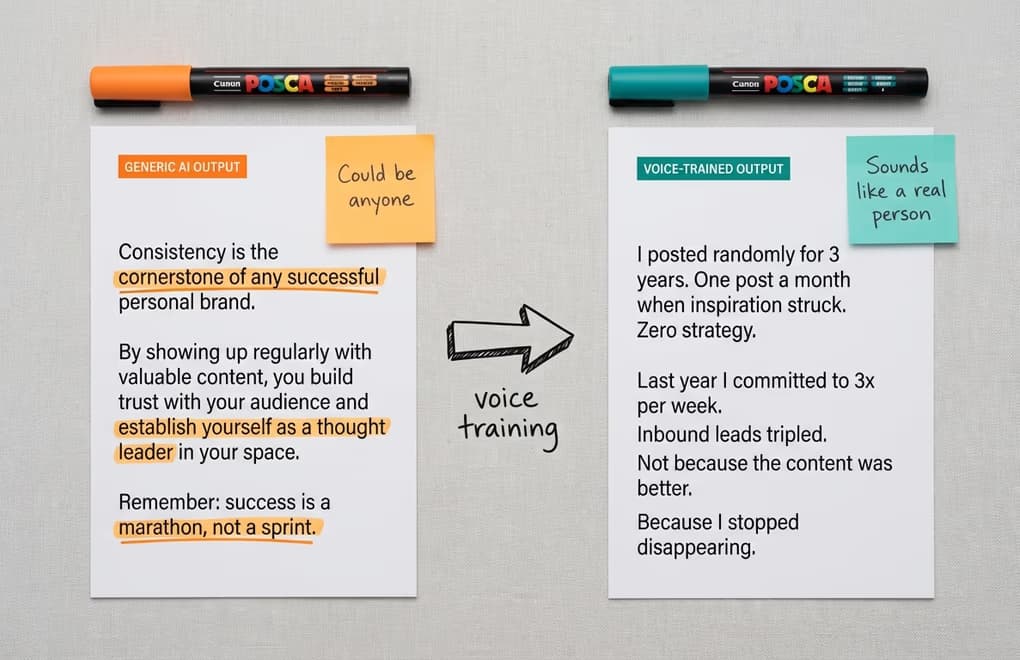
A large language model generates text by predicting what words most likely follow the words that came before them, based on patterns learned from an enormous corpus of human writing. That corpus is not your writing. It is the average of tens of billions of tokens from across the internet, which means when you ask a cold AI to write a LinkedIn post about leadership or growth, it produces the statistically most common expression of those ideas in a professional context. The result is technically correct, entirely inoffensive, and almost completely devoid of the specific viewpoint, experiences, and personality that make any individual's writing worth reading.
This is not a flaw in the AI - it is a feature of how it was designed. The model is optimized to be helpful to the broadest possible range of users, which means it gravitates toward the center of professional writing conventions rather than the edges where interesting, distinctive voices live. When everyone using AI-generated content is drawing from the same statistical center, LinkedIn feeds start to feel like they were written by one extremely prolific but personality-free contributor. Your audience can sense this even when they cannot articulate it, and the effect on your engagement and credibility is real even when it is invisible.
The specific patterns that give away untrained AI output on LinkedIn are consistent enough that experienced creators recognize them immediately: the opening that starts with "In today's fast-paced world", the three-part structure with a lesson at the end of each section, the CTA that asks readers to "share their thoughts in the comments", the complete absence of any specific person, place, number, or experience that grounds the writing in reality. These patterns emerge because the AI has no information about who you are, what you have actually done, who your audience is, or what you specifically believe - so it fills the gap with the generic patterns that most commonly appear in professional LinkedIn content. Voice training replaces those patterns with yours.
What does AI voice training actually do?
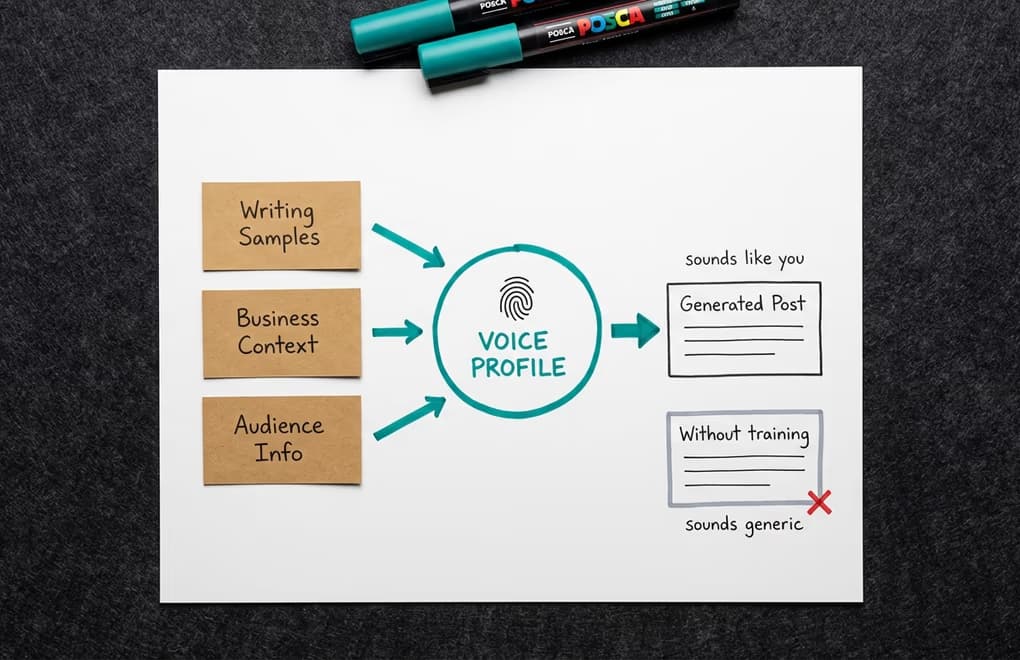
Voice training in the context of AI content generation is the practice of providing the AI with enough context about you - your writing patterns, your professional situation, your audience, and your preferences - that it can generate content consistent with your specific voice rather than the statistical average. It is not fine-tuning the underlying model, which would require enormous computational resources. Instead, it works by constructing a rich context window that the AI uses as a reference point every time it generates content for you, steering the output toward your patterns rather than the generic center.
Writing samples are the most powerful input in a voice profile. When you provide three to five of your best LinkedIn posts as samples, the AI analyzes the vocabulary you favor, the sentence structures you use, how you open posts, how you handle transitions, whether you prefer abstract principles or concrete examples, how formal or casual your register is, and dozens of other micro-patterns that collectively constitute your writing fingerprint. The more distinctive and personally grounded your samples are - posts where your specific experience and perspective shine through rather than generic advice posts - the more accurately the AI can reproduce your style in new content.
Context inputs complement the writing samples by giving the AI understanding of your professional situation that cannot be inferred from post style alone. Knowing what your business does, who your ideal audience is, which topics you want to avoid, and what tone you are going for means the AI can generate topically relevant and on-brand content without needing you to re-explain your professional context in every single prompt. A well-configured voice profile turns a cold AI into something closer to a writing assistant who has worked with you for months - it knows your beat, your audience, and your preferences, and it applies that knowledge automatically rather than requiring you to specify it every time.
How do you set up your voice profile in LinkedGrow?
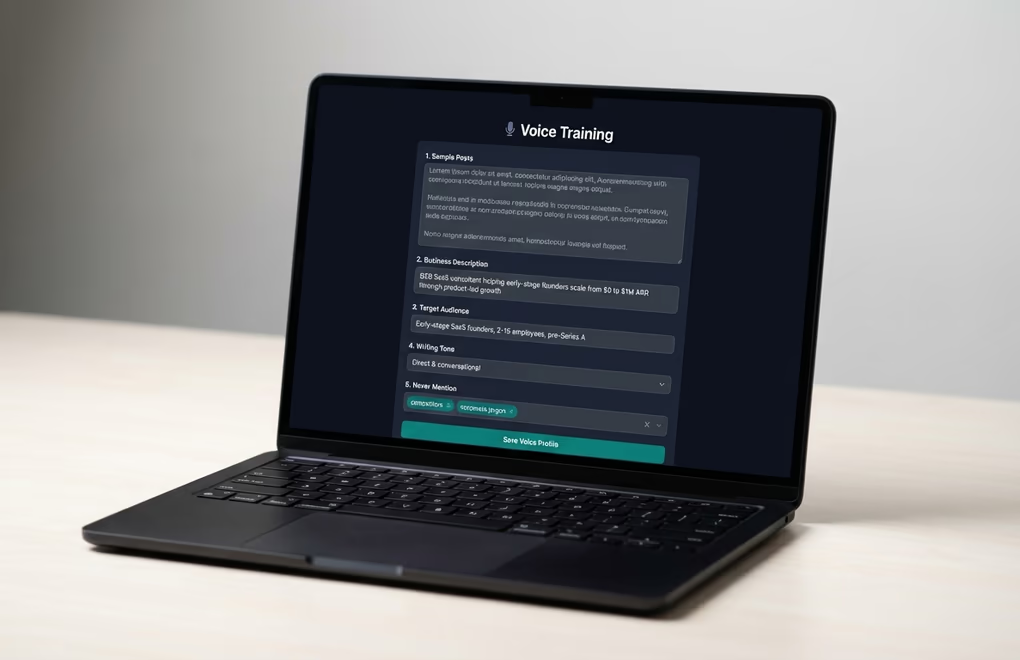
LinkedGrow's voice training is configured through five settings that together build a complete picture of your writing identity. Each one contributes something different to the voice profile, and spending ten focused minutes populating all five produces dramatically better results than leaving any of them blank or filling them with vague placeholders. Navigate to your dashboard settings to find the Voice Training section.
Sample posts are the foundation. Paste three to five LinkedIn posts that represent your best writing - content you are proud of, that got meaningful engagement, and that sounds unmistakably like you. Choose posts where your personality comes through strongly rather than generic advice posts. If you write about SaaS, paste posts where you shared a specific experience from your own product journey. If you coach coaches or consultants, paste posts where you shared a specific client story or professional insight from your own practice. The AI extracts style patterns from these samples, so the more distinctive the writing, the richer the extracted voice profile.
Business description tells the AI what you do and what problems you solve. Write two to four sentences that a new client would read to understand your work - specific enough to be useful but broad enough to apply across all the content you create. This context prevents the AI from generating posts about topics that are adjacent to your field but irrelevant to your specific positioning. A consultant who works exclusively with B2B SaaS on pricing strategy does not want the AI defaulting to general business advice when it cannot infer a specific angle from the prompt alone.
Target audience is the description of the person you are writing for. Specificity here matters enormously. "Professionals" gives the AI almost no useful signal; "early-stage B2B SaaS founders who are transitioning from product to growth mode" gives it a precise reader persona to write toward. When the AI knows your audience, it calibrates the vocabulary, the assumed knowledge level, and the kinds of examples and references that will land well. Never mention is the inverse of this - a list of topics, competitors, or phrases you want excluded from generated content. This field prevents the AI from referencing things that would undermine your positioning or create awkward situations in your professional context.
Writing tone anchors the overall register across all generated content - professional, conversational, inspirational, analytical, direct, or a combination. The tone setting works in conjunction with your sample posts: the samples show the AI what your voice sounds like in practice, and the tone setting confirms the register to maintain when generating new content that may cover different topics than your samples did. Taken together, these five inputs create a voice profile that the AI applies automatically to every post it generates for you through LinkedGrow's post generator.
What changes in the output between voice-trained and generic AI?
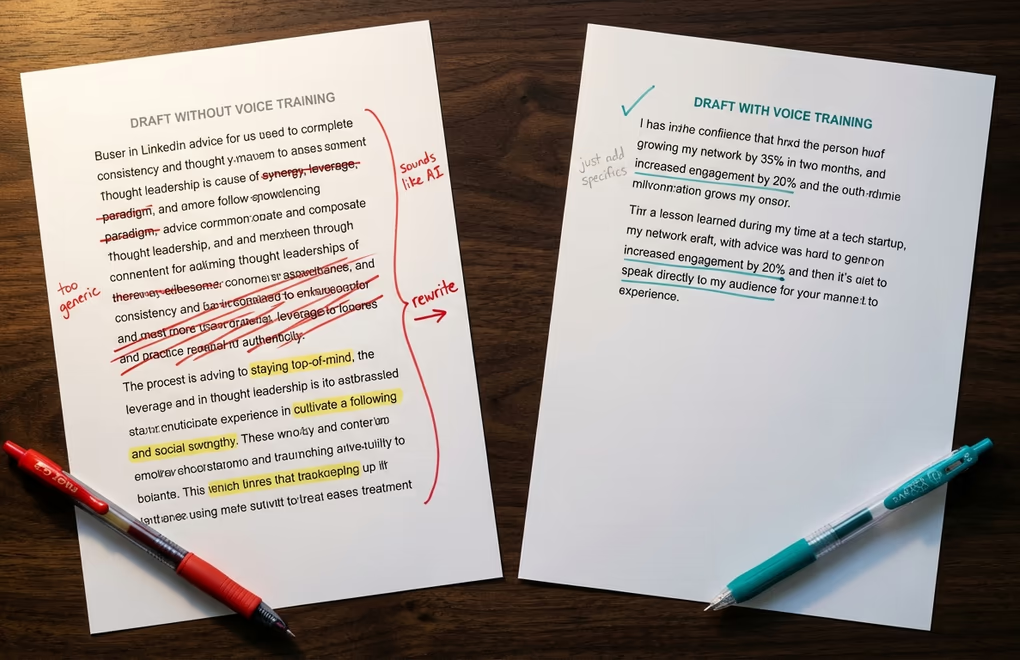
The difference between voice-trained output and cold AI output becomes apparent the moment you compare them on the same prompt. Ask a cold AI to write a LinkedIn post about why consistency matters for personal brand growth, and you get something like: "Consistency is the cornerstone of any successful personal brand. By showing up regularly with valuable content, you build trust with your audience and establish yourself as a thought leader in your space." Ask the same question with a well-configured voice profile from a founder who writes in a direct, experience-grounded style and you get something more like: "I spent three years posting randomly on LinkedIn. One post a month when I felt like it. Zero strategy. Last year I committed to three posts a week and my inbound leads tripled. The content was not better. The consistency was."
The voice-trained version is shorter, more specific, more personal, and more likely to earn engagement because it reads like a real experience rather than a content formula. The generic version is technically correct and professionally appropriate, but it says nothing that thousands of other posts have not already said and gives the reader no reason to stop scrolling. This quality gap compounds across every post you publish - a voice-trained creator who publishes three posts a week builds a distinctive presence on LinkedIn in months; a creator relying on generic AI output blends into the background no matter how consistent the schedule.
There is also a practical time benefit worth naming. When the AI generates a first draft that is already close to your voice, the editing step takes five minutes instead of twenty. You are refining and adding specifics rather than rewriting the structure and tone from scratch. For ghostwriters managing content for multiple clients, voice training is even more critical - separate voice profiles for each client mean generated drafts are already differentiated from the start rather than all defaulting to the same AI-flavored middle ground.
Why do BYOK and voice training work better together?
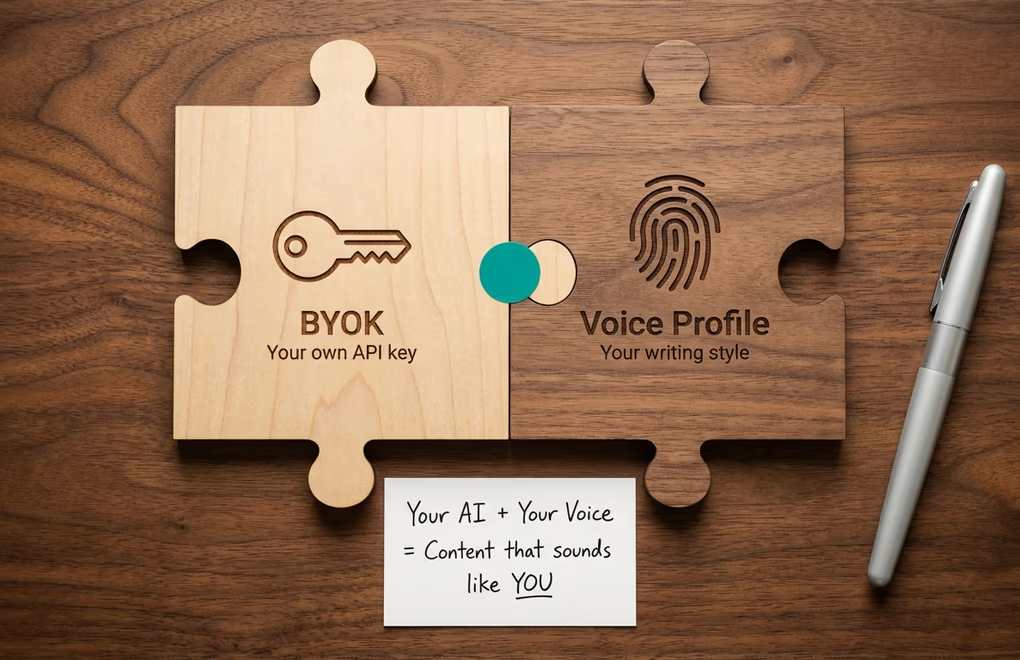
Most AI writing tools lock you into a single AI model chosen for business reasons - often the model with the best margins rather than the best output for your specific use case. LinkedGrow's BYOK model lets you connect your own API keys for OpenAI, Anthropic, Google, Grok, Perplexity, or Kimi, which means you can choose whichever model produces output that resonates most with your voice and communication style. The free AI API cost calculator shows you exactly what each provider will cost you per month at your posting volume before you commit. Different models have different writing tendencies - Claude models tend toward nuanced, thoughtful prose; GPT models toward direct, structured output; Gemini toward conversational and analytical blends - and the combination of voice training and model selection gives you a finer degree of control than either alone.
The practical workflow is straightforward: configure your voice profile once with sample posts and context settings, select the AI model that feels closest to your natural writing style, and then use the post generator with short, idea-level prompts rather than detailed briefs. Instead of writing "write a LinkedIn post about why founders should prioritize customer retention over acquisition in the first two years," you can write "retention over acquisition - year one founder advice" and the voice-trained system does the rest, filling in your characteristic approach, vocabulary, and structure based on the profile you have built. The shorter and more idea-level your prompts, the more the voice profile does the work - which is the opposite of what most people expect when they first start using AI-assisted writing.
Ten Minutes Now, Better Content Indefinitely
Setting up a voice profile is a one-time investment that pays off on every piece of content you generate afterward. The configuration takes about ten minutes if you already have a few LinkedIn posts you are proud of, and the difference in output quality is immediate. You go from AI content that reads like a competent professional template to AI content that reads like you had a very productive writing session and produced something you are actually glad to put your name on.
Open LinkedGrow's voice training settings, paste your best three posts, write two sentences each about your business, your audience, and your tone, and add a short list of anything you want the AI to avoid. That is the entire setup. Then generate a post on any topic and compare it to what you would get from the same prompt with no voice configuration. The gap will make the case for itself. For anyone serious about building a distinctive personal brand on LinkedIn with the help of AI, voice training is not optional - it is the difference between AI that helps you sound like yourself and AI that makes you sound like everyone else.
Frequently Asked Questions
Three to five strong samples is enough to establish a baseline voice profile. The samples should represent your best writing - posts that got good engagement and that you feel accurately reflect how you communicate. Longer samples with more personality and specificity give the AI more signal to work with than short generic posts.
Yes, but the baseline is built differently. If you have little existing LinkedIn content, paste samples of your email writing, a presentation you gave, or any professional communication that reflects how you naturally explain things. The voice training settings for business description, audience, and tone also provide strong context even without many writing samples.
Well-configured voice training combined with a thoughtful editing pass will read as your own writing to most readers. The AI learns your vocabulary patterns, sentence rhythms, and stylistic tendencies. What remains distinctly yours is the judgment about which ideas to share and the specific experiences you reference - the AI provides the structure, you provide the substance and a final review.
Updating your sample posts once or twice a year is enough to keep the voice profile current. As your style matures on LinkedIn, replacing older samples with more recent posts that better represent how you currently write takes about ten minutes and meaningfully improves output quality. There is no need for constant retraining.
Editing fixes problems after the fact. Voice training prevents them from being generated in the first place. Without training, the AI produces a generic draft that requires significant rewriting to sound like you. With training, the first draft is already close to your natural style, which means editing takes minutes rather than a full rewrite and the output is consistently better across every post.
The post you keep meaning to write takes four minutes here.
LinkedGrow turns a link, a video or a rough idea into a LinkedIn post written in your own voice, then puts it in the calendar for the morning your audience is awake.
Start free for 7 days