
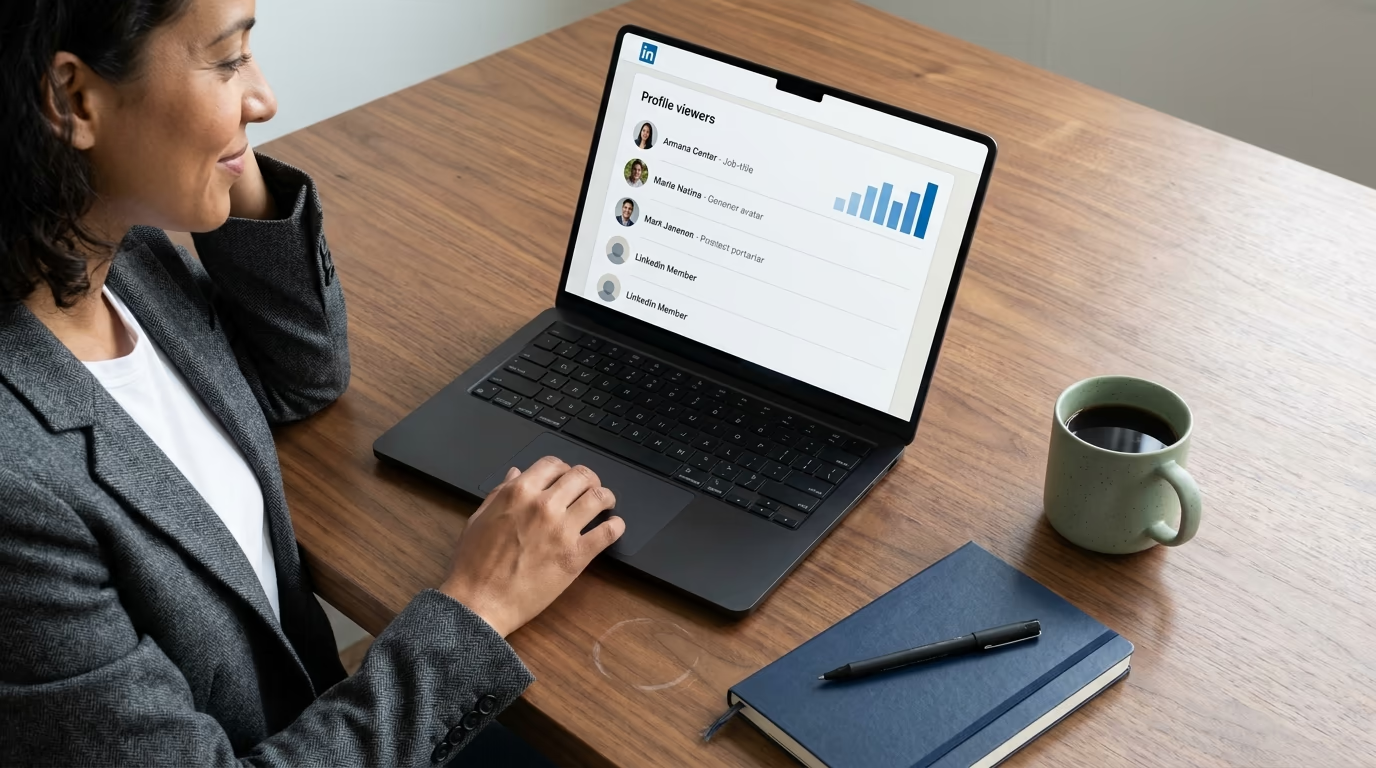
Who viewed my LinkedIn profile has a short answer and a long one. The short answer: the list sits under My Network or on your own profile dashboard, and a basic account sees the 5 most recent viewers from the last 90 days, but only while your own browsing mode shows your name, whereas Premium Career and Business subscribers get viewers, trends and insights across 365 days. The long answer is what that list is actually worth to you, because a profile view is the one signal LinkedIn hands out where somebody has already spent attention on you before you have spent any on them. This guide covers both, and it comes from the team behind LinkedGrow, where profile viewers are one of the sources our LinkedIn lead generation agent watches every working day.
Most people treat the viewers list as a vanity metric. They open it after publishing something, feel briefly pleased that the number went up, scroll past a few blurred rectangles labelled LinkedIn Member, and close the tab without acting on any of it. That is a genuine waste, because the people on that list did something nobody else on the platform did that day, which is deliberately go and look at you.
Two things stop the list from being useful, and they are worth naming before anything else. The first is anonymity, since a large share of viewers will be hidden behind LinkedIn's privacy settings and no subscription unlocks them. The second is that even when you get a real name and a real job title, most people have no idea what to say to somebody whose only interaction with them was looking. Both problems have practical answers, and neither of them involves paying for Premium unless you actually want the history.
What follows is the mechanics first, then the part almost nobody writes about: how to read a view as a signal, what to send, and how to make sure the right people are the ones doing the viewing in the first place.
Where do you actually find who viewed your LinkedIn profile?
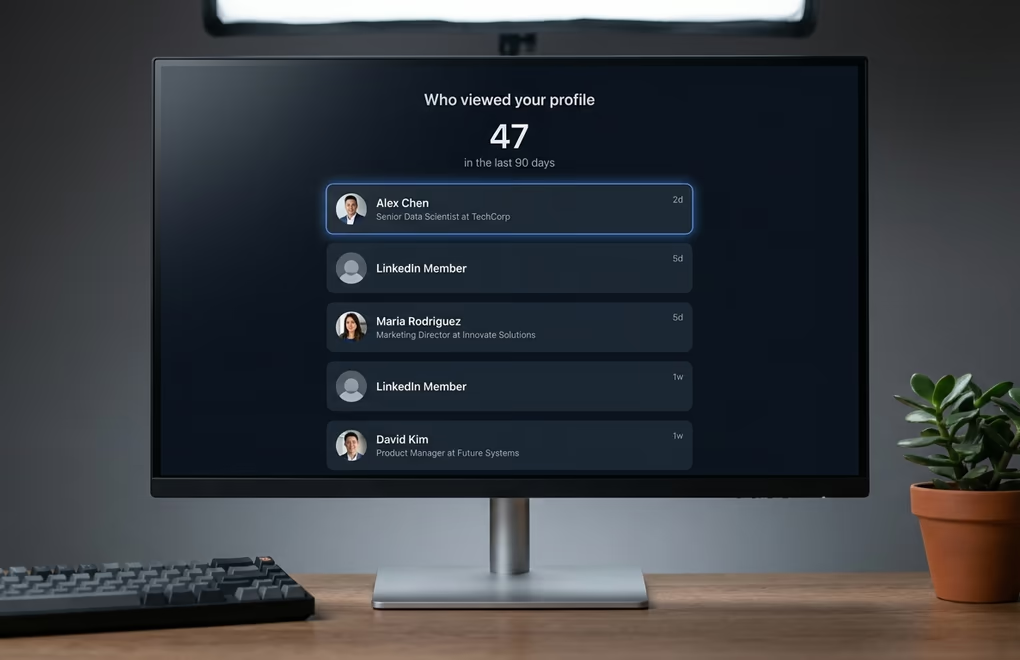
On desktop the list sits in two places that lead to the same screen. Your profile page carries an analytics block just under your headline area, and clicking the profile views entry opens the full panel. The other route is the My Network tab, where the same data appears alongside your invitations. On mobile the analytics block is on your own profile, a little further down the screen than most people scroll.
What you see when you get there depends entirely on your account type, and LinkedIn is unusually clear about the split. A basic account shows the 5 most recent viewers from the last 90 days, alongside a set of suggestions for increasing your views that you can safely ignore. Premium Career and Premium Business subscribers get a different product: the viewer list, viewer trends and insights across the past 365 days, filterable by time range and by demographics such as company, industry or location. Those details come straight from LinkedIn's own help documentation, which is worth checking yourself whenever a third-party article tells you otherwise.
There is a condition on the free version that catches people out constantly. Your access to the list depends on your own browsing behaviour, so a basic account only sees its viewers while its own profile viewing option is set to show your name and headline. Turn yourself invisible and LinkedIn turns the list off in return, which is a deliberate trade rather than a bug. Premium subscribers are exempt from that trade and can browse in private mode while still seeing who came to look at them in the last 90 days.
One more thing worth knowing before you go hunting for a missing name: if nobody has viewed you in the past 90 days, the panel shows nothing at all rather than an empty state explaining why. An account that posts nothing and comments nowhere will genuinely see a blank screen, and the fix for that is the last section of this article rather than a support ticket.
Why are so many of your profile viewers anonymous?
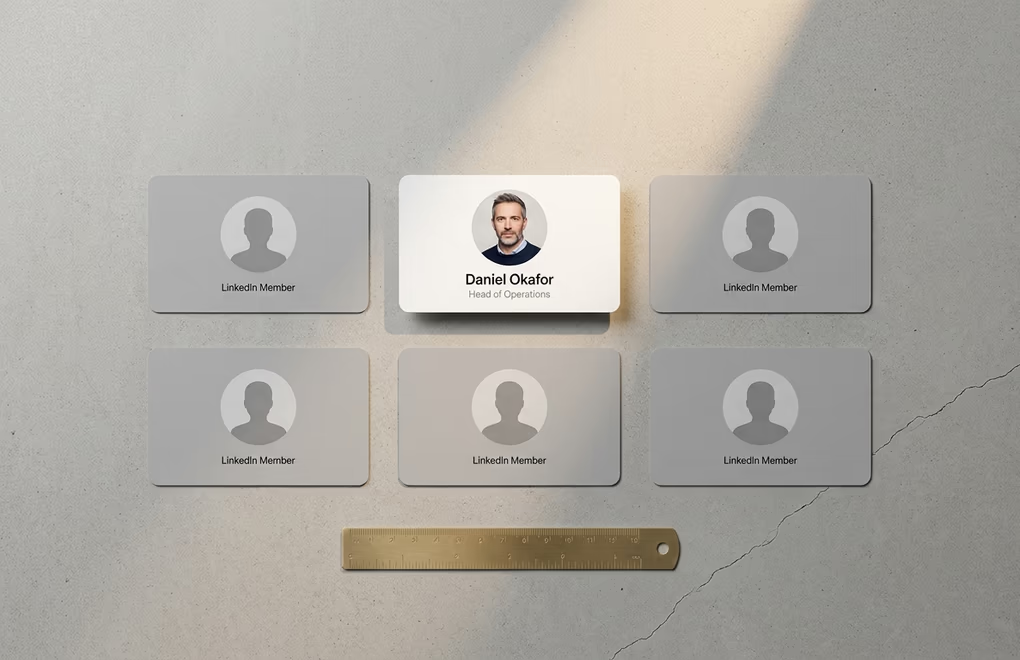
LinkedIn gives every member three ways to browse, and only one of them leaves a name behind. The default is your name and headline, which is what produces a normal identifiable entry. The second is private profile characteristics, which strips the name and shows only a job title and an industry, so you learn that a Head of Operations in logistics looked at you without learning which one. The third is private mode, which shows nothing beyond the fact that somebody was there.
The important part, and the reason to stop shopping for a workaround: no subscription reveals the name behind a private mode viewer. LinkedIn states this plainly for Premium accounts, and any tool or browser extension promising otherwise is either guessing from unrelated data or lying to you. Treat that as settled and spend the energy elsewhere.
Semi-private entries are more useful than they look, though, and most people discard them too quickly. A job title plus an industry is enough to tell you whether the viewer belongs to your market at all, and a run of the same title appearing over a fortnight tells you something real about who your posts are reaching. You cannot message them, but you can let that shape what you publish next, which is a slower and less satisfying use of the data that still beats ignoring it.
It also pays to think about your own setting deliberately rather than leaving it wherever it happens to be. If you are researching competitors and would rather not announce it, private mode is the honest choice and the cost is your own viewers list. If you are prospecting, the default setting is not a privacy leak, it is a feature: your visit lands in their notifications and does part of the introduction for you. That is exactly the mechanic behind the visit step in LinkedIn auto connect, where a profile visit and a genuine like come before any invitation is sent.
The choice is easiest to make by situation rather than as a policy. Somebody quietly looking for a new role usually wants private mode while they research employers, and accepts losing their own list for those few weeks. Somebody selling wants the default left on permanently, because every profile they open is a small introduction that costs nothing to make. Somebody studying a competitor's team wants private mode for that afternoon and the default back afterwards, which is two clicks in settings. Treating it as a permanent decision is the real mistake, since the right answer changes with whatever you are doing that week.
What does a profile view actually tell you about buying intent?
Not much, taken on its own, and pretending otherwise is how people end up sending awkward messages. Somebody may have landed on you from a search result, from a mutual connection's comment section, or because they are hiring for a role your headline happens to match. A single view from a stranger is noise, and treating every entry on the list as a lead is the fastest way to make the whole exercise feel gross.
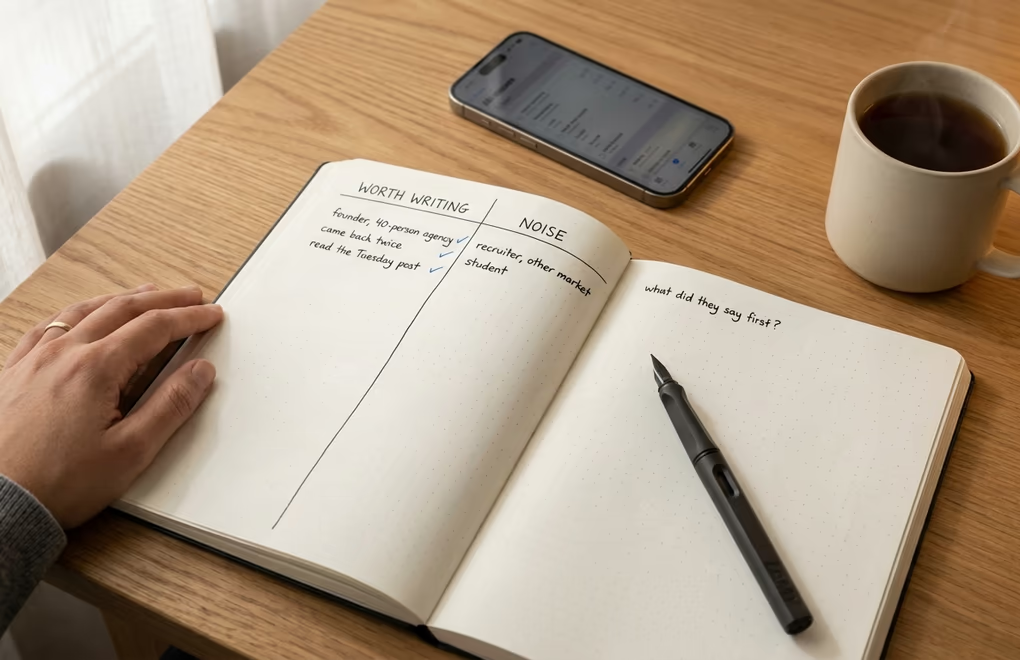
Three things change that reading, and they are all visible on the list itself or one click away. The first is fit, meaning the viewer holds a role and works at a company that matches the people who already buy from you. The second is repetition, because somebody who came back twice in a week is doing research rather than passing through. The third is sequence: a view that lands in the hours after you published something is a person who read your thinking and then went looking for the author, which is a completely different act from a cold click.
A worked example makes the difference concrete. Say three people viewed you yesterday: a recruiter in another country, a founder at a 40-person agency that looks exactly like your best client, and a student. The recruiter and the student are noise however flattering the total looks, and the founder is the entire value of the list that day. The only question worth asking is whether anything they published recently gives you a reason to write. If it does, you have a warm opening that took about 4 minutes to find, and if it does not, you wait for the next signal rather than manufacturing one.
That third pattern is the one worth building a habit around. When a post does well, open the viewers list the same evening rather than a week later, because the overlap between people who engaged and people who then went to your profile is the warmest short list LinkedIn will ever hand you for free. Scoring those names against your actual customer profile rather than your gut is what ICP scoring exists to do, and the same logic sits behind the wider category of buying signals, where a profile view is one entry in a longer list that also includes competitor engagement and people newly moved into the seat that owns your problem.
What you should never do is mention the view itself in an opening message. Writing I saw you looked at my profile tells the reader you are monitoring them, and it puts the conversation on the back foot before it starts. The view is your reason for writing, not your subject.
How do you turn a profile view into a conversation?
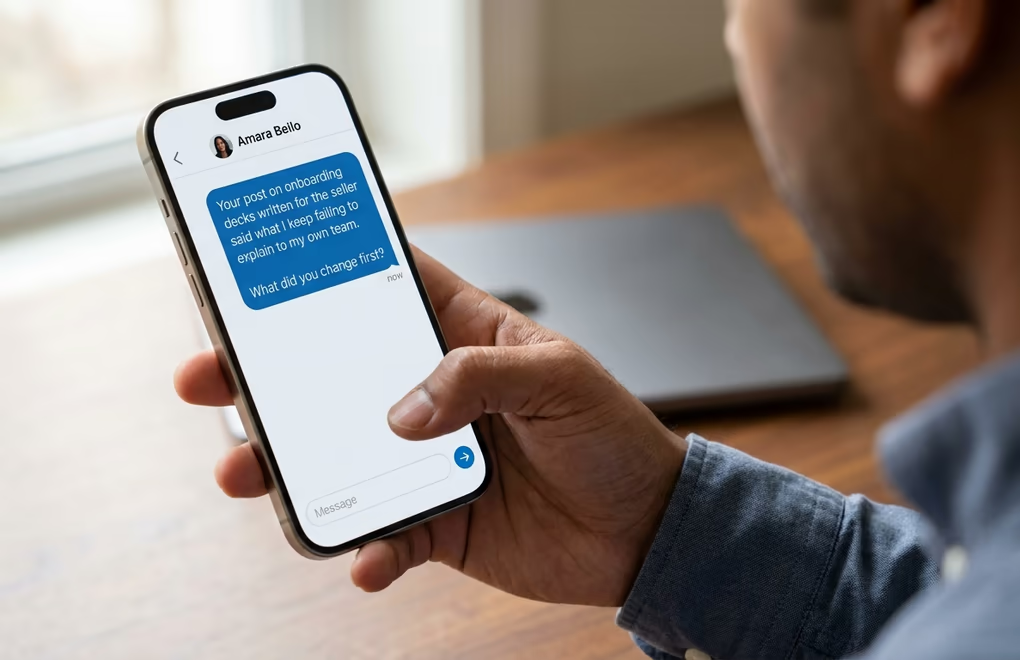
Start by spending 30 seconds on their profile and their recent activity, because that is where the opening line comes from. You are looking for one specific thing they said or did: a post, a comment on somebody else's post, a role change, a job listing their company put up. If you cannot find anything, the honest conclusion is that this person is not worth a message this week, and moving on costs you nothing.
When you do find something, the message writes itself in three short parts. Open on the thing they said, in their words rather than a compliment about their profile. Give one sentence of why that brought you to them, which is where your relevance goes. Then ask a question they can answer in a line, because a meeting request is a large commitment to make to a stranger and a question is a small one. Keep the whole thing under 600 characters, which is roughly 4 lines on a phone, and remember the invitation note itself is capped at 300 by LinkedIn.
Written out against that founder, the message runs something like this. Their post said onboarding decks keep getting written for the seller rather than the buyer, so you open on exactly that sentence, add one line about seeing the same pattern across the agencies you work with, and close by asking what they changed first. There is no pitch in it, no calendar link and no mention of your product, because the only thing the first message has to earn is a reply.
The follow-up rule matters as much as the opener. Send exactly one, about a week later, and then stop whether or not they answered. Everything past that is noise that costs you the account permanently rather than winning a reply, and the tools that ship 4-step sequences by default are optimising for a dashboard number rather than for your reputation. That single-follow-up discipline is built into LinkedIn cold outreach on purpose, and if you would rather start from a written structure than a blank box, the free connection request message generator builds the short version that fits inside an invitation.
Doing this properly takes a few minutes per person, which is fine for the 5 names a free account shows you and impossible at any real volume. That gap is the whole argument for running LinkedIn prospecting as a daily process rather than a Friday afternoon task, because the version you do by hand always stops the week a client escalates something.
How do you get more of the right people to view your profile?
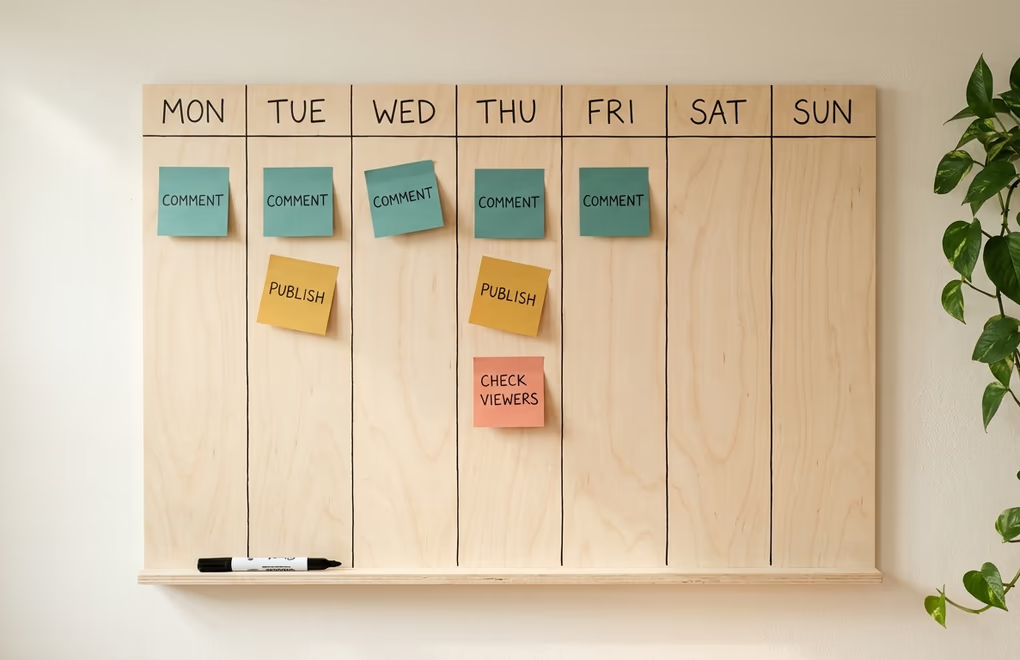
Views are downstream of visibility, so an empty list is almost always a publishing problem rather than a settings problem. Commenting moves the number fastest, because a substantive reply on somebody else's post puts your headline in front of their audience and the readers who find it useful go straight to your profile to see who wrote it. Publishing is the slower and larger of the two, and they compound when you do both in the same week.
Getting the right people is a targeting question rather than a volume one. Write about the problem your buyers have rather than about your product, and the people who click through will disproportionately be people who have that problem. A post about your own launch brings your friends to your profile, while a post about the thing your customers keep getting wrong brings your customers.
Then make sure the profile survives the click, because a view that leads to a confused reader is a wasted signal on both sides. Your headline is the line that decides most of what happens next and it should say who you help and with what rather than repeating your job title, and the About section should open with the problem instead of your CV. If you want a mechanical check before you rewrite anything, our free LinkedIn profile checker scores the parts a visitor reads first, and the longer treatment lives in our guide to LinkedIn profile optimization. A trust signal here is easy to miss: a curious viewer who does not know you reads the verified badge as proof the profile is genuine before they decide to reply.
One habit is worth more than any of this individually. Pick a fixed evening, open the viewers list, and act on it while the names still mean something, because a viewer from three weeks ago has forgotten the post that sent them there and a viewer from yesterday has not.
Frequency matters more than most people expect, and it is the part people get wrong even when everything else is right. The free list keeps only the 5 most recent names, so a busy week can push the interesting viewer off the bottom before you ever open the panel. Checking twice a week costs about 3 minutes and catches most of what a single Sunday review misses, and it matters more the more you publish, since the weeks that produce the best viewers are exactly the weeks the cap bites hardest.
What should you do with tomorrow's list of viewers?
Open it, ignore the total, and read the names. Cross off anybody who does not plausibly belong to your market, which will usually be most of the list and is not a failure. For whoever is left, spend half a minute on their recent activity looking for one specific thing to open on, and write to the ones where you find it. Nobody needs Premium to do this, and the 5 names a basic account shows are enough to build the habit on before you decide whether 365 days of history is worth paying for.
The reason this works is not clever. Profile viewers are the one group on LinkedIn who raised their hand without being asked, and almost nobody writes back to them, so the bar for standing out is a message that proves a person read something before typing. Everything else in this article is detail around that single idea.
Frequently Asked Questions
Yes, but only partially. A basic account shows the 5 most recent viewers from the last 90 days, and only if your own profile viewing option is set to show your name and headline. Switch yourself to private mode and LinkedIn removes your access to the list entirely.
Because they chose it. LinkedIn offers three browsing modes, and two of them hide identity: private profile characteristics shows only a job title and industry, while private mode shows nothing at all. Even a Premium subscriber cannot see the name behind a private mode viewer.
A basic account sees the last 90 days, capped at the 5 most recent viewers. Premium Career and Premium Business subscribers see viewers, trends and insights for the past 365 days, and can filter that history by time range, company, industry or location.
It does, unless you have hidden yourself. In the default setting your name and headline appear in their viewers list, which is why a deliberate profile visit works as a light first touch before a connection request rather than as something to avoid.
A single view from a stranger rarely means much on its own. A view from somebody who matches your customer profile, especially a repeat view or one that follows a post of yours, is one of the warmest signals LinkedIn gives you for free, and it justifies a short message.
The people you just read about are already on LinkedIn.
LinkedGrow runs an agent that finds the ones who match the customers you already have, sends the invitation in your words, and opens the conversation. You pick it up when somebody answers.
Build my agent free