Independent ranking - Updated June 2026

Best LinkedIn Analytics Tools in 2026: Ranked & Compared

LinkedGrow is an AI-powered LinkedIn analytics tool for creators, agencies, and teams. We tested the top 8 LinkedIn analytics tools and ranked them by use case, with real pricing, honest pros and cons, and the right pick for each type of user.

8 tools comparedNo affiliate linksReal pricing breakdowns
LinkedIn analytics tools 2026 comparison

The 8 best LinkedIn analytics tools at a glance

The fast version. Full reviews with pros and cons below.

#1 LinkedGrow
#1 RANKED
$13/mo (+$2-4 AI)
AI content + analytics
Trial: 7-day ProPost analytics: Growth:
#2 AuthoredUp
$19.95/mo
Per-post analytics
Trial: 14-dayPost analytics: Growth:
#3 Taplio
$39-$149/mo
Growth + lead tracking
Trial: 7-dayPost analytics: Growth:
#4 Keyhole
$179-$999/mo
Competitive benchmarking
Trial: Limited freePost analytics: Growth:
#5 Supergrow
$19-$39/mo
Budget all-in-one
Trial: Free planPost analytics: Growth:
#6 Hootsuite
$99-$249/mo
Enterprise multi-network
Trial: 30-dayPost analytics: Growth:
#7 Buffer
Free, $20/mo
Simple multi-platform
Trial: Free planPost analytics: Growth:
#8 Sprout Social
$249+/seat/mo
Premium team analytics
Trial: 30-dayPost analytics: Growth:

Total monthly cost matters more than sticker price. LinkedGrow at $13/mo plus $2-4 in AI fees gives you analytics, content generation, and scheduling together for less than most analytics-only subscriptions.

What makes a great LinkedIn analytics tool?

Five criteria that separate the tools worth paying for from the ones you will cancel in a month.

Post-level metrics depth

The baseline is impressions, likes, comments, and shares per post. The best LinkedIn analytics tools go deeper with engagement rate trends, format comparisons, and hook expansion tracking so you know which posts actually performed.

Growth and trend tracking

Follower growth, impression trends, and engagement rate over time tell you whether your content strategy is working at the macro level. The best tools show these as rolling charts with custom date ranges, not just isolated numbers.

Team and multi-account support

Agencies and teams need analytics across multiple LinkedIn profiles and company pages from one dashboard. Role-based access, client-level reporting, and shared workspaces separate team tools from solo ones.

Total cost of ownership

Sticker price is one number. Total cost includes AI generation, scheduling, and analytics together. BYOK pricing (LinkedGrow) strips AI markup so your total stays at $15 to $30/mo. Bundled tools charge $39 to $249/mo for the same workflow.

Reporting and export

Client reports, stakeholder updates, and personal tracking all require exportable data. CSV and PDF export, scheduled report delivery, and white-label options are the features that turn analytics from a screen into a deliverable.

When are LinkedIn native analytics enough?

LinkedIn ships free analytics for every account. On a personal profile, you can see impressions, engagement, and demographics for each post. On a company page, you get follower analytics, visitor demographics, and content performance breakdowns. For a creator posting once or twice a week who just wants to check which post did better, native analytics are genuinely enough.

The pain points show up when you want to compare performance over time, track format-level trends (do your carousels beat your text posts over the last 90 days?), export data for a client report, or correlate posting time with engagement. LinkedIn native analytics cap historical data at 365 days, offer no export on personal profiles, and don't break down performance by content type automatically. Those are the gaps where a third-party LinkedIn analytics tool like LinkedGrow earns its subscription.

If you post 3+ times per week, manage content for clients, or need to prove ROI to a stakeholder, a dedicated LinkedIn analytics tool saves hours of manual tracking and gives you insights that native analytics simply cannot surface.

The 8 best LinkedIn analytics tools in 2026

Ranked from best overall to most specialized.

1

LinkedGrow

Best for AI content + analytics with BYOK

LinkedGrow analytics dashboard showing post performance metrics, engagement rate trends, and content calendar
Best for
Creators and founders who want AI post generation, scheduling, and analytics in one dashboard at the lowest total cost.
Pricing
$13/mo Starter, $27/mo Pro, $55/mo Business (yearly)
Free trial
7-day Pro trial, no card required

LinkedGrow is the only LinkedIn analytics tool that pairs post-level performance tracking with AI content generation across 26+ models via BYOK. You write or generate a post, publish it, and track impressions, engagement rate, likes, comments, and shares from the same dashboard. Total monthly cost stays at $15 to $30 all-in.

The analytics dashboard shows per-post metrics alongside trend lines so you can spot which content formats, topics, and posting times perform best. Pro and Business plans add advanced analytics with engagement breakdowns by format, best time analysis, and exportable reports.

Where LinkedGrow stands out for analytics is the closed feedback loop: you see which posts performed well, then use that data to generate better content with AI. The voice training feature learns from your top-performing posts, so the AI improves as your analytics data grows.

Pros
  • AI content generation + analytics + scheduling in one dashboard
  • BYOK across 26+ models keeps total cost at $15 to $30/mo all-in
  • Closed feedback loop: analytics data improves AI-generated content
  • Per-post and trend-level metrics with format breakdowns
  • Export to CSV and PDF on Business plan
Cons
  • Advanced analytics require Pro plan ($27/mo yearly)
  • No competitive benchmarking against other LinkedIn accounts
  • Smaller user base than legacy tools like Hootsuite or Buffer

2

AuthoredUp

Best for per-post analytics and hook tracking
AuthoredUp analytics showing per-post engagement breakdown with hook performance scoring and content format analysis
Best for
Solo writers who draft posts inside LinkedIn and want the deepest per-post analytics available, including hook performance and format effectiveness.
Pricing
Individual $19.95/mo, Business $14.95/user/mo (3+ seats)
Free trial
14-day free trial

AuthoredUp is a Chrome extension that lives on top of LinkedIn, and its analytics are the best per-post metrics on the market. Every post you publish gets a detailed breakdown: impressions over time, engagement by type, hook click-through (how many people expanded the "see more"), and cohort comparisons against your previous posts.

The hook performance tracking is unique. AuthoredUp measures how effective your opening lines are at getting people to expand the full post, so you can A/B test different hook styles with real data instead of guesswork. Format-level analytics show whether your carousels, text posts, or image posts perform best over rolling periods.

Pros
  • Deepest per-post analytics on the market
  • Hook performance tracking shows which opening lines drive the most expansion clicks
  • Cohort comparisons let you benchmark each post against your own history
  • Format-level analytics reveal your best-performing content types
Cons
  • Chrome extension only, no standalone web dashboard
  • No AI post generation or scheduling
  • No team analytics or multi-account support on Individual plan
3

Taplio

Best for growth analytics + lead tracking
Taplio analytics dashboard with follower growth chart, impression metrics, and engagement rate timeline
Best for
Salespeople and growth marketers who want LinkedIn analytics alongside a viral content library and lead database.
Pricing
Starter $39, Standard $52, Pro $149/mo (yearly)
Free trial
7-day free trial, card required

Taplio pairs analytics with the largest viral LinkedIn posts library on the market plus outreach automation. The analytics dashboard tracks follower growth, impressions, engagement rate, and profile views over custom time windows. You can drill into each metric and compare performance across periods.

The $52 Standard plan adds AI generation, and Pro at $149/mo adds the 3M+ lead database. Analytics are available on all plans, but the depth increases on higher tiers. If your primary goal is analytics plus outreach (not content generation), Taplio bundles both well - at a premium price.

Pros
  • Follower growth tracking with custom date ranges
  • Viral posts library helps reverse-engineer what works in your niche
  • Outreach automation (DMs, connection requests) on higher plans
Cons
  • Starter at $39/mo includes zero AI credits
  • Single bundled AI model, no BYOK choice
  • Analytics depth is basic on the $39 Starter plan
4

Keyhole

Best for competitive benchmarking and sentiment
Keyhole real-time analytics dashboard with competitive benchmarking charts, sentiment analysis, and hashtag tracking
Best for
Marketing teams and agencies that need competitive benchmarking, sentiment analysis, and real-time hashtag tracking across LinkedIn and other networks.
Pricing
Tracking $179/mo, Suite $349/mo, Enterprise $999/mo
Free trial
Limited free preview

Keyhole is a dedicated social analytics platform built for competitive intelligence. It tracks your LinkedIn performance alongside competitors in real time, so you can benchmark engagement rates, follower growth, and content cadence against specific rival accounts. Sentiment analysis shows how your audience feels about your brand mentions.

The price reflects the depth: $179/mo is the entry point, and most useful features require the Suite plan at $349/mo. For a solo creator or small team, Keyhole is overkill and overpriced. For an agency running competitive reports for clients or a brand tracking share-of-voice against named competitors, it is the strongest option in this list.

Pros
  • Real-time competitive benchmarking across LinkedIn accounts
  • Sentiment analysis on brand mentions and hashtags
  • White-label reporting for agencies
Cons
  • Expensive starting point at $179/mo
  • No content creation, scheduling, or AI generation
  • Overkill for solo creators or small teams
5

Supergrow

Best budget all-in-one with analytics
Supergrow analytics showing post performance metrics alongside the AI post composer and content calendar
Best for
Solo LinkedIn creators who want bundled AI generation plus basic analytics at the lowest sticker price with no API key setup.
Pricing
Free plan, Starter $19/mo, Pro $39/mo
Free trial
Free plan with 3 posts/mo

Supergrow bundles AI content generation with basic analytics on every plan, including the free tier. The analytics dashboard shows impressions, engagement rate, and top-performing posts. The Pro plan at $39/mo adds carousel analytics and format-level breakdowns.

Analytics depth is a notch below AuthoredUp and LinkedGrow. You get the essentials (per-post metrics, trend charts) but not hook performance, cohort comparisons, or custom export. For a creator who wants analytics alongside content creation at a budget price, Supergrow covers the basics.

Pros
  • AI generation included on the $19/mo Starter with no API key
  • Basic analytics available on every plan including free
  • Voice-to-Post for quick content creation
Cons
  • Analytics depth is shallow compared to AuthoredUp or LinkedGrow Pro
  • Single bundled AI model, no BYOK
  • Carousel analytics locked behind the $39 Pro plan
6

Hootsuite

Best for enterprise cross-network analytics
Hootsuite enterprise analytics dashboard with cross-network performance charts, team reporting, and social listening panels
Best for
Marketing departments managing 5+ team members and 10+ social profiles who need unified analytics reporting across LinkedIn, X, Instagram, Facebook, and more.
Pricing
Professional $99/mo, Team $249/mo, Enterprise custom
Free trial
30-day free trial

Hootsuite is the enterprise option. Its analytics cover every major social network from a single reporting interface - LinkedIn performance sits alongside X, Instagram, Facebook, and TikTok metrics. Custom reports, team-level dashboards, and scheduled report delivery make it the right fit for large marketing operations.

For LinkedIn-specific insights, Hootsuite is solid but generic. You get impressions, engagement, follower growth, and audience demographics, but nothing LinkedIn-specific like hook performance or carousel analytics. If your team manages multiple networks and needs unified reporting, Hootsuite earns its price. If LinkedIn is your primary channel, a LinkedIn-first tool gives you better signal for less money.

Pros
  • Unified analytics across every major social network
  • Custom report builder with scheduled delivery
  • Team dashboards with role-based access
Cons
  • $99/mo minimum is expensive for solo creators
  • LinkedIn-specific analytics depth is basic
  • AI generation is generic, not LinkedIn-trained
7

Buffer

Best for simple multi-platform analytics
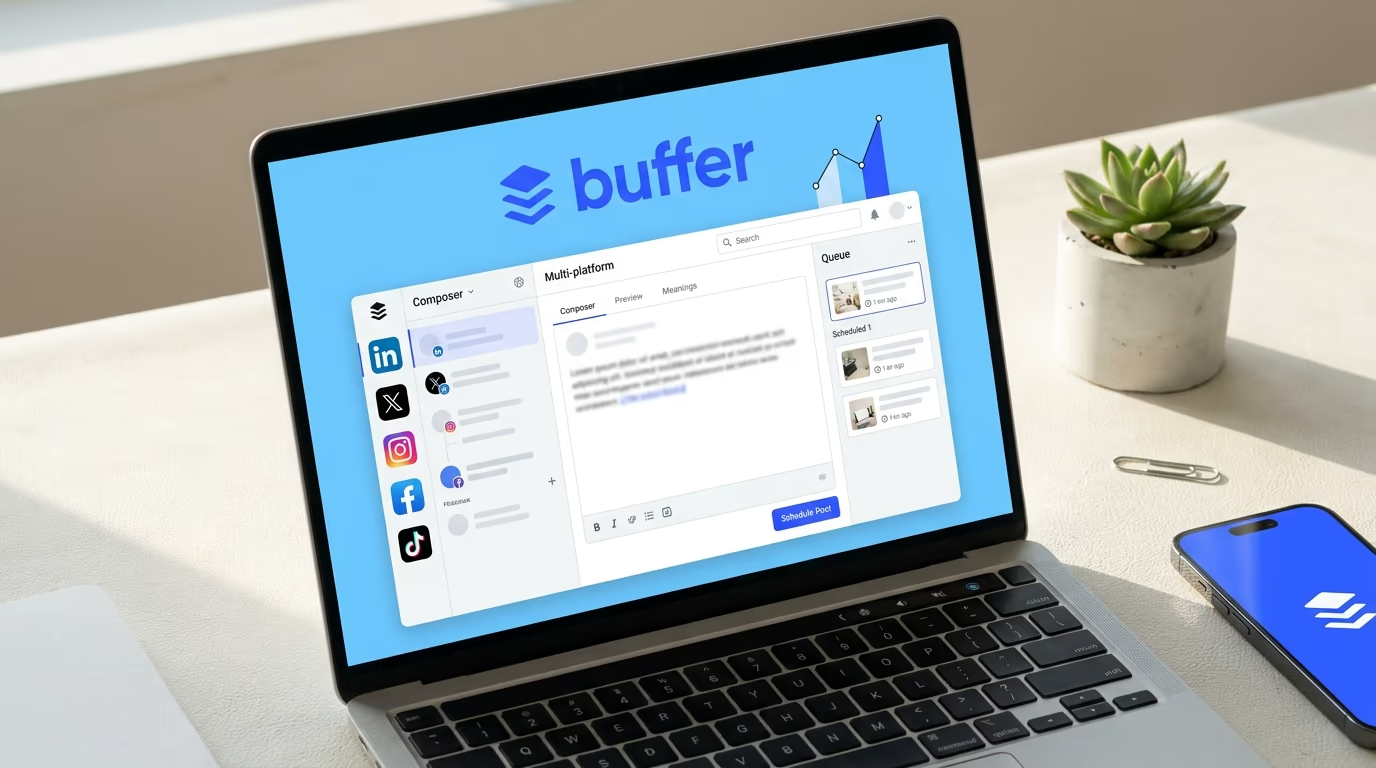
Buffer analytics showing post performance across LinkedIn, X, and Instagram with engagement trends
Best for
Creators and small teams who post to LinkedIn alongside X, Instagram, and TikTok and want clean, simple post-level analytics.
Pricing
Free, Essentials $20/mo, Team $40/mo
Free trial
Free plan available

Buffer provides straightforward post-level analytics across multiple social networks. The free plan includes basic metrics for up to 3 channels, which is enough for a solo creator tracking LinkedIn alongside one or two other networks. Paid plans add the AI Assistant and more detailed engagement breakdowns.

Analytics are clean but not deep. You see impressions, likes, comments, shares, and engagement rate per post, plus simple trend charts over time. There is no hook performance, format-level analysis, or competitive benchmarking. If you want simple analytics alongside reliable multi-platform scheduling, Buffer does the job without the complexity or price tag of Hootsuite.

Pros
  • Free plan with basic analytics for 3 channels
  • Clean, intuitive interface with a long track record
  • Multi-platform: LinkedIn, X, Instagram, TikTok, Facebook, Pinterest
Cons
  • LinkedIn-specific analytics depth is minimal
  • No hook tracking, carousel analytics, or format breakdowns
  • AI assist is generic across platforms
8

Sprout Social

Best for premium team analytics and listening
Sprout Social enterprise analytics with cross-network performance reports, social listening trends, and team workspace
Best for
Large marketing departments and agencies that need unified analytics, social listening, CRM integration, and enterprise-grade reporting across every network.
Pricing
Standard $249/seat/mo, Professional $399/seat/mo
Free trial
30-day free trial

Sprout Social is the premium end of the social analytics market. It combines post-level and network-level analytics with social listening, CRM-style audience profiles, competitive benchmarking, and enterprise reporting. The per-seat pricing reflects the depth - this is a tool for teams of 5+ managing serious social media operations.

For LinkedIn analytics specifically, Sprout tracks all the standard metrics (impressions, engagement, demographics) alongside advanced features like optimal send time analysis and paid vs organic performance splitting. The social listening module picks up brand mentions across LinkedIn and other networks in real time. For a solo creator, this is wildly overkill. For an enterprise social team, the depth is unmatched.

Pros
  • Deepest analytics and reporting feature set in this comparison
  • Social listening catches brand mentions across networks in real time
  • CRM integration ties social engagement to sales pipeline
Cons
  • $249/seat/mo minimum is prohibitive for solo creators and small teams
  • Steep learning curve before the analytics become actionable
  • LinkedIn-specific depth is the same as its other network coverage

Which LinkedIn metrics actually matter?

Most LinkedIn analytics tools throw 20 metrics at you. Here are the 5 that move the needle for each goal.

Growing your audience

Track impressions (how many people see your posts), follower growth rate (net new followers per week), and profile views (signals that your content makes people curious about you). Ignore total followers as a vanity metric - the growth rate tells you whether your content strategy is working or stalling. LinkedGrow surfaces all three on the analytics dashboard so you can spot trends without building spreadsheets.

Maximizing engagement

Track engagement rate (interactions divided by impressions) as your primary signal. Break it down by content format (carousel vs text vs image) and by posting time to find your personal sweet spots. A post with 500 impressions and 5% engagement is more valuable than one with 5,000 impressions and 0.3% engagement - the first is converting attention into interaction.

Generating leads and sales

Track click-through rate (clicks on your links divided by impressions), profile views from posts, and connection requests received after publishing. These are the metrics that tie content to pipeline. Most LinkedIn analytics tools track clicks but not the downstream conversion. Pair your LinkedIn lead generation strategy with a CRM or UTM tracking to close the loop.

How to choose the right LinkedIn analytics tool

Match the tool to your real workflow. Four personas, four honest picks.

Solo creators posting 2 to 5 times a week

Pick LinkedGrow. You get analytics, AI content generation, and post scheduling in one dashboard for $13/mo (Starter) plus $2-4/mo in BYOK AI fees. The closed loop between analytics and AI generation means your content improves as your data grows. Runner-up: AuthoredUp at $19.95/mo if you only need analytics with no AI generation.

Agencies and ghostwriters managing multiple accounts

Pick LinkedGrow Business at $55/mo. It ships team collaboration, per-client content calendars, exportable analytics, and BYOK so AI costs stay on the client side. Hootsuite Team at $249/mo is the alternative if you also manage non-LinkedIn channels. Keyhole at $179/mo adds competitive benchmarking for agencies running brand monitoring.

B2B teams posting from a company page

Pick LinkedGrow Business for LinkedIn-first company page analytics with A/B testing and team workflows at $55/mo. Hootsuite Professional at $99/mo if the team also manages 5+ social profiles across networks. Sprout Social if you need social listening and CRM integration and have the $249+/seat/mo budget.

Data-driven writers who want analytics only

Pick AuthoredUp at $19.95/mo. Its per-post analytics are the deepest on the market - hook expansion tracking, format-level breakdowns, and cohort comparisons against your own history. No AI generation or scheduling, just pure analytics layered on top of your LinkedIn experience.

LinkedIn analytics tools FAQ

The most common questions before picking an analytics tool.

LinkedGrow is the best LinkedIn analytics tool in 2026 for creators who also generate and schedule content from the same dashboard. It tracks impressions, engagement rate, likes, comments, shares, and follower growth per post - all while keeping costs at $15 to $30/mo total thanks to BYOK pricing. AuthoredUp is the strongest pick if you only need analytics (no AI generation), and Hootsuite is the right fit for enterprise teams tracking 5+ social networks.

Yes. LinkedIn provides native analytics for both personal profiles and company pages. You can see impressions, engagement rate, demographics, and top-performing posts for free. The catch is that native analytics are limited to 365 days of history, offer no export, and cannot compare performance across time periods or content formats automatically. Third-party LinkedIn analytics tools fill those gaps.

Prices range from free (LinkedIn native, Buffer free plan) to $249+/seat/month (Sprout Social). Most LinkedIn-focused tools fall between $19 and $52/month. LinkedGrow starts at $13/mo (Starter, billed yearly) plus $2-4 in AI API costs, making it the lowest total-cost option that includes both analytics and AI content generation.

LinkedGrow Business at $55/mo is the best pick for agencies that manage LinkedIn accounts for clients - it ships team collaboration, per-client calendars, a public API, and BYOK so AI costs stay on the client side. Hootsuite Team at $249/mo is the alternative if the agency also manages non-LinkedIn channels for the same clients. SocialPilot at $30+/mo is a mid-tier option with white-label reporting.

Track impressions (reach), engagement rate (interactions divided by impressions), follower growth (audience building), and click-through rate (conversion). For content optimization, compare engagement rates by post format (text, carousel, image, video) and by posting time. LinkedGrow surfaces all of these automatically per post and over time so you can spot what works without building spreadsheets.

LinkedIn native analytics do not offer CSV or PDF export for personal profiles. Most third-party tools do. LinkedGrow Business includes export to CSV and PDF. Hootsuite, Sprout Social, and Buffer paid plans also support analytics export. AuthoredUp lets you export per-post data from its Chrome extension.

LinkedIn native analytics are free for every account. Buffer's free plan includes basic post-level analytics for up to 3 channels. LinkedGrow offers a 7-day Pro trial with full analytics access - no credit card required. After the trial, paid plans start at $13/mo (billed yearly).

The average LinkedIn engagement rate across all content types is around 2 to 3%. Anything above 3.5% is strong, and above 5% is exceptional. Carousel posts and personal stories tend to outperform link posts and image-only posts. LinkedGrow tracks your engagement rate per post and over time so you can benchmark against your own performance history instead of generic averages.

Try the #1 ranked LinkedIn analytics tool

Track what works, create more of it
with LinkedGrow analytics

AI content generation + post analytics + scheduling in one dashboard. Total cost stays at $15 to $30/mo all-in. Join 179+ founders.

No credit card required
Full analytics on Pro+
26+ AI models via BYOK
Cancel anytime