Independent ranking ยท Updated May 2026

Best LinkedIn Scheduling Tools in 2026: Ranked & Reviewed

We tested the top LinkedIn scheduling tools for 2026 - 8 platforms ranked by use case, with pricing, pros and cons, and the best pick for each type of creator.

8 tools comparedNo affiliate linksReal pricing breakdowns
Best LinkedIn scheduling tools 2026 - LinkedGrow, Taplio, Buffer, Supergrow, AuthoredUp, Hootsuite, Later, Sprout Social

The 8 best LinkedIn schedulers at a glance

The fast version. Full reviews below.

#1 LinkedGrow
#1 RANKED
$13/mo (+$2-4 AI)
AI scheduling with BYOK
Trial: 7-day ProPages: AI:
#2 Taplio
$39-$149/mo
Scheduling + outreach
Trial: 7-dayPages: AI:
#3 Buffer
Free, $20/mo
Multi-platform scheduling
Trial: Free planPages: AI:
#4 Supergrow
$19-$39/mo
Budget all-in-one
Trial: Free planPages: AI:
#5 AuthoredUp
$19.95/mo
In-LinkedIn writers
Trial: 14-dayPages: AI:
#6 Hootsuite
$99-$249/mo
Enterprise teams
Trial: 30-dayPages: AI:
#7 Later
$25-$80/mo
Visual content calendar
Trial: 14-dayPages: AI:
#8 Sprout Social
$249+/seat/mo
Large social teams
Trial: 30-dayPages: AI:

Total monthly cost matters more than sticker price. LinkedGrow Starter at $13/mo plus $2-4 in AI fees beats $52-$249 bundled tools on capability per dollar.

What makes a great LinkedIn scheduling tool?

Five criteria that decide whether the subscription pays for itself.

Auto-publish vs reminder-based

Auto-publishing fires the post at the scheduled time without any action from you. Reminder-based scheduling pings you to publish manually - useful for Instagram's Stories quirks, mostly unnecessary for LinkedIn.

AI post generation built in

Tools that pair scheduling with AI generation save the copy-paste tax. The best schedulers let you draft, edit, and queue from the same editor without leaving the page.

Company page support

Not every scheduler can publish to LinkedIn company pages you manage. If you run a company page or post for clients, verify this before subscribing.

Pricing model

Flat per-account pricing scales linearly. Per-channel (Buffer) or per-seat (Hootsuite, Sprout) pricing scales fast for teams. BYOK pricing (LinkedGrow) strips AI markup so total cost stays low.

Calendar UI quality

Drag-and-drop rescheduling, color-coded status, and a quick week/month toggle are table stakes. Visual thumbnail calendars (Later) help cross-network creators plan cohesive content.

The 8 best LinkedIn scheduling tools in 2026

Ranked from best overall to most specialized.

1

LinkedGrow

Best for AI-powered scheduling with BYOK

LinkedGrow dashboard with content calendar, AI post composer, and direct publishing to LinkedIn profiles and company pages
Best for
Founders and creators who want to write with AI and schedule from the same dashboard at the lowest total cost.
Pricing
$13/mo Starter, $27/mo Pro, $55/mo Business (yearly)
Free trial
7-day Pro trial, no card required

LinkedGrow is the only LinkedIn scheduling tool with BYOK AI generation built in across 26+ models. You write or generate a post, schedule it from the same editor, and the tool publishes directly to your profile or any company page you manage. Total monthly cost lands at $15 to $30 all-in including AI fees.

Scheduling is powered by QStash for exact-time delivery, so posts fire even if you are offline. The visual content calendar shows a week or month view with drag-and-drop rescheduling, and color coding distinguishes drafts, scheduled, and published posts.

Starter unlocks scheduling for 10 posts at a time. Pro and Business plans ship unlimited scheduling plus carousel scheduling, A/B test scheduling, and team workflows on Business.

Pros
  • AI post generation + scheduling in one dashboard, no copy-paste between tools
  • BYOK across 26+ AI models keeps total cost at $15 to $30/mo all-in
  • Direct publishing to personal profiles AND company pages on every plan
  • Visual content calendar with drag-and-drop rescheduling
  • Exact-time delivery via QStash, fires even if you are offline
Cons
  • 10-post scheduling cap on Starter (Pro and Business are unlimited)
  • BYOK setup adds 2 minutes for the API key
  • Smaller community than legacy schedulers like Hootsuite or Buffer
2

Taplio

Best for scheduling + outreach in one tool
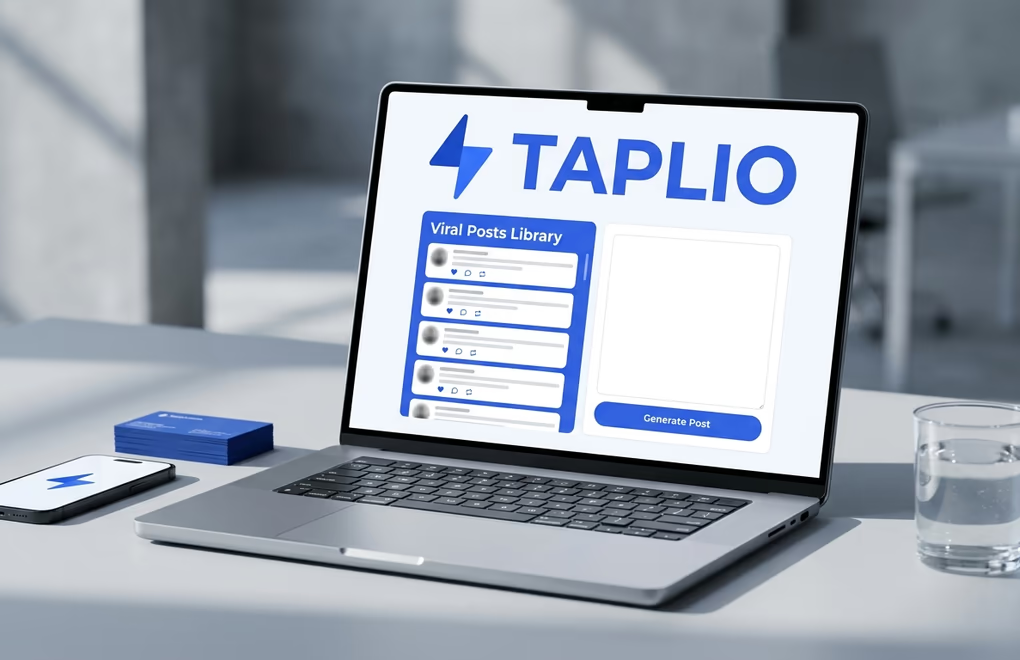
Taplio scheduling interface with viral posts library, AI composer, and lead database outreach module
Best for
Salespeople who want LinkedIn content scheduling plus automated DMs and a lead database in a single subscription.
Pricing
Starter $39, Standard $52, Pro $149/mo (yearly)
Free trial
7-day free trial, card required

Taplio combines scheduling with the largest viral LinkedIn posts library on the market plus outreach automation (auto-DMs, auto-connect, comment-at-scale). The scheduler itself is solid - calendar view, queue, recurring posts - but the lock-in is the outreach side.

AI generation is bundled in the $52 Standard plan and above. The $39 Starter ships scheduling and the hooks library but zero AI credits.

Pros
  • Best-in-class viral hooks library for ideation before scheduling
  • 3M+ lead database on the Pro plan
  • Outreach automation built in - DMs, connection requests, comments
Cons
  • Starter at $39/mo includes zero AI credits
  • Single bundled AI model, no choice or BYOK
  • Pro plan needed for the features that justify the price ($149/mo yearly)
3

Buffer

Best for multi-platform scheduling
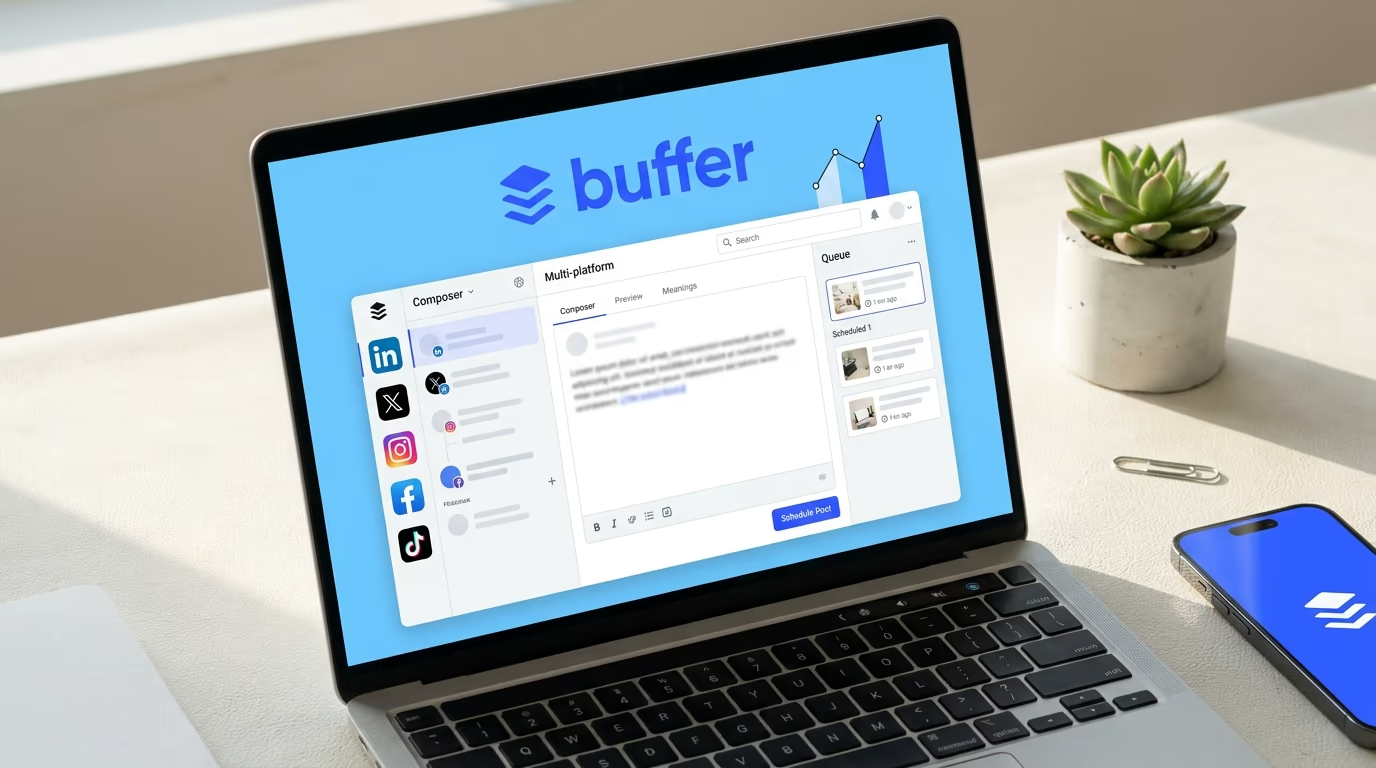
Buffer multi-platform composer with channel selector for LinkedIn, X, Instagram, Facebook, TikTok, and Pinterest
Best for
Creators and small teams who post to LinkedIn alongside X, Instagram, TikTok, Facebook, Pinterest, and YouTube from one dashboard.
Pricing
Free, Essentials $20/mo, Team $40/mo
Free trial
Free plan available

Buffer is the established multi-platform scheduler. The free plan covers 3 channels with 10 scheduled posts per channel - enough for a solo LinkedIn-only creator. Paid plans add unlimited posts and the AI Assistant for content suggestions.

LinkedIn is supported alongside every major social network, but it is treated as one of many - you will not find LinkedIn-specific features like hook libraries, voice training, or 360Brew algorithm optimization. If LinkedIn is your only channel, a LinkedIn-first scheduler will serve you better.

Pros
  • Generous free plan with 3 channels
  • Clean, reliable UI with a long track record
  • Multi-platform - X, Instagram, TikTok, Facebook, LinkedIn, Pinterest, YouTube
Cons
  • LinkedIn-specific features (hooks, analytics, voice) are thin
  • AI assist is generic, not LinkedIn-trained
  • Per-channel pricing gets expensive at scale
4

Supergrow

Best budget scheduling all-in-one
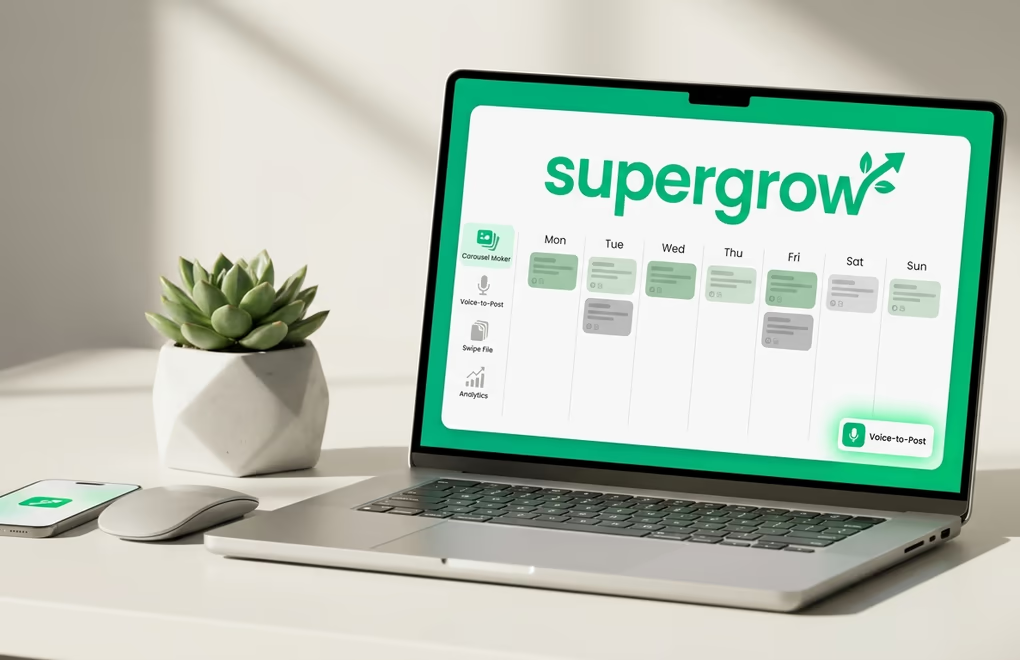
Supergrow weekly calendar view alongside the Voice-to-Post microphone feature and Swipe File content inspiration feed
Best for
Solo LinkedIn creators who want bundled AI + scheduling at the lowest sticker price with no API key setup.
Pricing
Free plan, Starter $19/mo, Pro $39/mo
Free trial
Free plan with 3 posts/mo

Supergrow's $19/mo Starter is the cheapest paid plan that ships AI content generation alongside scheduling. The Pro plan at $39/mo adds the carousel scheduler, advanced analytics, and team features.

Voice-to-Post is a standout - dictate a half-formed thought and schedule a polished post within a minute. Supergrow also avoids the aggressive automation features that risk LinkedIn account restrictions.

Pros
  • AI included on the $19/mo Starter (no gating)
  • Voice-to-Post for capturing scheduling ideas on the go
  • Conservative on risky automation - protects your account
Cons
  • Single bundled AI model, no BYOK choice
  • Carousel scheduling locked behind the $39 Pro plan
  • Voice training less mature than LinkedGrow's
5

AuthoredUp

Best for in-LinkedIn writers + analytics
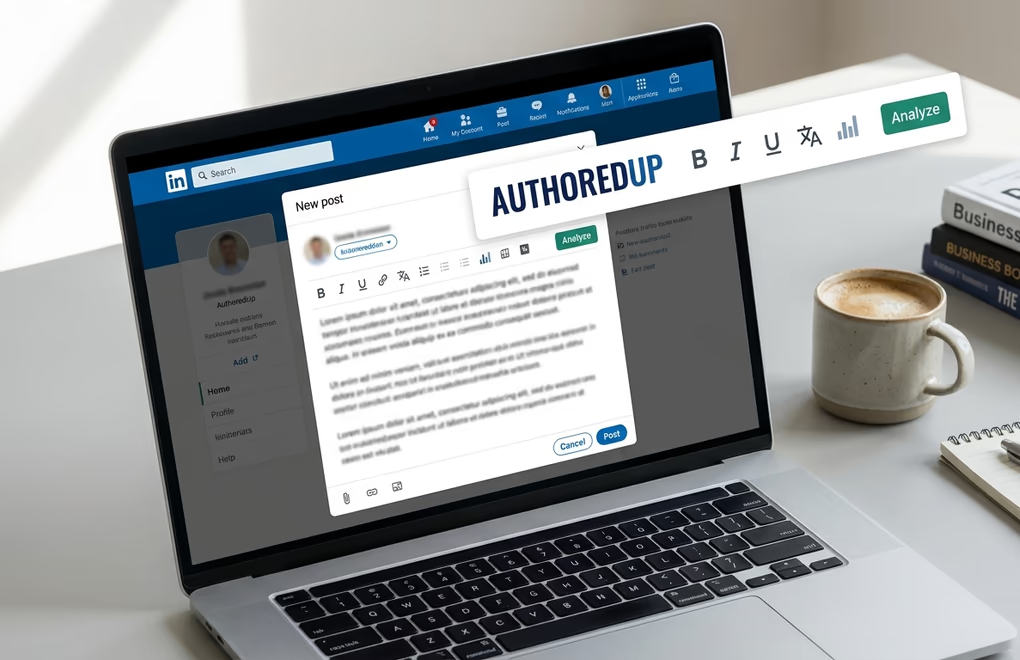
AuthoredUp Chrome extension formatting toolbar over the native LinkedIn composer with bold, italic, Unicode controls
Best for
Solo writers who draft posts inside LinkedIn and want a lightweight scheduler plus deep per-post analytics.
Pricing
Individual $19.95/mo, Business $14.95/user/mo (3+ seats)
Free trial
14-day free trial

AuthoredUp lives as a Chrome extension on top of LinkedIn. The scheduler is functional but lightweight compared to dedicated platforms - it queues posts and publishes them from your browser session. Where AuthoredUp wins is the editor (bold, italic, Unicode, line-break controls) and the per-post analytics.

If you write all your posts yourself and just need a way to queue them with formatting intact, AuthoredUp is hard to beat. If you want AI generation, carousel scheduling, or company-page publishing, look elsewhere.

Pros
  • Best in-LinkedIn formatting tools on the market
  • Excellent per-post analytics with cohort comparisons
  • Predictable flat pricing with no AI credit gymnastics
Cons
  • No AI post generation
  • Scheduling is lightweight vs dedicated tools
  • No carousel scheduling or AI image generation
6

Hootsuite

Best for enterprise teams + approvals
Hootsuite enterprise dashboard with multi-stream feed, team approval workflow, and social listening panels
Best for
Marketing departments and agencies managing 5+ team members and 10+ social profiles across multiple networks.
Pricing
Professional $99/mo, Team $249/mo, Enterprise custom
Free trial
30-day free trial

Hootsuite is the enterprise-grade option. It ships team workflows, approval chains, role-based permissions, social listening, and unified reporting across every major social network. For a single creator or small team, it is overkill at $99/mo. For an agency or marketing department, the workflow tooling justifies the price.

AI generation is included in most plans but treated as a generic content assist, not a LinkedIn-trained model. The scheduling itself is rock-solid across networks.

Pros
  • Enterprise-grade workflows, approvals, and permissions
  • Wide platform coverage and team scaling
  • Social listening and unified reporting built in
Cons
  • Expensive for solo creators or small teams
  • LinkedIn-specific features are basic
  • AI generation is generic, not LinkedIn-trained
7

Later

Best visual content calendar
Later visual content calendar grid with thumbnail-based weekly scheduling and platform indicator badges
Best for
Visual creators who think in grid layouts and want the same Instagram-style preview workflow on LinkedIn.
Pricing
Starter $25/mo, Growth $45/mo, Advanced $80/mo
Free trial
14-day free trial

Later originated as the Instagram visual planner and added LinkedIn (plus TikTok, Pinterest, X, YouTube) over the past few years. The standout is the visual content calendar - you see scheduled posts as image thumbnails arranged in a grid, which makes it easy to plan a cohesive content week.

If LinkedIn is your primary channel and you do not need the Instagram-grid heritage, Later is a costly choice vs LinkedIn-first tools. If you cross-post visually across networks, the unified preview is genuinely useful.

Pros
  • Best visual calendar UI on the market
  • Multi-platform with strong Instagram + LinkedIn parity
  • Hashtag suggestions and bio-link tools
Cons
  • Pricing starts higher than LinkedIn-first tools at $25/mo
  • LinkedIn-specific features (hooks, algorithm signals) are thin
  • AI assist is generic across platforms
8

Sprout Social

Best for large social media teams
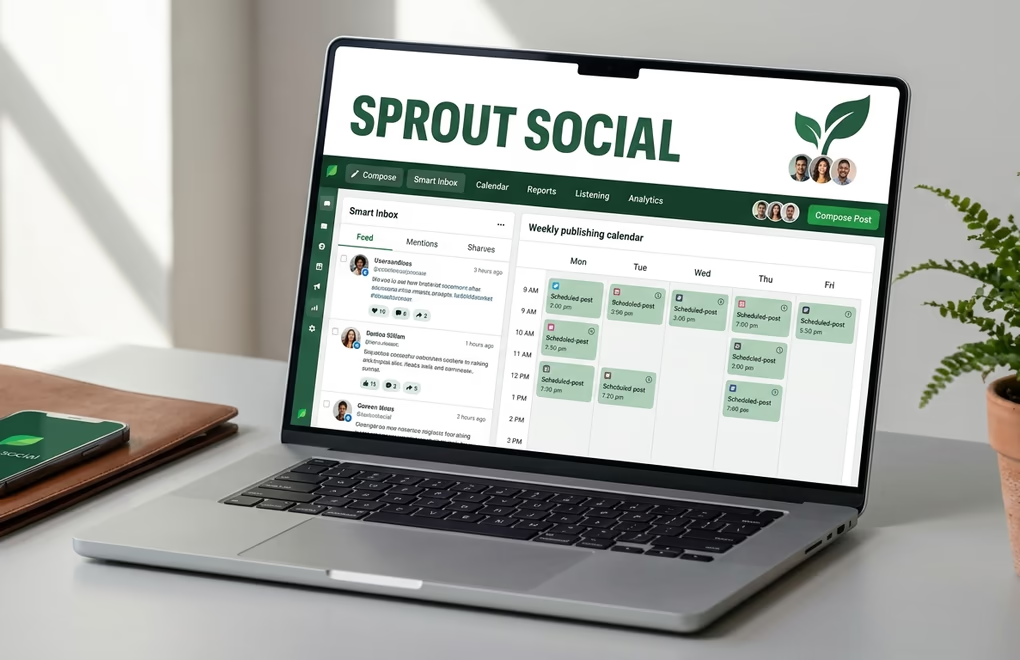
Sprout Social enterprise dashboard with Smart Inbox, publishing calendar, and team member workspace assignments
Best for
Large marketing departments and agencies that need unified scheduling, social listening, CRM integration, and team workflows across every major network.
Pricing
Standard $249/seat/mo, Professional $399/seat/mo
Free trial
30-day free trial

Sprout Social is the premium end of the enterprise scheduling market. It ships unified scheduling, a Smart Inbox for cross-network engagement, social listening, CRM-style audience profiles, and unified analytics. The per-seat pricing reflects the depth.

For a solo creator or small team, this is wildly overkill. For an enterprise that needs LinkedIn alongside Twitter, Facebook, Instagram, TikTok, and YouTube with team workflows, Sprout's depth is unmatched.

Pros
  • Most comprehensive enterprise feature set in this comparison
  • Smart Inbox unifies social mentions across networks
  • Strong reporting, CRM, and listening integrations
Cons
  • Per-seat pricing starts at $249/mo - prohibitive for solo or small teams
  • LinkedIn-specific tooling is thin relative to the price
  • Steep learning curve

How to choose the right LinkedIn scheduling tool

Match the tool to your real workflow. Four personas, four honest picks.

For solo creators posting 2 to 5 times a week

Pick LinkedGrow. You get AI generation + scheduling in one dashboard for $13/mo (Starter) plus $2-4/mo in BYOK AI fees. The 10-post Starter cap covers most solo cadences; upgrade to Pro at $27/mo for unlimited if you batch-schedule a month ahead. Runner-up: Supergrow at $19/mo if you prefer bundled AI with no API key setup.

For agencies and ghostwriters managing multiple LinkedIn accounts

Pick LinkedGrow Business at $55/mo - it ships team workflows, per-client content calendars, BYOK per client (so AI costs stay on the client side), and a public API. Hootsuite Team at $249/mo is the alternative if you also manage non-LinkedIn channels for the same clients. Sprout Social only makes sense at 5+ seats with cross-network listening needs.

For teams and B2B companies posting from a company page

Pick LinkedGrow Business at $55/mo if LinkedIn is your primary B2B channel - you get unlimited company-page scheduling, team collaboration with role-based access, and AI generation tuned to your brand voice via voice training. Hootsuite Professional at $99/mo if your team manages 5+ social profiles across networks. Buffer Team at $40/mo if you cross-post heavily and just need clean scheduling.

For multi-platform creators where LinkedIn is one of many

Pick Buffer if your stack is LinkedIn + X + Instagram + TikTok and you want one composer. Later is the pick if you think visually and want a thumbnail-grid calendar. Just know you trade LinkedIn-specific depth (hooks, voice, algorithm signals) for multi-platform convenience.

LinkedIn scheduling tools FAQ

The most common questions before picking a scheduler.

LinkedGrow is the best LinkedIn scheduling tool in 2026 for most creators because it pairs auto-publishing to personal profiles and company pages with built-in AI post generation, BYOK pricing, and a visual content calendar. Total monthly cost stays at $15 to $30 all-in. Taplio is the strongest pick if you need scheduling plus outreach automation, and Hootsuite is the right fit for enterprise teams managing 5+ social profiles.

Buffer's free plan schedules up to 10 posts per channel across 3 channels. Supergrow includes 3 posts per month on its free plan. LinkedGrow ships a 7-day Pro trial with unlimited scheduling - no credit card required. After the trial, paid plans start at $13/mo (billed yearly) with 10 scheduled posts on Starter and unlimited on Pro and Business.

LinkedGrow, Taplio, Hootsuite, Buffer, Later, and Sprout Social all support scheduling to LinkedIn company pages you manage. AuthoredUp is in-LinkedIn-only and posts to your active profile context. Supergrow supports both personal profiles and company pages on its paid plans.

LinkedGrow at $13/mo (Starter, billed yearly) is the cheapest functional alternative. It ships scheduling, content calendar, AI generation, and company-page publishing at roughly 25% of Taplio Standard's $52/mo and 13% of Hootsuite Professional's $99/mo. Supergrow at $19/mo is the next-cheapest option without BYOK.

Create or generate a post with AI, then choose a date and time to publish. The tool automatically posts to your LinkedIn profile or company page at the scheduled time. A visual content calendar shows all upcoming posts so you can plan a week or month at a glance. LinkedGrow uses QStash for exact-time delivery.

Tuesday through Thursday between 8 to 10 AM in your audience's timezone gets the highest engagement on average, but optimal timing varies by industry and audience. The best LinkedIn schedulers surface posting-time suggestions based on when YOUR audience is active, not a generic benchmark.

Yes. Tools like LinkedGrow, Taplio, Supergrow, and Buffer all let you generate a post with AI then schedule it from the same editor - no copy-paste between tools. LinkedGrow goes further with BYOK across 26+ AI models, so you can pick the model best suited to each post type before scheduling.

Scheduled posts publish automatically regardless of whether you are online - that is the whole point of scheduling. LinkedGrow uses QStash by Upstash for reliable exact-time delivery. Once a post is scheduled, it publishes at the specified time without manual intervention.

Try the #1 ranked LinkedIn scheduler

Start free with the best
LinkedIn scheduling tool in 2026

AI generation + auto-publishing + visual calendar in one dashboard. Total cost stays at $15 to $30/mo all-in. Join 179+ founders.

No credit card required
Unlimited generations on Pro+
Auto-publish to profiles and pages
Cancel anytime