Independent ranking ยท Updated May 2026

Best LinkedIn Post Generators in 2026: Ranked & Reviewed

We tested the 8 most popular LinkedIn post generators side by side on pricing, AI model choice, voice training, and integration depth. Here is the honest ranking, with pros and cons for each.

8 tools comparedNo affiliate linksReal pricing breakdowns
Best LinkedIn post generators 2026 - LinkedGrow, Taplio, AuthoredUp, Supergrow, EasyGen, MagicPost, ContentIn, Typefully

The 8 best LinkedIn post generators at a glance

The fast version. Full reviews below.

LinkedGrow
#1 RANKED
$13/mo (BYOK +$2-4)
Best overall - voice + cost
Free: 7-day Pro trialModels: 26+ modelsVoice:
Taplio
$39-$149/mo
Outreach + viral hooks
Free: 7-day trialModels: 1 bundledVoice:
AuthoredUp
$19.95/mo
Editor + formatter
Free: 14-day trialModels: No AI genVoice:
Supergrow
$19-$39/mo
Budget all-in-one
Free: Free planModels: 1 bundledVoice:
EasyGen
$9-$29/mo
One-click in-browser
Free: Free tierModels: 1 bundledVoice:
MagicPost
$39-$59/mo
Beginners + templates
Free: Free trialModels: 1 bundledVoice:
ContentIn
$29-$39/mo
Idea bank + daily posts
Free: Free planModels: 1 bundledVoice:
Typefully
$12.50-$49/mo
Cross-post X + LinkedIn
Free: Free planModels: 1 bundledVoice:

Total cost matters more than sticker price. A $13/mo BYOK tool with $3 in AI fees beats a $52/mo bundled tool on capability per dollar.

How we evaluated these tools

Five criteria that actually predict whether a tool will pay for itself.

AI model choice

Tools that lock you into one model age fast. The best generators let you pick from multiple frontier models so quality stays high as AI evolves.

Voice training

If posts sound generic, audiences scroll past. Voice training analyzes your past writing so every generation sounds like you, not like ChatGPT.

Total cost (subscription + AI)

Bundled-AI tools mark up wholesale API calls. BYOK pricing reveals the true cost: a few dollars per month, not $69+ in bundled credits.

Integrated workflow

Hook generation, carousels, scheduling, images, and analytics in one tool beat juggling 4 subscriptions. Look for breadth without losing depth.

Direct LinkedIn publishing

Manual copy-paste burns time. Direct API publishing to personal profiles and company pages is table stakes in 2026.

The 8 best LinkedIn post generators in 2026

Ranked from best overall to most specialized. Click any tool name to jump.

1

LinkedGrow

Best overall - authentic voice + lowest total cost
LinkedGrow dashboard with BYOK API key setup and 26 model selector covering GPT, Claude, Gemini, Grok, Perplexity, and Kimi
Best for
Founders, coaches, and consultants who post 2 to 5 times a week and care about sounding like themselves.
Pricing
$13/mo Starter, $27/mo Pro, $55/mo Business (yearly)
Free trial
7-day Pro trial, no card required

LinkedGrow is the only LinkedIn post generator built around BYOK (bring your own key) across 26+ AI models from OpenAI, Anthropic, Google, xAI, Perplexity, and Kimi. You connect your own API key once and pay the AI provider directly at wholesale rates - typically $2 to $4 per month for regular posting.

Voice training is the core differentiator. You paste 3 to 5 of your best posts, LinkedGrow builds a style profile, and every generation matches your sentence structure and tone. The hook generator, carousel builder, AI image generation, scheduling, content calendar, A/B testing, and analytics all sit in one dashboard.

Publishing goes directly to personal profiles and company pages you manage. Reddit URLs can be turned into post drafts, scheduled posts fire at exact times via QStash, and the editor previews exactly how the post will look on LinkedIn before you publish.

Pros
  • 26+ AI models with model freedom (use Claude for thought leadership, ChatGPT for storytelling, Gemini for speed)
  • Voice training that audiences cannot distinguish from manual writing
  • Unlimited generations on every paid plan (no credits, no caps, no overage)
  • Total cost stays at $15 to $30/mo all-in including AI fees
  • Built-in AI image + carousel generation - no second subscription needed
Cons
  • BYOK setup adds 2 minutes (creating an API key with OpenAI or Anthropic)
  • Smaller community than legacy tools like Taplio
  • Native analytics still rolling out (LinkedIn API limitation, affects every tool)
2

Taplio

Best for outreach + viral hooks library
Taplio viral posts library panel paired with the AI composer and lead database outreach module
Best for
Salespeople and growth marketers who want LinkedIn content + automated DMs + a lead database in one tool.
Pricing
Starter $39, Standard $52, Pro $149/mo (yearly)
Free trial
7-day free trial, card required

Taplio is the most established name in the LinkedIn AI tool space. It pairs AI content generation with a 3+ million contact lead database, automated DMs, auto-connection requests, and a famous library of viral LinkedIn posts you can swipe ideas from.

AI access is gated. The $39 Starter plan ships with zero AI credits - you only get scheduling and the hooks library. AI generation starts at the $52 Standard plan, and the lead database plus automation requires the $149 Pro plan (on annual billing).

The viral hooks library is genuinely useful for ideation, and outreach automation is the real reason most users stay despite the price.

Pros
  • Massive library of high-performing LinkedIn post inspiration
  • Lead database with 3 million+ contacts (Pro plan)
  • Strong outreach automation - DMs, connection requests, comment-at-scale
Cons
  • Starter at $39/mo includes zero AI credits
  • AI cost is bundled and marked up vs BYOK alternatives
  • Pro plan needed for outreach features ($149/mo on yearly billing)
  • Single AI model under the hood with no choice
3

AuthoredUp

Best post editor + formatter for pure writers
AuthoredUp Chrome extension formatting toolbar over the native LinkedIn composer with bold, italic, Unicode controls
Best for
Writers who already know what to write and want a better editor inside LinkedIn, plus analytics on what works.
Pricing
Individual $19.95/mo, Business $14.95/user/mo (3+ seats)
Free trial
14-day free trial

AuthoredUp is not a content generator. It is a Chrome extension that upgrades the native LinkedIn composer with bold, italic, Unicode formatting, line break controls, post preview, snippets, and analytics on every post you publish.

The analytics are the secret weapon. You see which hooks, lengths, and formats actually move the needle on your account specifically, not on some abstract benchmark.

There is no AI writing, no scheduling, and no carousel builder. AuthoredUp pairs well with a separate AI generator or scheduler. Solo writers love it; full-funnel marketers usually need a second tool.

Pros
  • Best in-LinkedIn text formatting tools on the market
  • Excellent per-post analytics with cohort comparisons
  • Predictable flat pricing, no AI credit gymnastics
Cons
  • No AI post generation at all
  • No native scheduling - you publish manually or pair with another tool
  • No image or carousel generation
4

Supergrow

Best budget all-in-one
Supergrow weekly calendar view alongside the Voice-to-Post microphone feature and Swipe File content inspiration feed
Best for
Creators who want LinkedGrow-style features at a simpler interface with no BYOK setup.
Pricing
Starter $19/mo, Pro $39/mo
Free trial
Free plan with 3 posts/mo

Supergrow is the cleanest all-in-one alternative to Taplio. The Starter plan at $19/mo already includes AI content generation, scheduling, and a content inspiration feed. The Pro plan at $39/mo adds a carousel maker, advanced analytics, and team features.

Voice-to-Post is a standout: dictate a half-formed thought, get a polished post back. The tool also avoids the aggressive automation features (like auto-DMs) that can trigger LinkedIn account restrictions on other platforms.

AI is bundled (not BYOK), so you cannot switch models or pay wholesale rates. For users who want simplicity over flexibility, that is a fair trade.

Pros
  • AI included on the $19/mo Starter plan (no gating)
  • Voice-to-Post for capturing ideas on the go
  • Conservative on risky automation - protects your LinkedIn account
Cons
  • Single bundled AI model, no BYOK option
  • Voice training less mature than LinkedGrow's
  • Carousel maker locked behind the $39 Pro plan
5

EasyGen

Best for one-click generation in-browser
EasyGen browser extension popup with topic input field and one-click format templates for story, how-to, and hot take
Best for
Busy professionals who want a Chrome extension that drafts a post in 30 seconds from a topic.
Pricing
Free tier, Starter $9/mo, Pro $29/mo
Free trial
Free plan available

EasyGen lives as a Chrome extension. Click the icon, type a topic, pick a format (story, listicle, contrarian take, how-to), and get a draft in a few seconds. It is the lowest-friction generator on this list.

Generation is based on proven LinkedIn post patterns scraped from high-performing accounts. You will not get deeply original content, but you will get safe, structured drafts that you can edit and ship.

No scheduling, no analytics, no carousel builder. EasyGen is a content-generation utility, not a full platform.

Pros
  • Cheapest entry point ($9/mo Starter, free tier exists)
  • Browser extension keeps you inside LinkedIn
  • Template-driven outputs work well for non-writers
Cons
  • Templates can feel formulaic over time
  • No scheduling, calendar, or analytics
  • Limited voice customization
6

MagicPost

Best for beginners + template-driven posts
MagicPost template grid with case study, hot take, tutorial, carousel, story, and listicle starter templates
Best for
First-time LinkedIn creators who want hand-holding via templates and a simple workflow.
Pricing
Starter $39/mo, Pro $59/mo
Free trial
Free trial available

MagicPost leans into the template angle. Pick a template (case study, hot take, motivational story, tutorial), fill in the slots, generate, edit, post. The UI is friendly and the carousel maker is solid for beginners.

Pricing starts at $39/mo, which feels high for what is essentially a thin template layer over a single AI model. Stronger fit for someone new to LinkedIn who needs structure than for an experienced creator who wants flexibility.

Pros
  • Beginner-friendly UI with clear template paths
  • Carousel maker included
  • Simple onboarding with no API key setup
Cons
  • Starts at $39/mo - same as Supergrow Pro for fewer features
  • Template-locked - hard to escape the patterns
  • No BYOK, single bundled model
7

ContentIn

Best LinkedIn-only daily-posting workflow
ContentIn idea bank with categorized post ideas next to a weekly scheduling calendar for daily LinkedIn cadence
Best for
Daily LinkedIn posters who want an idea bank + swipe file + scheduling in one place.
Pricing
Free plan, Pro $29/mo, Premium $39/mo
Free trial
Free plan available

ContentIn is LinkedIn-only by design. The standout feature is the idea bank and swipe file - thousands of pre-categorized LinkedIn post ideas you can riff on when you cannot think of what to post.

AI generation is present but not the headline feature. The strength is the daily-cadence workflow: open the app, pick an idea, edit it in your voice, schedule, done.

Free plan exists with limited generations. Paid plans unlock the full swipe file, scheduling, and analytics.

Pros
  • Excellent idea bank if you struggle with what to post
  • Reasonable mid-tier pricing ($29-$39/mo)
  • Clean workflow for daily LinkedIn posters
Cons
  • No BYOK, no AI model choice
  • Carousel and image generation are weaker than dedicated tools
  • No voice training
8

Typefully

Best for cross-posting to X, Threads, Bluesky + LinkedIn
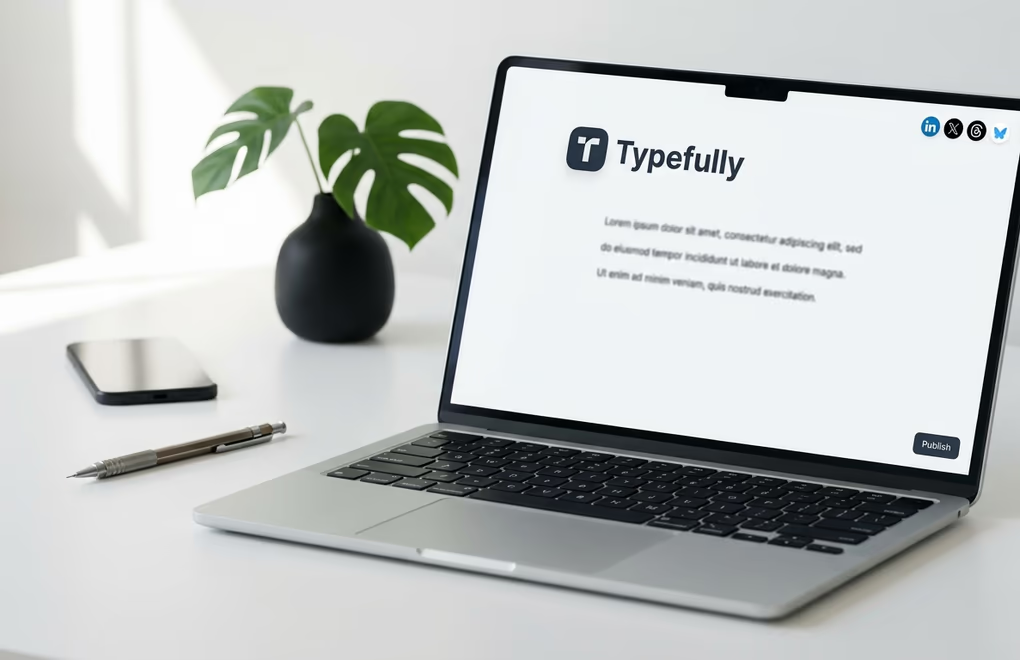
Typefully minimalist writing canvas with cross-platform badges for LinkedIn, X, Threads, and Bluesky in the top-right corner
Best for
Short-form writers who post primarily on X and want LinkedIn as a secondary distribution channel.
Pricing
Free, Pro from $12.50/mo, Team from $49/mo (yearly)
Free trial
Free plan available

Typefully is a writer-first tool. The UI is minimal, distraction-free, and feels closer to Notion than a social scheduler. It started as an X-focused tool and added LinkedIn, Threads, and Bluesky.

AI assist is present (rewrite, expand, generate) but LinkedIn is not the primary muscle here - it is a port of the X workflow with LinkedIn formatting layered on top.

Great if you write threads + LinkedIn posts in tandem. Suboptimal if LinkedIn is your only or primary channel.

Pros
  • Cheapest entry on this list ($12.50/mo on yearly billing)
  • Clean, distraction-free writing experience
  • True multi-platform - X, LinkedIn, Threads, Bluesky in one composer
Cons
  • LinkedIn-specific features (hooks, voice training, carousels) are thin
  • AI generation feels generic vs LinkedIn-trained alternatives
  • Analytics are basic

How to choose the right LinkedIn post generator

Match the tool to your actual workflow. Three real personas, three honest picks.

You are a founder, coach, or consultant posting 2 to 5 times a week

Pick LinkedGrow. You care about sounding like yourself (voice training), you want flexibility on AI models as new ones launch (BYOK), and you do not want to juggle subscriptions for images, scheduling, and analytics. Total monthly cost stays at $15 to $30 all-in. Runner-up: Supergrow if you prefer a single bundled model with no API key setup.

You are a salesperson or growth marketer using LinkedIn for outbound

Pick Taplio if outreach automation (auto-DMs, lead database) is core to your workflow and you can justify $149/mo on the Pro plan. Otherwise pick LinkedGrow + manual outreach - you keep 65% of the cost in your pocket and the content quality is higher. Most growth marketers do not actually need Taplio Pro; they just need consistent content.

You write all your posts yourself and want a better editor + analytics

Pick AuthoredUp. The Chrome extension format and detailed per-post analytics are unmatched if you do not need AI generation. Pair it with a separate scheduler if you ever start scheduling more than 2 weeks out.

You post on X primarily and LinkedIn is secondary

Pick Typefully. The multi-platform composer was built for this. Just know that LinkedIn-specific features like hook libraries and voice training are thin compared to LinkedIn-only tools.

LinkedIn post generator FAQ

The most common questions before picking a tool.

LinkedGrow is the best LinkedIn post generator in 2026 for most creators thanks to its 26+ AI model choice via BYOK, voice training, unlimited generations, and total cost of $13 to $55 per month. Taplio is the strongest pick if you need a viral hooks library plus outreach automation. AuthoredUp is best for pure writers who already have ideas and want a polished in-LinkedIn editor.

A LinkedIn post generator is an AI tool that drafts LinkedIn posts from a topic, prompt, or piece of source content. The best generators learn your writing style (voice training), give you a choice of AI models, let you schedule posts directly to LinkedIn, and bundle related features like hook generation, carousels, and analytics.

LinkedGrow is the cheapest functional alternative to Taplio. LinkedGrow Starter is $13 per month (billed yearly) plus $2 to $4 per month in AI costs via BYOK, against Taplio Standard at $52 per month. Supergrow at $19 per month is a second affordable option. AuthoredUp at $19.95 per month is cheaper too but covers writing and formatting only - no scheduling or AI generation.

LinkedGrow is the only LinkedIn post generator with full BYOK support across 26+ AI models from OpenAI, Anthropic, Google, xAI, Perplexity, and Kimi. You connect your own API key and pay the AI provider directly at wholesale rates - typically $2 to $4 per month - instead of being capped by bundled AI credits.

Yes. LinkedGrow offers a free single-post generator at /free-linkedin-post-generator-ai with no signup required. For ongoing use, every LinkedGrow account starts with a 7-day Pro trial - full Pro features, no credit card required. After the trial, paid plans start at $13 per month (billed yearly).

Voice training analyzes your past LinkedIn posts to learn your sentence structure, vocabulary, tone, and formatting patterns. You paste 3 to 5 of your best posts into the tool, the AI builds a style profile, and every future generation matches that profile. LinkedGrow and Supergrow both support voice training. Most other tools rely on a single generic style.

If LinkedIn is your primary or only platform, use a LinkedIn-only generator. They produce better content because their AI models, hook libraries, and analytics are trained on LinkedIn-specific patterns. Multi-platform tools like Buffer or Hootsuite spread their attention across 5+ networks - useful if you post everywhere, suboptimal if you care about LinkedIn results.

Most LinkedIn post generators publish directly via the official LinkedIn API. LinkedGrow, Taplio, Supergrow, EasyGen, MagicPost, and ContentIn all publish to personal profiles and most support company pages. AuthoredUp works as a Chrome extension inside LinkedIn itself. Typefully is multi-platform and posts to LinkedIn alongside X, Threads, and Bluesky.

Try the #1 ranked LinkedIn post generator

Start free with the best
LinkedIn post generator in 2026

26+ AI models via BYOK, voice training, unlimited generations. Total monthly cost $15 to $30 all-in. Join 179+ founders.

No credit card required
Unlimited generations
Voice training included
Cancel anytime